> ## Documentation Index
> Fetch the complete documentation index at: https://docs.rocket.new/llms.txt
> Use this file to discover all available pages before exploring further.
# Invisible components
> Remove hidden or masked Figma elements to avoid broken layouts in Rocket.new's Figma-to-code pipeline.
export const LlmsDirective = () =>
For the complete documentation index, see llms.txt.
For a lightweight markdown version of this page, append .md to the URL.
;
## Remove hidden elements
While designing, it is common to hide elements by placing them behind visible ones. These hidden elements should be removed before importing into Rocket.
Hidden elements reduce import accuracy. Rocket processes every layer it finds, so invisible elements can produce unexpected code and broken layouts.
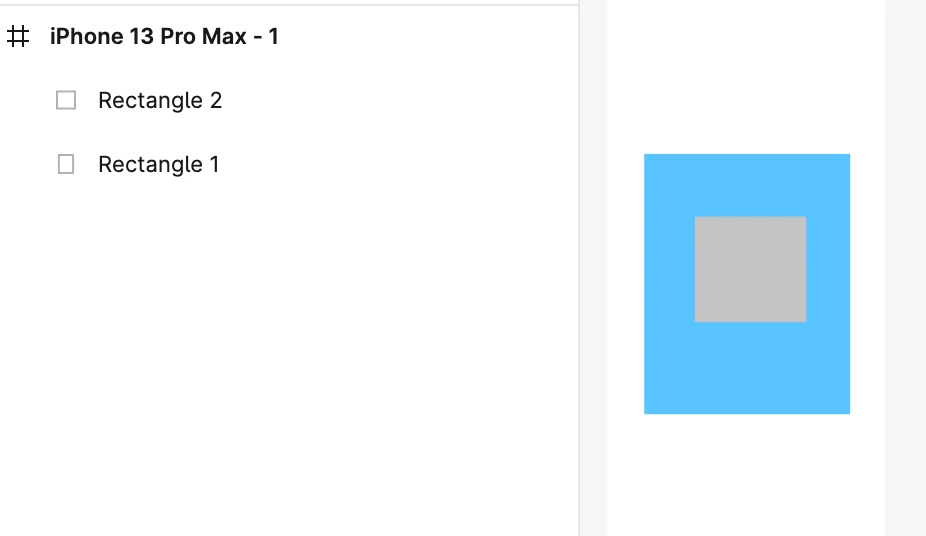
In the example below, **Rectangle 2** is hidden behind **Rectangle 1**. Since it will never appear on screen, it should be deleted before importing.
 ## Avoid hiding with matching fills
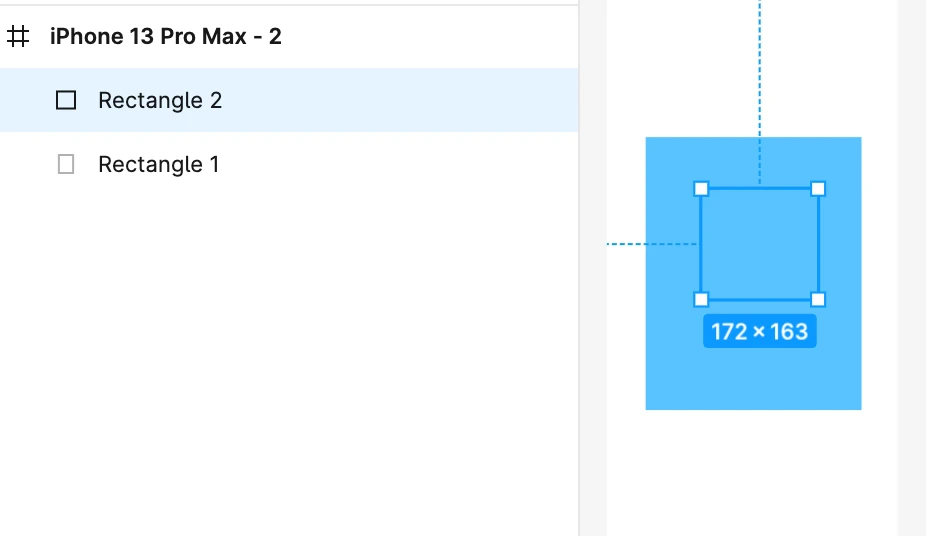
Another common issue is hiding an element by applying the same fill as the background color. In the example below, a square box is hidden this way. This should also be avoided.
## Avoid hiding with matching fills
Another common issue is hiding an element by applying the same fill as the background color. In the example below, a square box is hidden this way. This should also be avoided.
 ## Best practice
Make hidden components **visible** or simply **delete** them. Designs with invisible elements will reduce accuracy when imported into Rocket.
See all design guidelines for preparing your Figma files.
## Best practice
Make hidden components **visible** or simply **delete** them. Designs with invisible elements will reduce accuracy when imported into Rocket.
See all design guidelines for preparing your Figma files.