> ## Documentation Index
> Fetch the complete documentation index at: https://docs.rocket.new/llms.txt
> Use this file to discover all available pages before exploring further.
# Overlay controls
> Design dialogs, drawers, and bottom sheets in Figma for correct detection in Rocket.new's Figma-to-code pipeline.
export const LlmsDirective = () =>
For the complete documentation index, see llms.txt.
For a lightweight markdown version of this page, append .md to the URL.
;
## Why overlay design matters
Overlays like dialogs, drawers, and bottom sheets need to follow specific practices to be detected correctly during import.
 ## Requirements
When designing dialogs, drawers, and bottom sheets, include these three elements:
## Requirements
When designing dialogs, drawers, and bottom sheets, include these three elements:
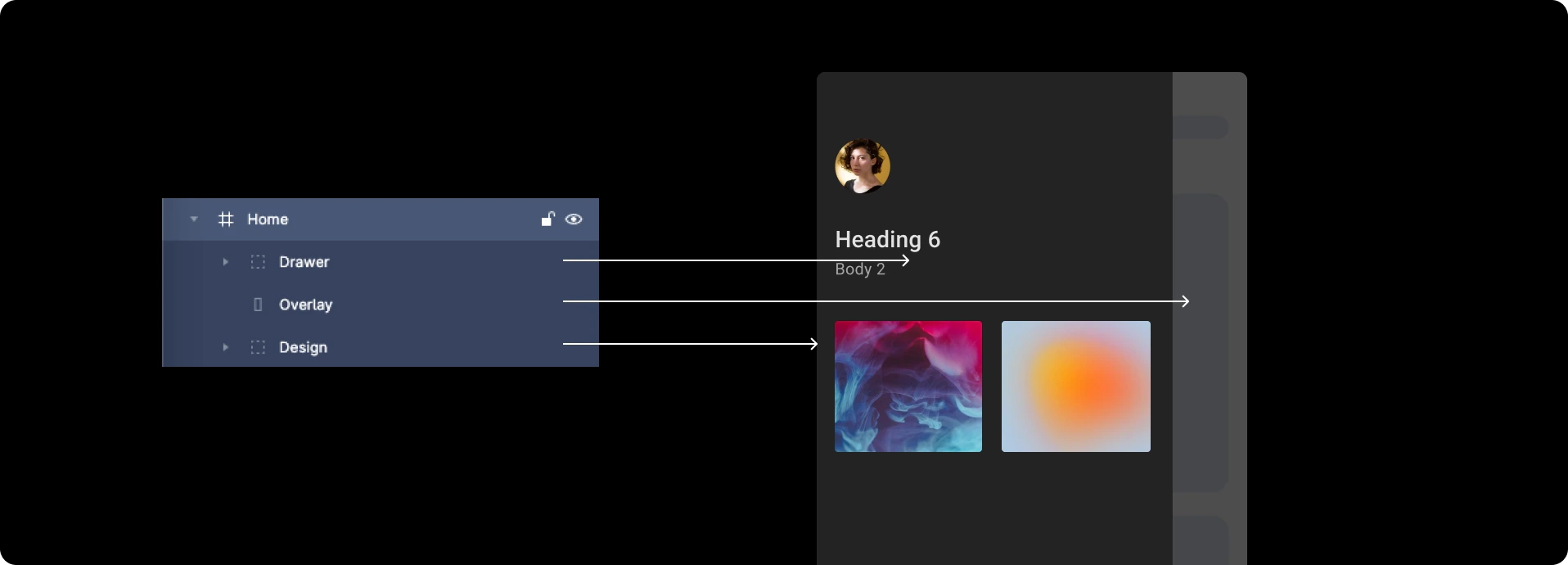 Common issues occur when overlays do not cover the screen fully, or when dialog edges extend beyond the screen bounds. Following the practices below ensures your overlay components are detected correctly.
## Best practices
1. The overlay must **cover the screen completely**. If it does not, the dialog, drawer, or bottom sheet will not be detected.
2. Place the component in the correct position inside the overlay:
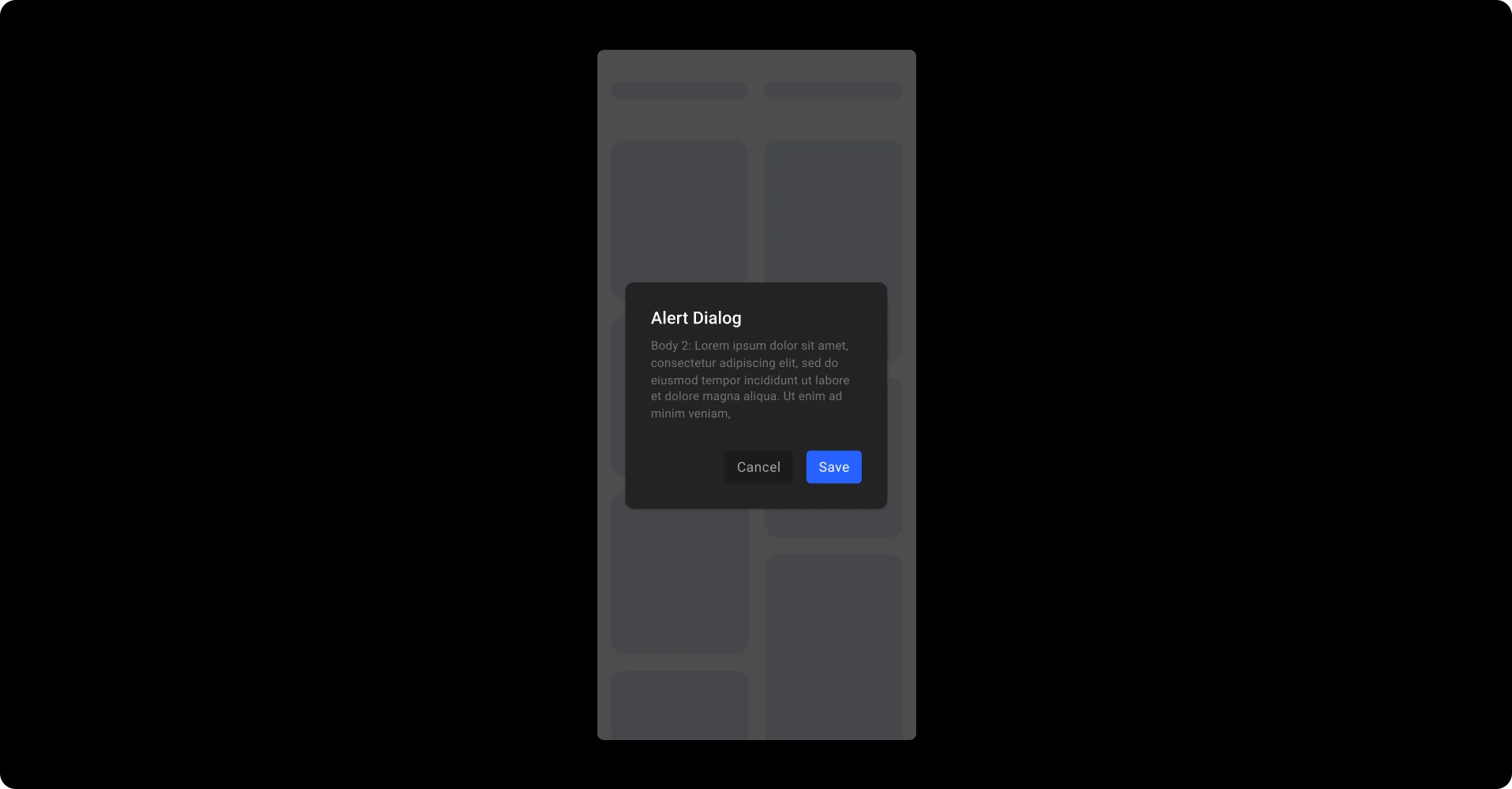
* **Dialog** - exact center of the overlay
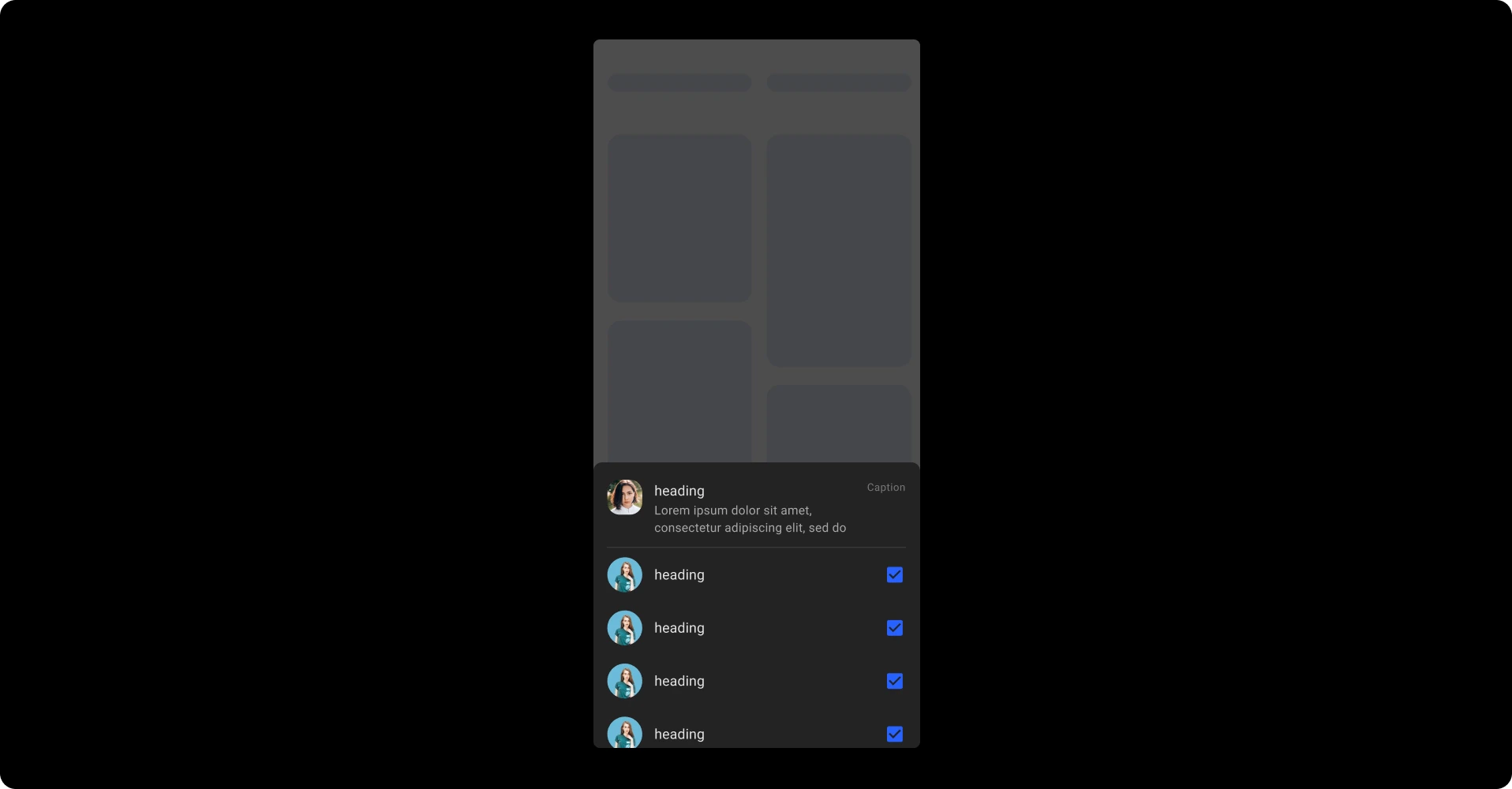
* **Bottom sheet** - aligned to the bottom
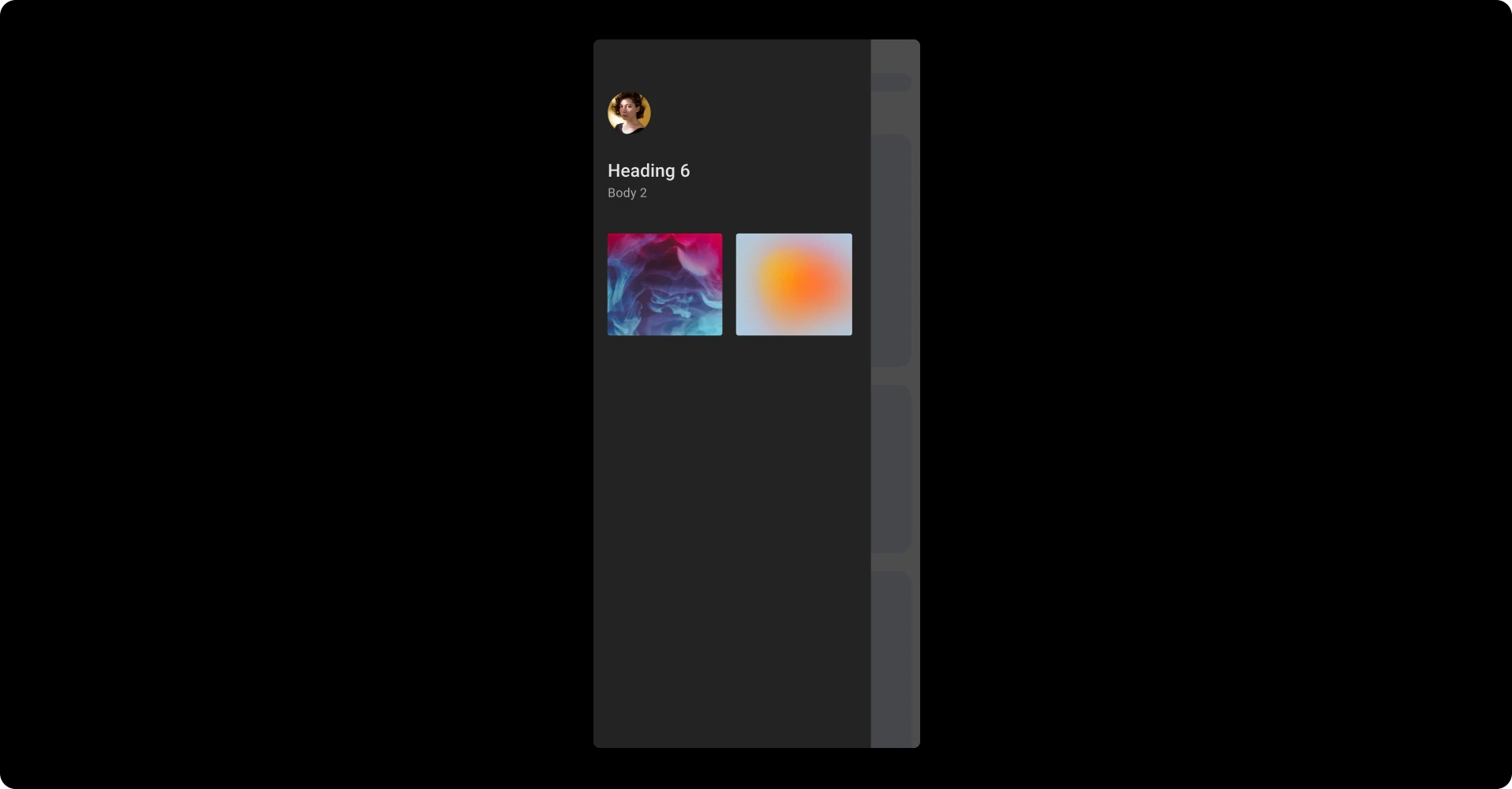
* **Drawer** - aligned to the left
3. Maintain the correct layer hierarchy:
* Top: dialog, drawer, or bottom sheet
* Below: the overlay layer
* Bottom: everything else in the screen
## Reference designs
Common issues occur when overlays do not cover the screen fully, or when dialog edges extend beyond the screen bounds. Following the practices below ensures your overlay components are detected correctly.
## Best practices
1. The overlay must **cover the screen completely**. If it does not, the dialog, drawer, or bottom sheet will not be detected.
2. Place the component in the correct position inside the overlay:
* **Dialog** - exact center of the overlay
* **Bottom sheet** - aligned to the bottom
* **Drawer** - aligned to the left
3. Maintain the correct layer hierarchy:
* Top: dialog, drawer, or bottom sheet
* Below: the overlay layer
* Bottom: everything else in the screen
## Reference designs
 See all design guidelines for preparing your Figma files.