> ## Documentation Index
> Fetch the complete documentation index at: https://docs.rocket.new/llms.txt
> Use this file to discover all available pages before exploring further.
# Get your Figma URL
> Copy the right Figma file or frame link to import your design in Rocket.new's Figma-to-code pipeline.
export const LlmsDirective = () =>
For the complete documentation index, see llms.txt.
For a lightweight markdown version of this page, append .md to the URL.
;
Rocket accepts two types of Figma links: a **full file URL** (for importing an entire flow) or a **frame URL** (for a specific screen). Both work the same way in Rocket - paste either one to get started.
## Before you begin
**You will need:**
* A [rocket.new](https://rocket.new) account.
* A Figma account and a design file with **view or edit permission**.
**Prototype links are not valid.** Use the file or frame URL instead. Prototype links will fail to import.
## Method 1: Share the full file
Copy the URL in two ways:
* Copy the **browser URL** while viewing the file.
* Or, click **Share** then **Copy link** in Figma.
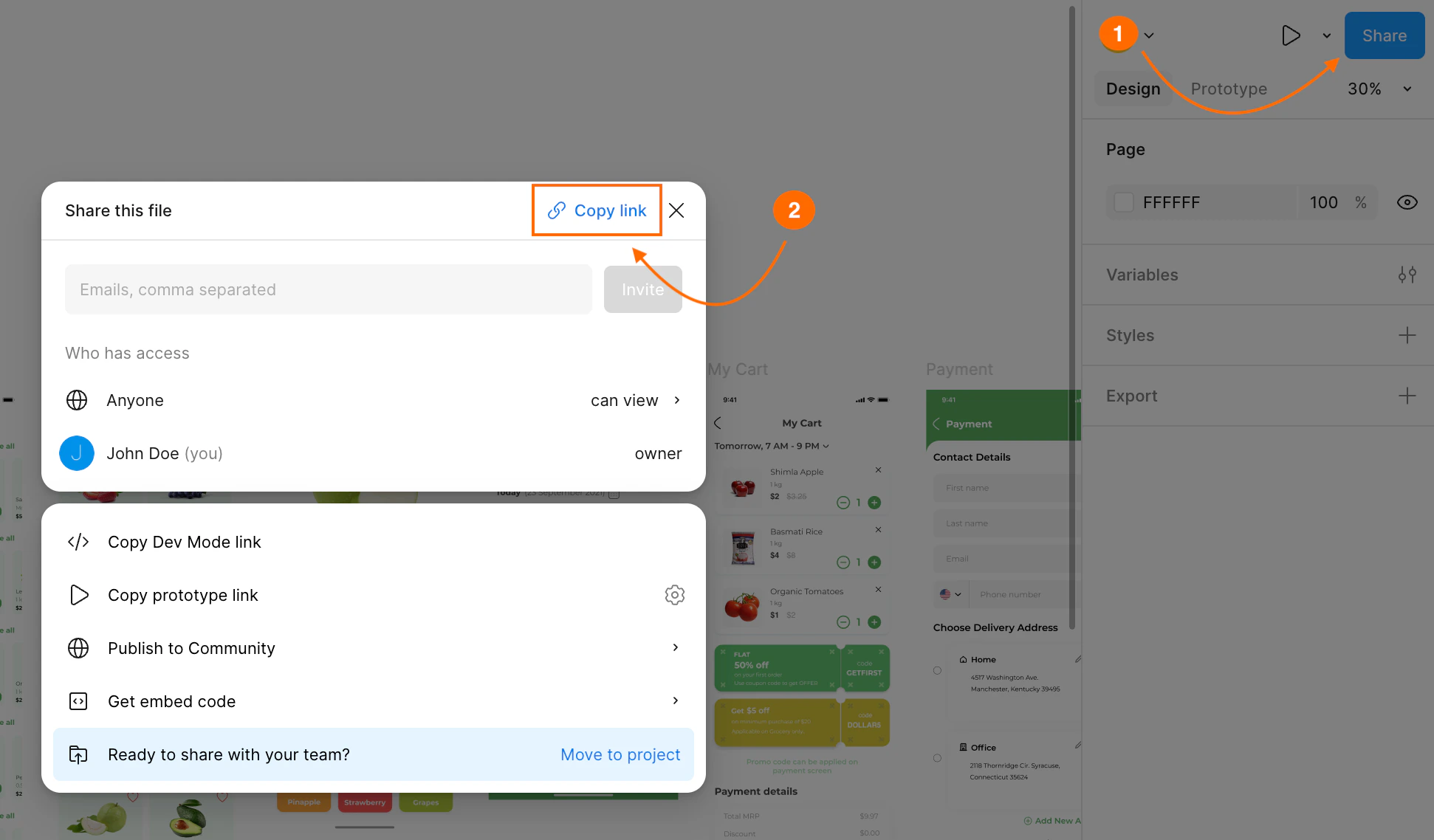
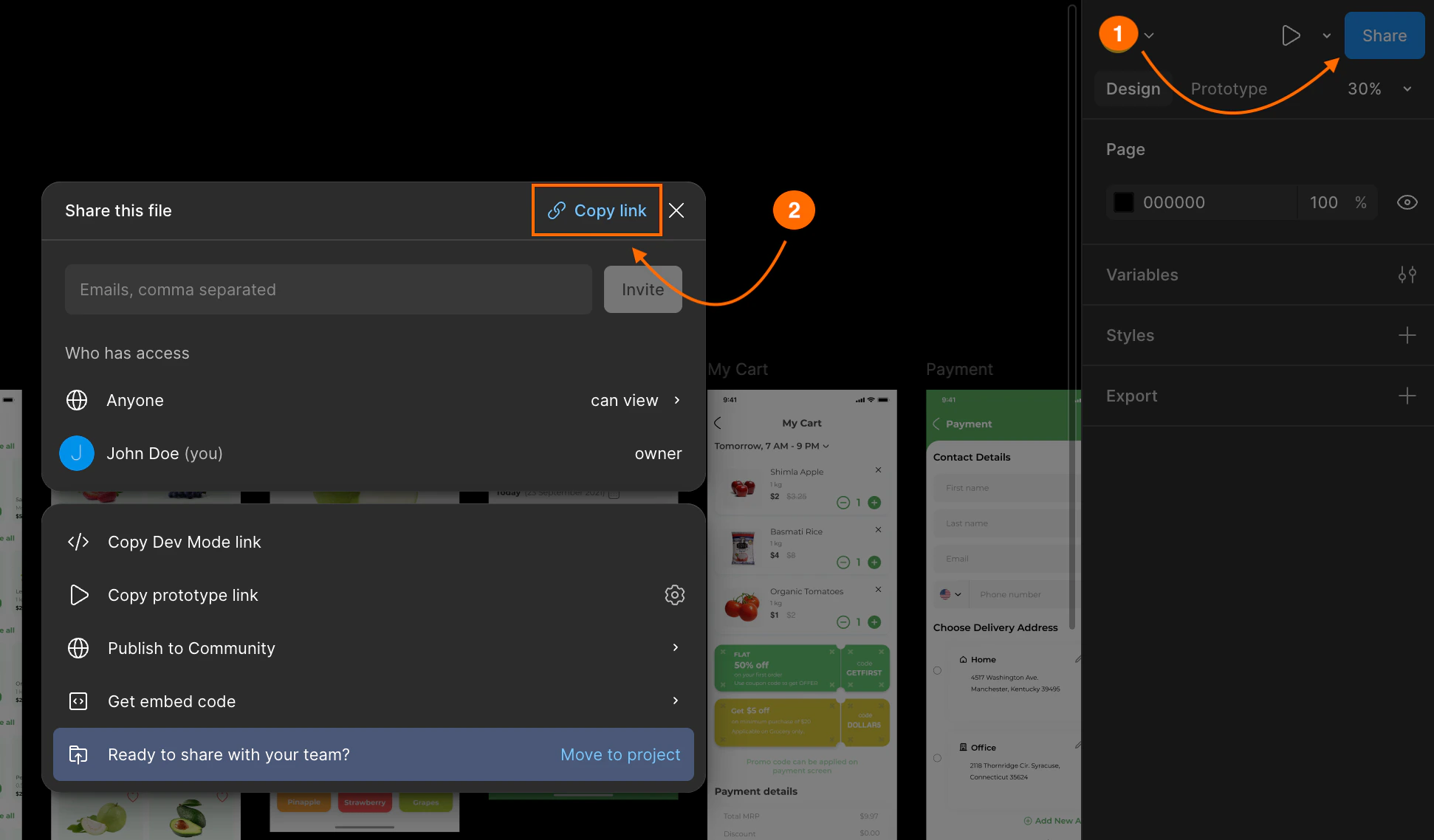 **Success check:** You will see "Link copied!" in Figma.
## Method 2: Share a specific frame
Copy a frame URL in two ways:
* Select the frame, then copy the **browser URL**.
* Or, right-click the frame and choose **Copy/Paste as > Copy link to selection**.
**Success check:** You will see "Link copied!" in Figma.
## Method 2: Share a specific frame
Copy a frame URL in two ways:
* Select the frame, then copy the **browser URL**.
* Or, right-click the frame and choose **Copy/Paste as > Copy link to selection**.
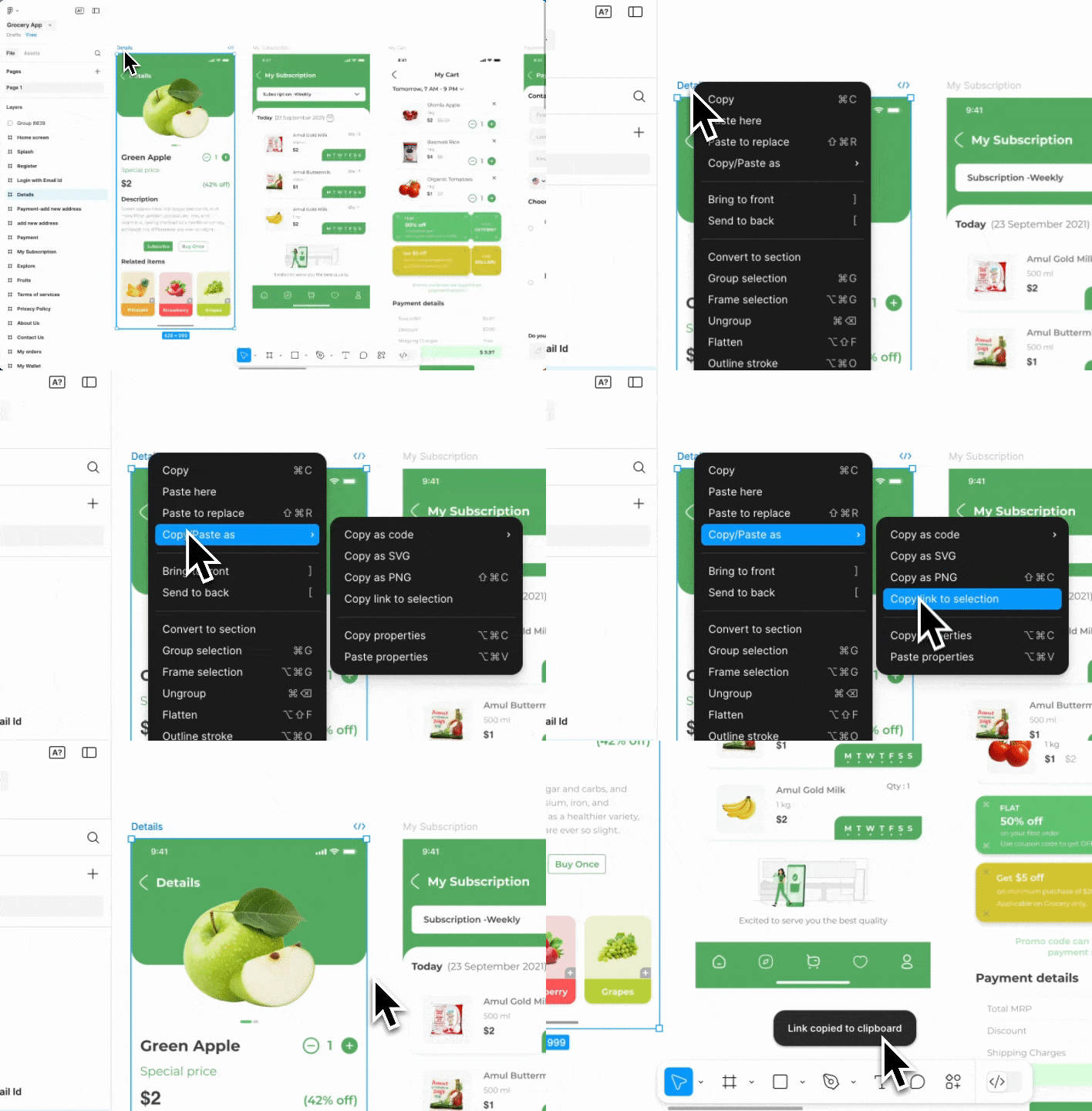
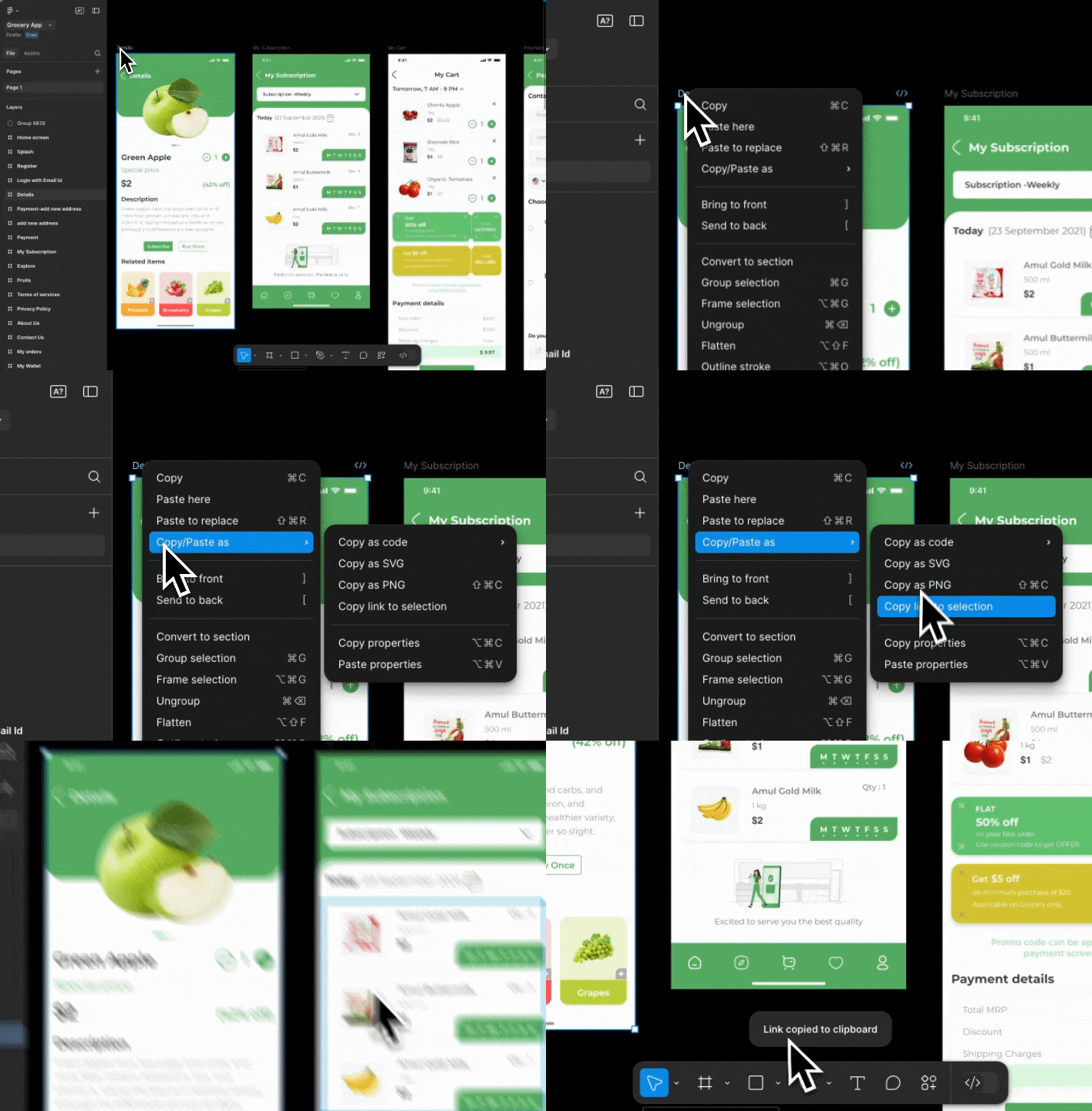 **Success check:** You will see "Link copied to clipboard" in Figma.
## What's next?
Import your Figma designs into a React or Next.js web app.
Generate a Flutter mobile app from your Figma screens.
**Success check:** You will see "Link copied to clipboard" in Figma.
## What's next?
Import your Figma designs into a React or Next.js web app.
Generate a Flutter mobile app from your Figma screens.