> ## Documentation Index
> Fetch the complete documentation index at: https://docs.rocket.new/llms.txt
> Use this file to discover all available pages before exploring further.
# From an idea
> Turn any idea into a production-ready web or mobile app with Rocket.new. Describe what you want and Rocket builds the UI, logic, and navigation. Try free, no code needed.
export const LlmsDirective = () =>
For the complete documentation index, see llms.txt.
For a lightweight markdown version of this page, append .md to the URL.
;
## What you can build
Subscription-based apps with dashboards, user accounts, and billing.
Product catalogs, shopping carts, and checkout flows.
Chat interfaces, content generators, and smart search tools.
Data dashboards, admin panels, and CRM systems.
Marketing sites, portfolios, blogs, and landing pages.
Native mobile apps for iOS and Android with Flutter.
## How it works
When you submit a prompt, Rocket scores it for clarity before starting work.
* **Clear prompt.** Rocket starts building immediately.
* **Vague prompt.** Rocket asks a short set of targeted questions first, then starts once it has enough to go on.
The framework is assigned automatically based on your platform: Next.js for web, Flutter for mobile. You cannot change the framework after the task is created.
## Detailed walkthrough
### Before you begin
**You will need:**
* A [rocket.new](https://rocket.new) account, signed in.
Visit **[rocket.new](https://rocket.new)** and sign in. On the homepage, click **Build** to start a new Build task.
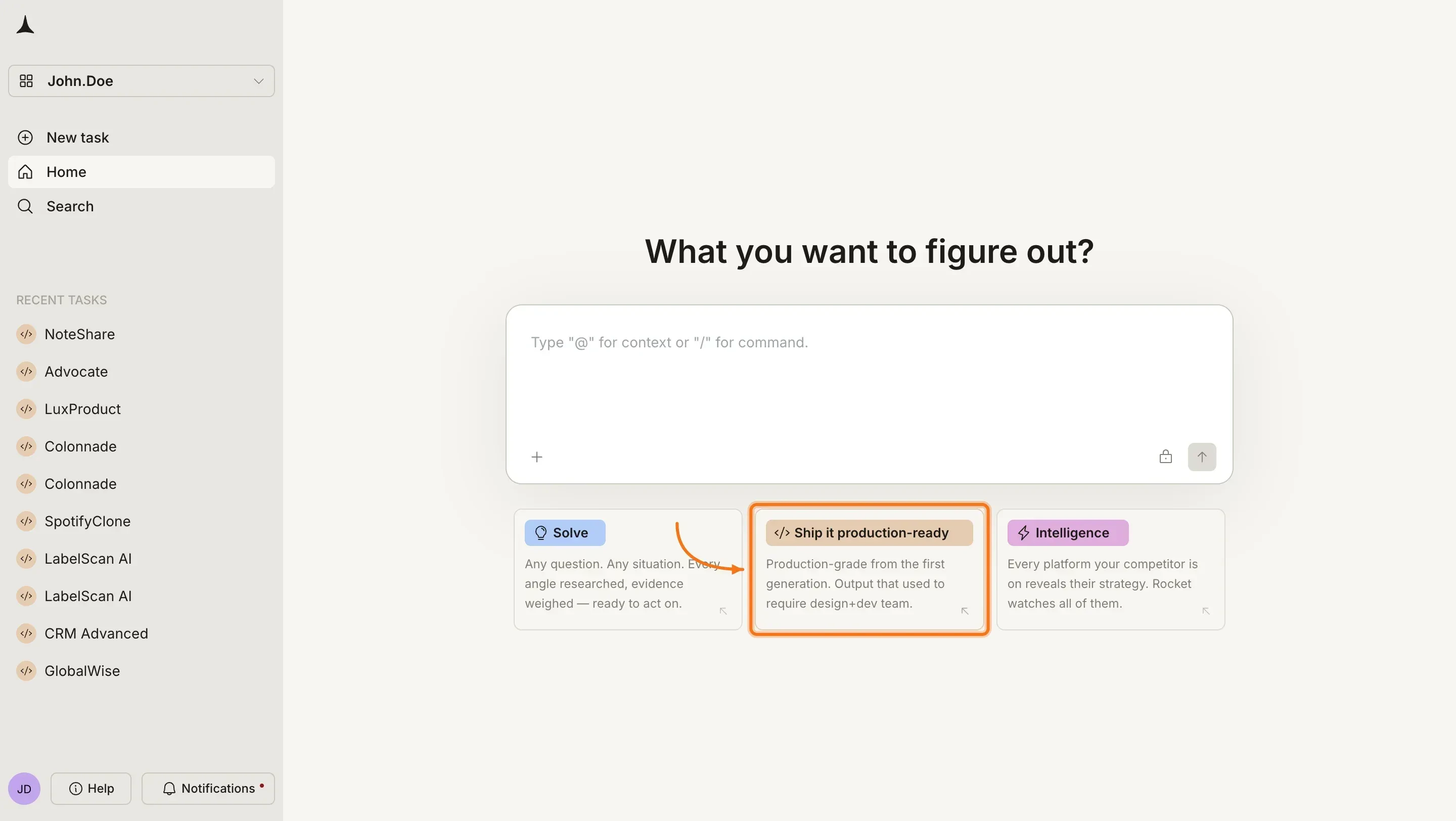
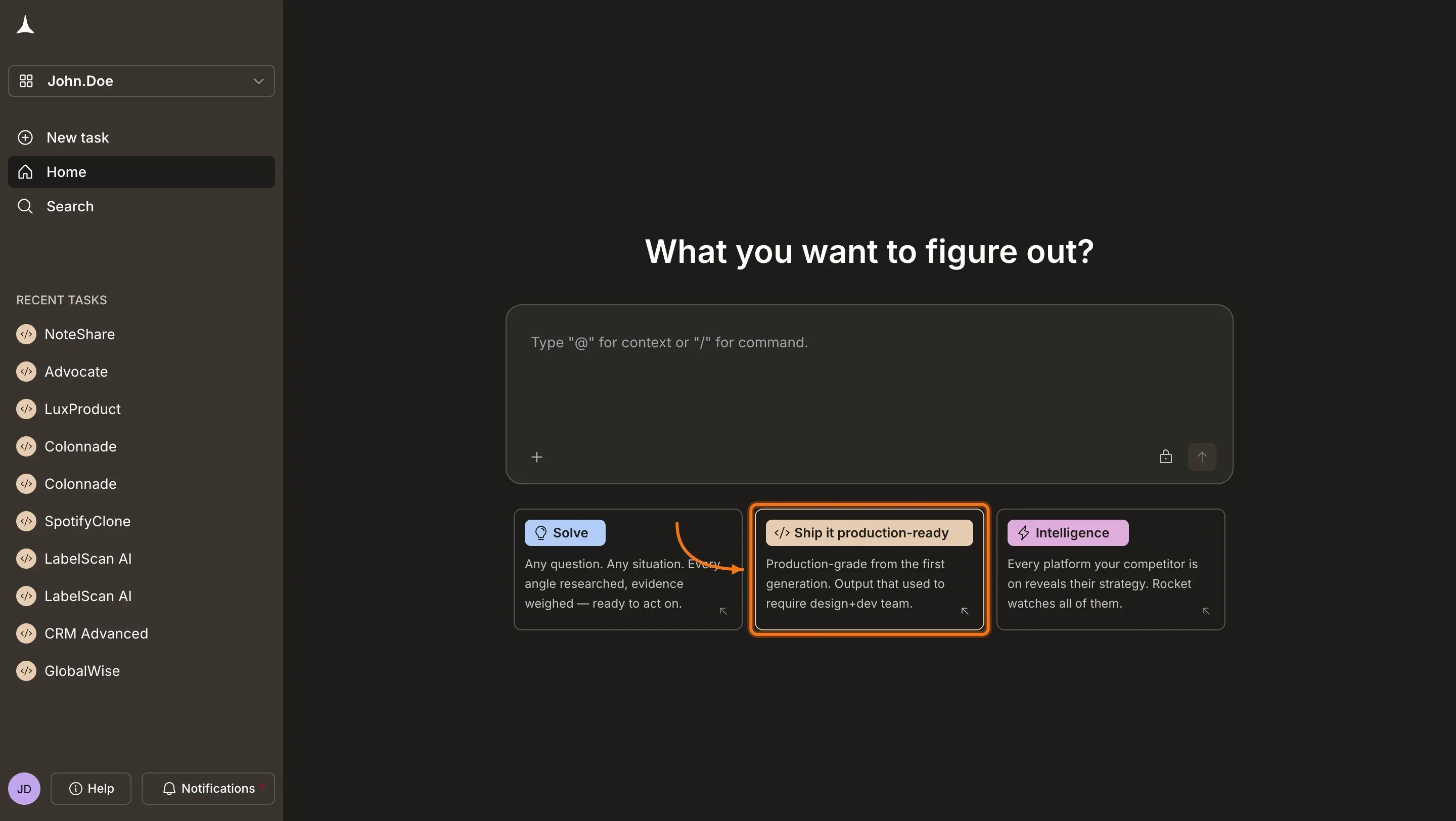 After clicking **Build**, Rocket shows category tabs below the input: **Landing page**, **Dashboard**, **Website**, **SaaS**, **Mobile App**, and **E-commerce**. Click a tab to see example prompts, then click one to auto-fill it into the input. Or type your own idea directly.
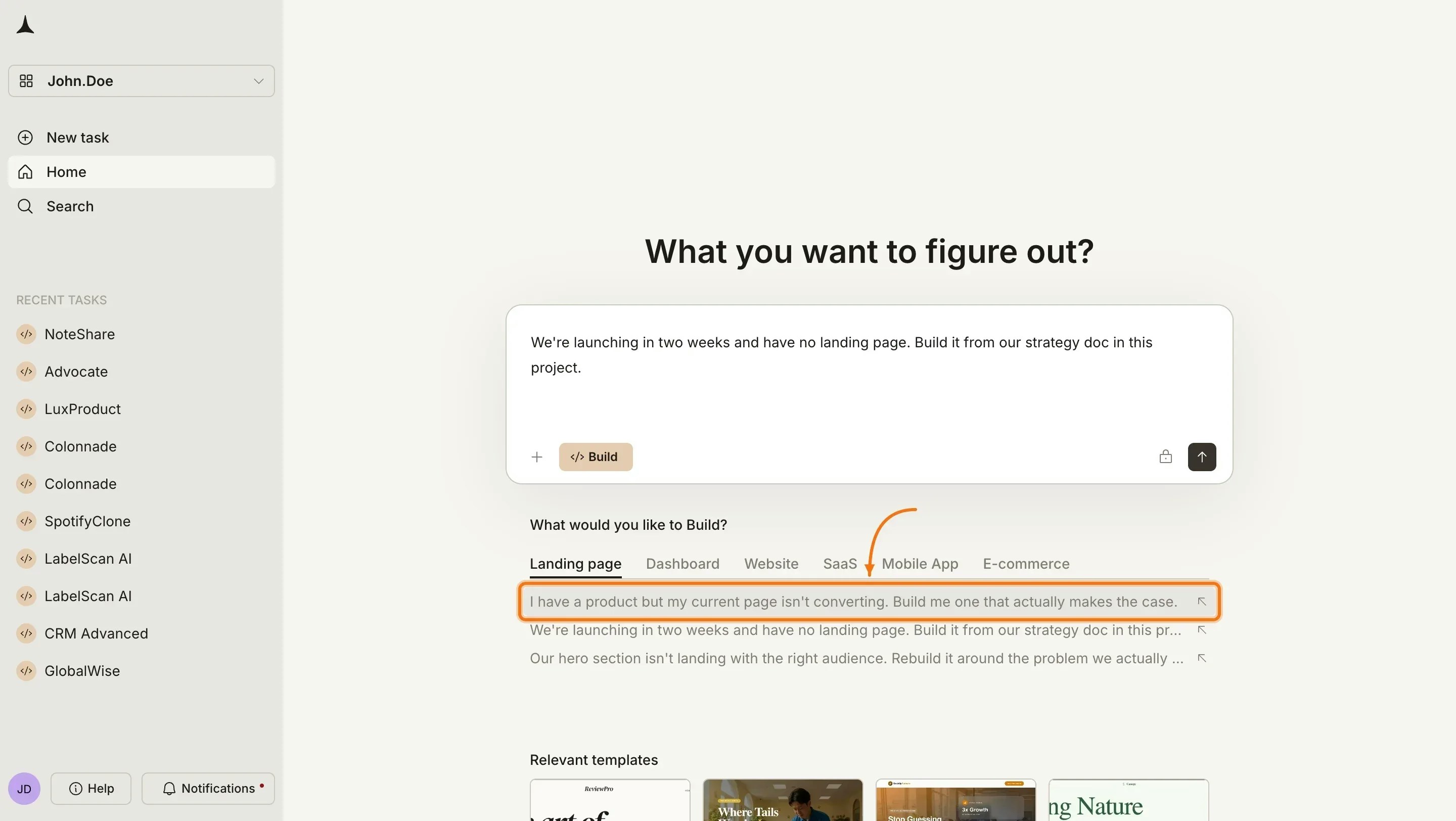
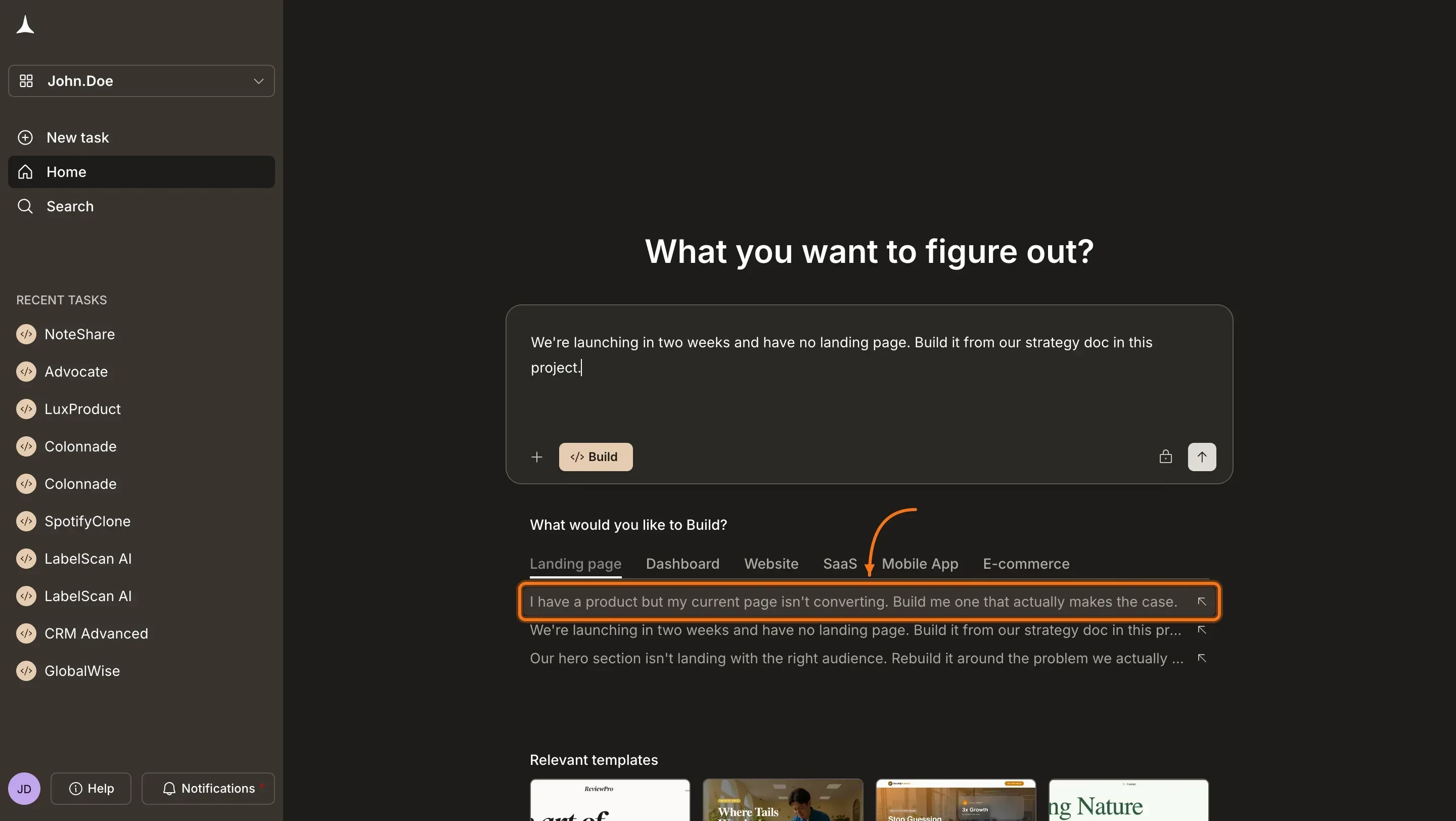 Once your prompt is in the input field, click the **send** button or press Enter.
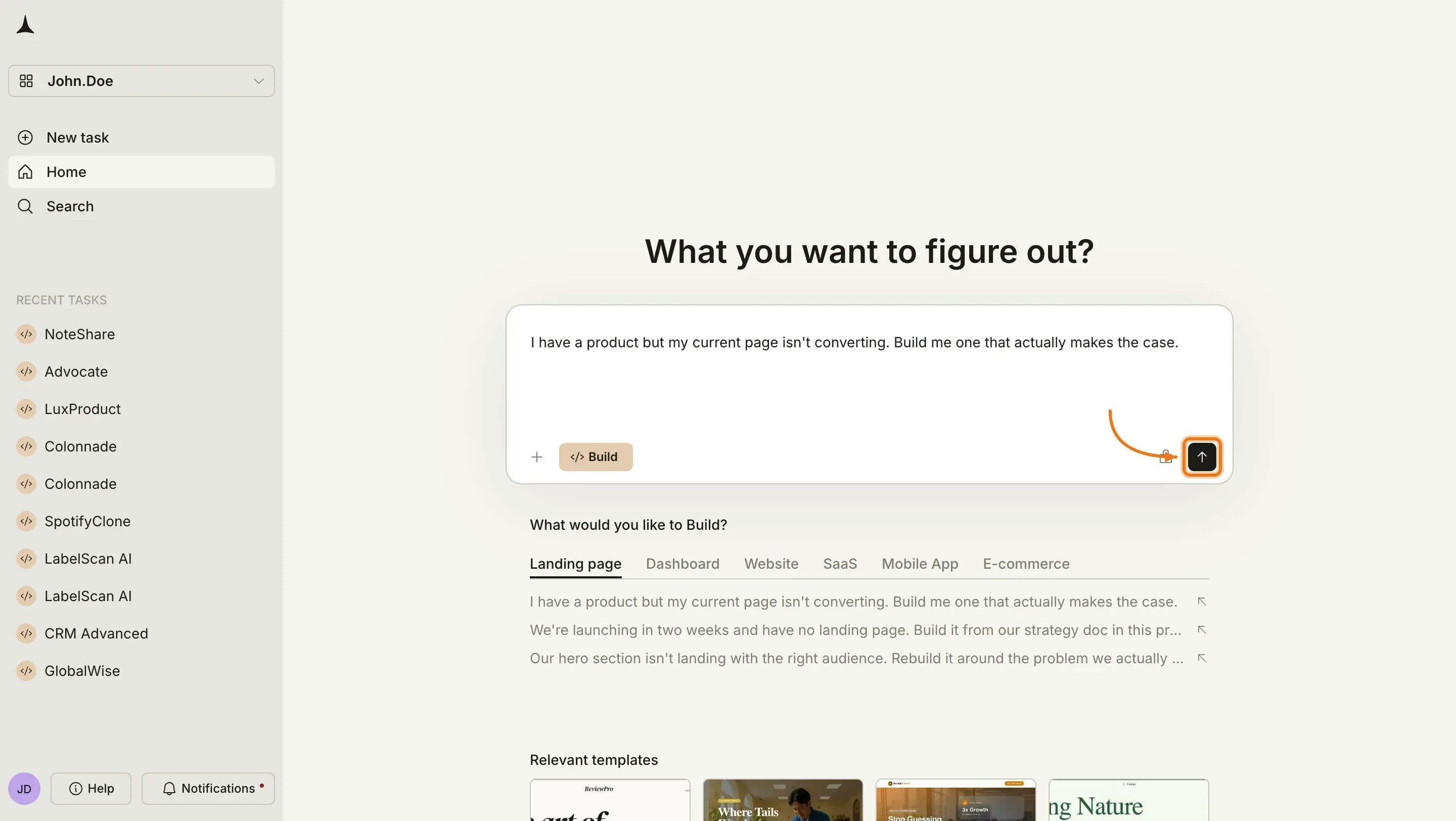
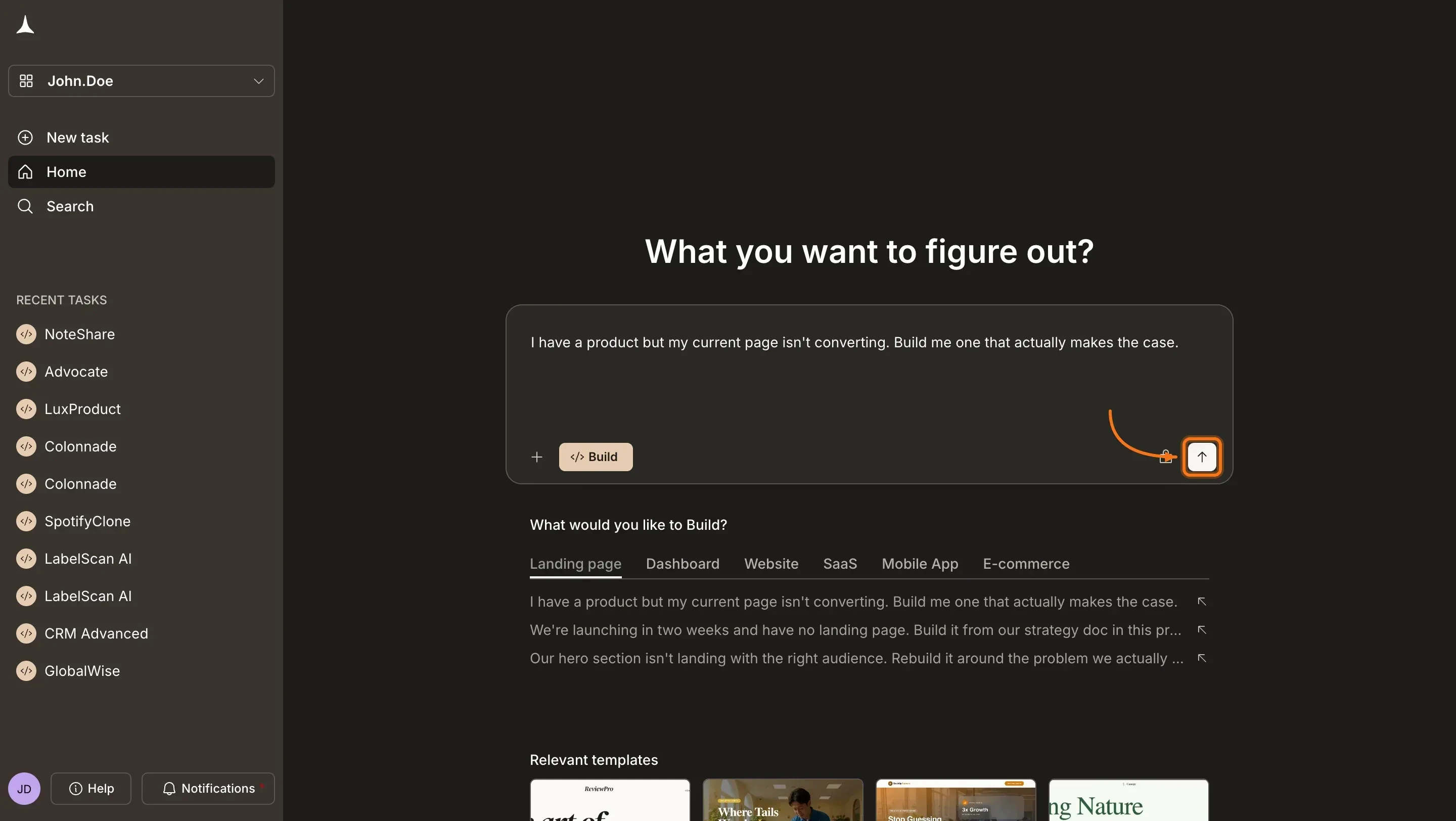 If your prompt is specific enough, Rocket skips this step and starts building right away.
If it is too vague, prompt intelligence asks a short set of targeted questions about platform, audience, and must-have features. Answer them and Rocket starts immediately.
How Rocket decides when to ask questions and what to do with your answers.
Rocket starts building immediately and shows progress in the chat. You will see each screen being generated with its status as it completes.
If generation fails, click **Retry**. If it keeps failing, simplify your prompt and start a new build.
### Before you begin
**You will need:**
* The Rocket app (iPhone or iPad) installed and signed in.
Open the **Rocket** app on your iPhone or iPad and make sure you are signed in.
If your prompt is specific enough, Rocket skips this step and starts building right away.
If it is too vague, prompt intelligence asks a short set of targeted questions about platform, audience, and must-have features. Answer them and Rocket starts immediately.
How Rocket decides when to ask questions and what to do with your answers.
Rocket starts building immediately and shows progress in the chat. You will see each screen being generated with its status as it completes.
If generation fails, click **Retry**. If it keeps failing, simplify your prompt and start a new build.
### Before you begin
**You will need:**
* The Rocket app (iPhone or iPad) installed and signed in.
Open the **Rocket** app on your iPhone or iPad and make sure you are signed in.
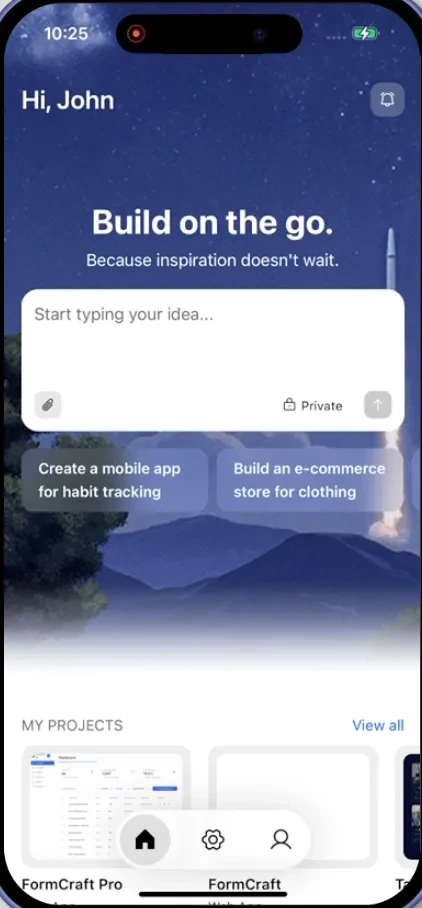 Type your idea in the chat field. Include the purpose, platform, and key features.
Example: *A recipe app for home cooks. Browse by cuisine, save favorites, and follow step-by-step cooking mode. Mobile app for iOS and Android.*
Type your idea in the chat field. Include the purpose, platform, and key features.
Example: *A recipe app for home cooks. Browse by cuisine, save favorites, and follow step-by-step cooking mode. Mobile app for iOS and Android.*
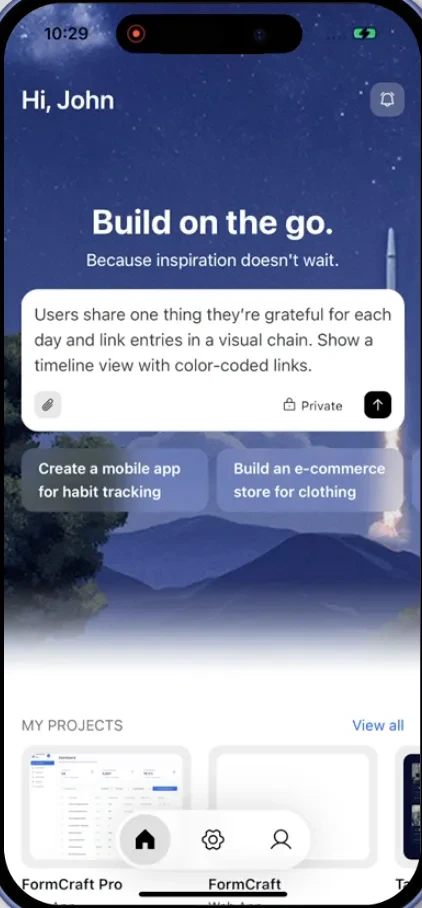 If your prompt is specific enough, Rocket skips this step and starts building right away.
If it is too vague, prompt intelligence asks a short set of targeted questions about platform, audience, and must-have features. Answer them and Rocket starts immediately.
How Rocket decides when to ask questions and what to do with your answers.
Rocket starts building immediately and shows inline progress in the chat. You will see it working through each file in real time, generating components, merging code, and writing logic.
If your prompt is specific enough, Rocket skips this step and starts building right away.
If it is too vague, prompt intelligence asks a short set of targeted questions about platform, audience, and must-have features. Answer them and Rocket starts immediately.
How Rocket decides when to ask questions and what to do with your answers.
Rocket starts building immediately and shows inline progress in the chat. You will see it working through each file in real time, generating components, merging code, and writing logic.
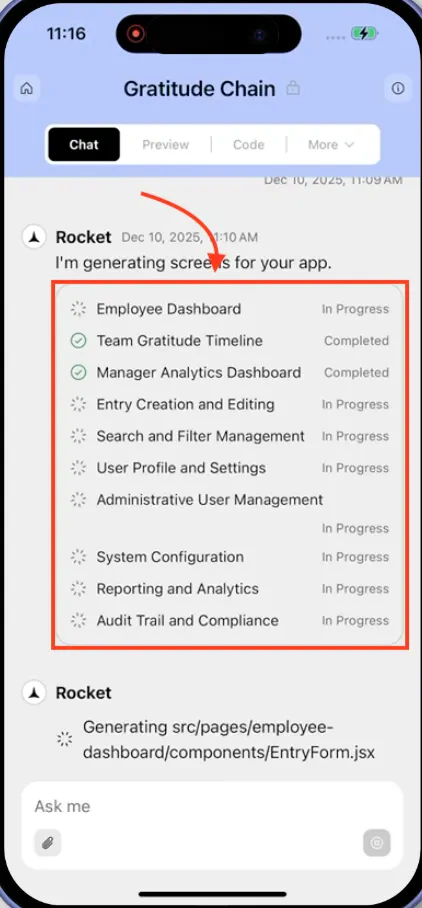 If generation fails, tap **Retry**. If it keeps failing, simplify your prompt and start a new build.
## Prompt cookbook
Copy and paste these prompts to get started fast:
| What you are building | Prompt |
| :-------------------- | :------------------------------------------------------------------------------------------------------------------------ |
| Personal portfolio | `Build a portfolio site with a hero section, project gallery with filters, an about page, and a contact form.` |
| Habit tracker | `Create a habit tracker web app where users add daily habits, check them off, and see a weekly streak calendar.` |
| Restaurant ordering | `Build a restaurant menu web app with categories, item details, a cart, and a checkout flow with delivery address input.` |
| Social feed | `Create a social media feed web app with posts, likes, comments, user profiles, and a follow system.` |
| Booking system | `Build a salon booking web app with service selection, time slot picker, confirmation page, and booking history.` |
| Quiz app | `Create a trivia quiz mobile app with multiple categories, timed questions, a score tracker, and a leaderboard.` |
| Blog platform | `Build a blog web app with an article editor, categories, tags, featured images, and a reading list.` |
| CRM dashboard | `Create a CRM web app with a contact list, deal pipeline, activity log, and email integration.` |
## Tips for better results
* **Specify the platform.** Say "web app" or "mobile app" so Rocket does not need to ask.
* **Mention the purpose.** "Build a booking system for a hair salon" gives Rocket more context than "build a booking app."
* **Include key features.** List the 3-5 most important features upfront. Rocket can add more later.
* **State your preferences.** If you want dark mode, specific colors, or a particular layout style, say so in your first message.
* **Start lean, then iterate.** Describe a focused core and add features through chat after the initial build. This produces cleaner results than asking for everything at once.
## What's next?
Refine your app using natural language. Change colors, add features, and fix bugs through conversation.
Click any element to change text, colors, layout, and spacing directly.
Add payments, databases, AI, email, and more with a single prompt.
Publish to the web with one click and connect a custom domain.
If generation fails, tap **Retry**. If it keeps failing, simplify your prompt and start a new build.
## Prompt cookbook
Copy and paste these prompts to get started fast:
| What you are building | Prompt |
| :-------------------- | :------------------------------------------------------------------------------------------------------------------------ |
| Personal portfolio | `Build a portfolio site with a hero section, project gallery with filters, an about page, and a contact form.` |
| Habit tracker | `Create a habit tracker web app where users add daily habits, check them off, and see a weekly streak calendar.` |
| Restaurant ordering | `Build a restaurant menu web app with categories, item details, a cart, and a checkout flow with delivery address input.` |
| Social feed | `Create a social media feed web app with posts, likes, comments, user profiles, and a follow system.` |
| Booking system | `Build a salon booking web app with service selection, time slot picker, confirmation page, and booking history.` |
| Quiz app | `Create a trivia quiz mobile app with multiple categories, timed questions, a score tracker, and a leaderboard.` |
| Blog platform | `Build a blog web app with an article editor, categories, tags, featured images, and a reading list.` |
| CRM dashboard | `Create a CRM web app with a contact list, deal pipeline, activity log, and email integration.` |
## Tips for better results
* **Specify the platform.** Say "web app" or "mobile app" so Rocket does not need to ask.
* **Mention the purpose.** "Build a booking system for a hair salon" gives Rocket more context than "build a booking app."
* **Include key features.** List the 3-5 most important features upfront. Rocket can add more later.
* **State your preferences.** If you want dark mode, specific colors, or a particular layout style, say so in your first message.
* **Start lean, then iterate.** Describe a focused core and add features through chat after the initial build. This produces cleaner results than asking for everything at once.
## What's next?
Refine your app using natural language. Change colors, add features, and fix bugs through conversation.
Click any element to change text, colors, layout, and spacing directly.
Add payments, databases, AI, email, and more with a single prompt.
Publish to the web with one click and connect a custom domain.