> ## Documentation Index
> Fetch the complete documentation index at: https://docs.rocket.new/llms.txt
> Use this file to discover all available pages before exploring further.
# Share with Remix
> Share your Rocket.new apps as remix links - recipients clone your full app and customize it.
export const LlmsDirective = () =>
For the complete documentation index, see llms.txt.
For a lightweight markdown version of this page, append .md to the URL.
;
**Turn any task into a shareable starter.** Generate a remix link for any task and share it with anyone. Recipients get an instant clone of your entire app - screens, code, and integrations - ready to customize with their own credentials.
Creating a remix link requires a paid plan (Pro or above). Anyone with the link can clone the project for free.
## Use cases
Build a project for a client and share the remix link. They clone it, add their own API keys, and own the project.
Create reusable starter projects for common app types and share them with your team or community.
Share working demos of your projects. Viewers can clone and explore the full codebase.
Build example projects for courses or tutorials. Students clone and follow along with their own copy.
## What is included in a remix
| Included | Not included |
| :------------------------------------------------------- | :--------------------------------- |
| All screens and pages | Environment variables and API keys |
| Complete codebase | Deployment settings |
| Integration configuration (which services are connected) | Domain configuration |
| UI components and styling | |
| Navigation and routing | |
API keys and integration credentials stored in environment variables are automatically stripped from remix links. Recipients must add their own credentials after cloning.
**Hardcoded secrets are not stripped.** If you have pasted API keys, tokens, or passwords directly into your code rather than storing them in environment variables, Rocket cannot detect or remove them. Always use environment variables for secrets.
## Detailed walkthrough
### Before you begin
**You will need:**
* A [rocket.new](https://rocket.new) account, signed in.
* A task you want to share.
### Creating a remix link
Open the task you want to share. Click the **Remix** icon in the top toolbar.
A popup appears explaining that Rocket will create a copy of your task that anyone can use and build on. Click **Remix** to generate the link.
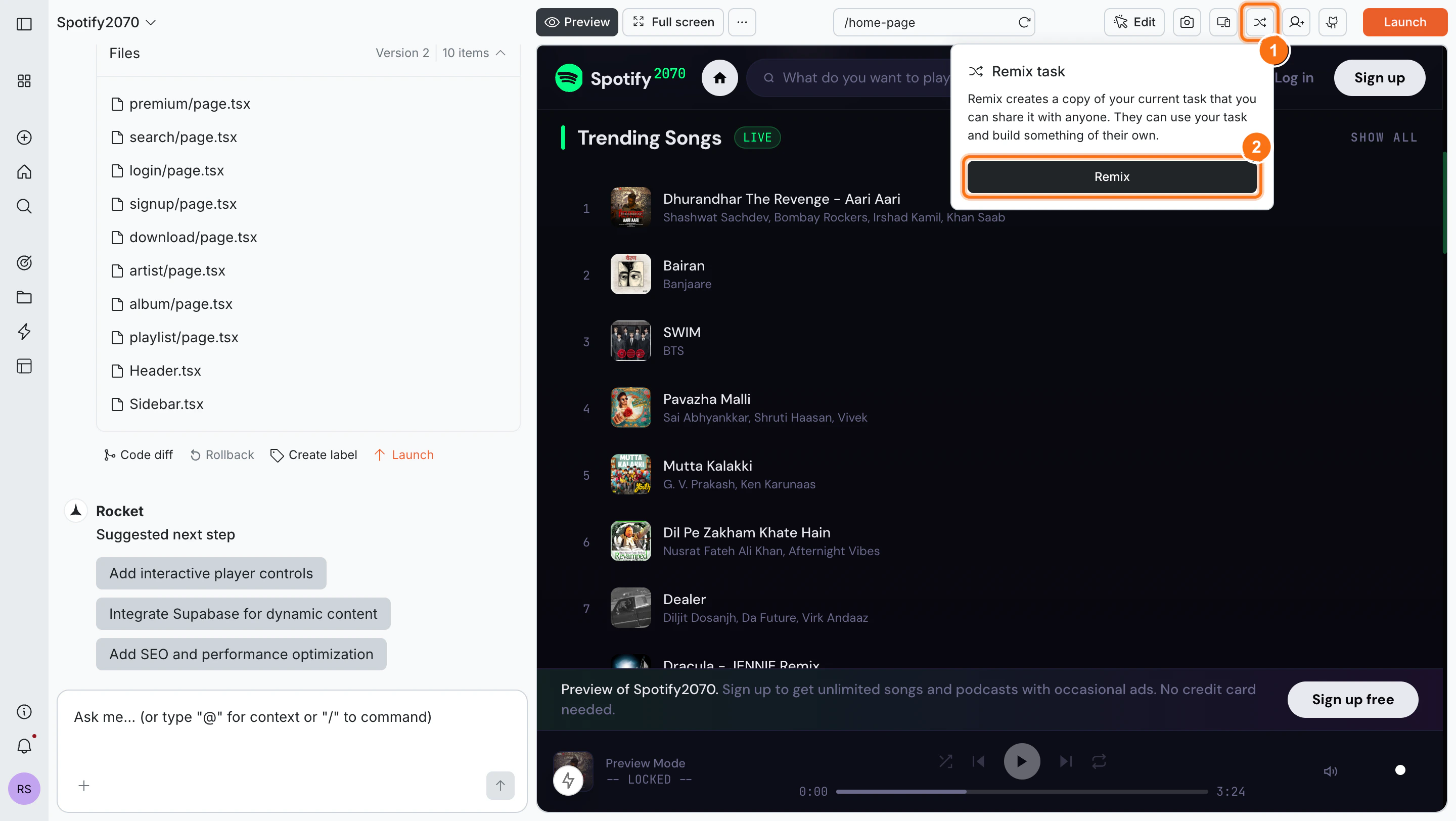
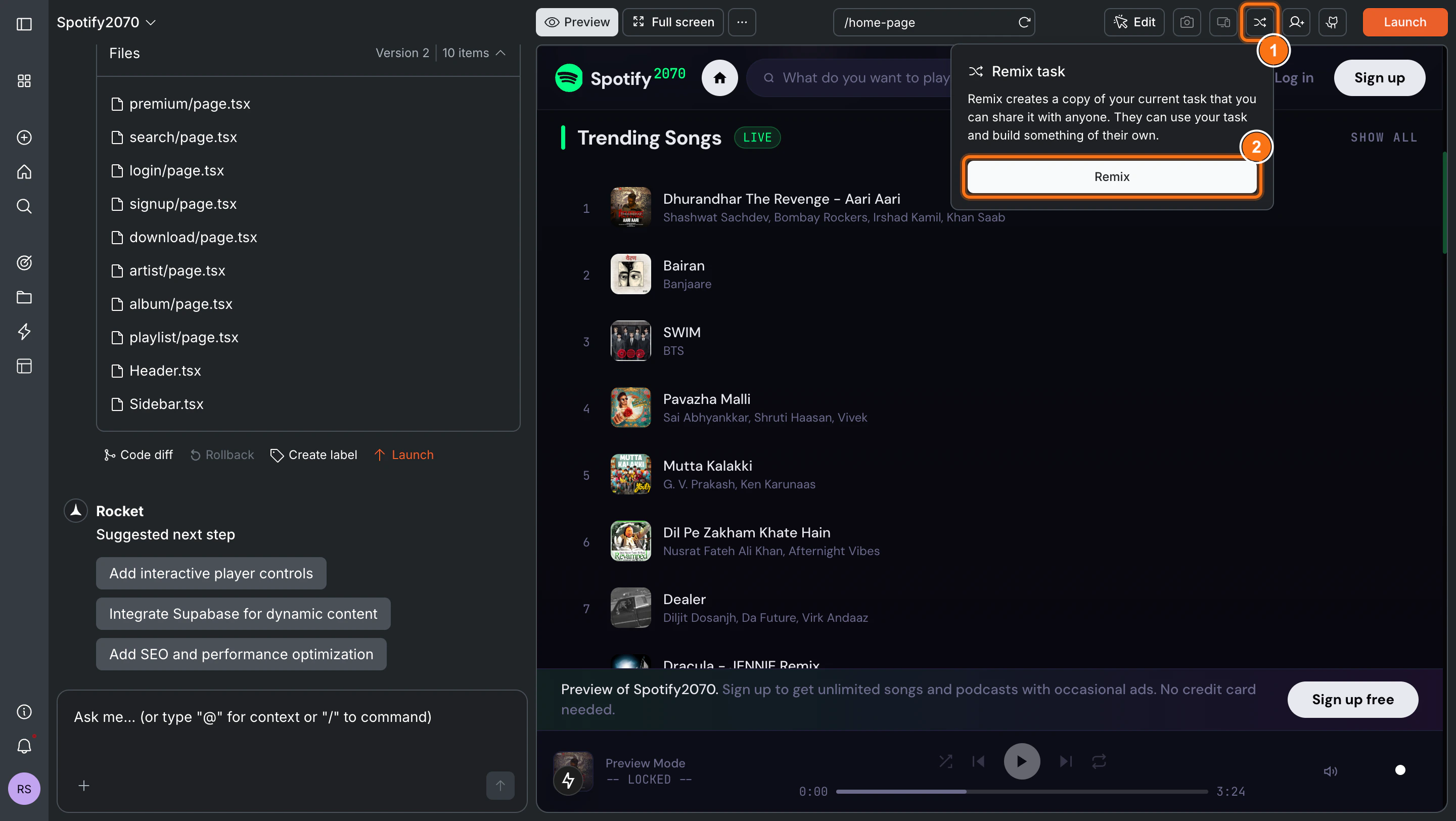 Rocket generates a unique shareable URL. Click **Copy link** and share it with anyone.
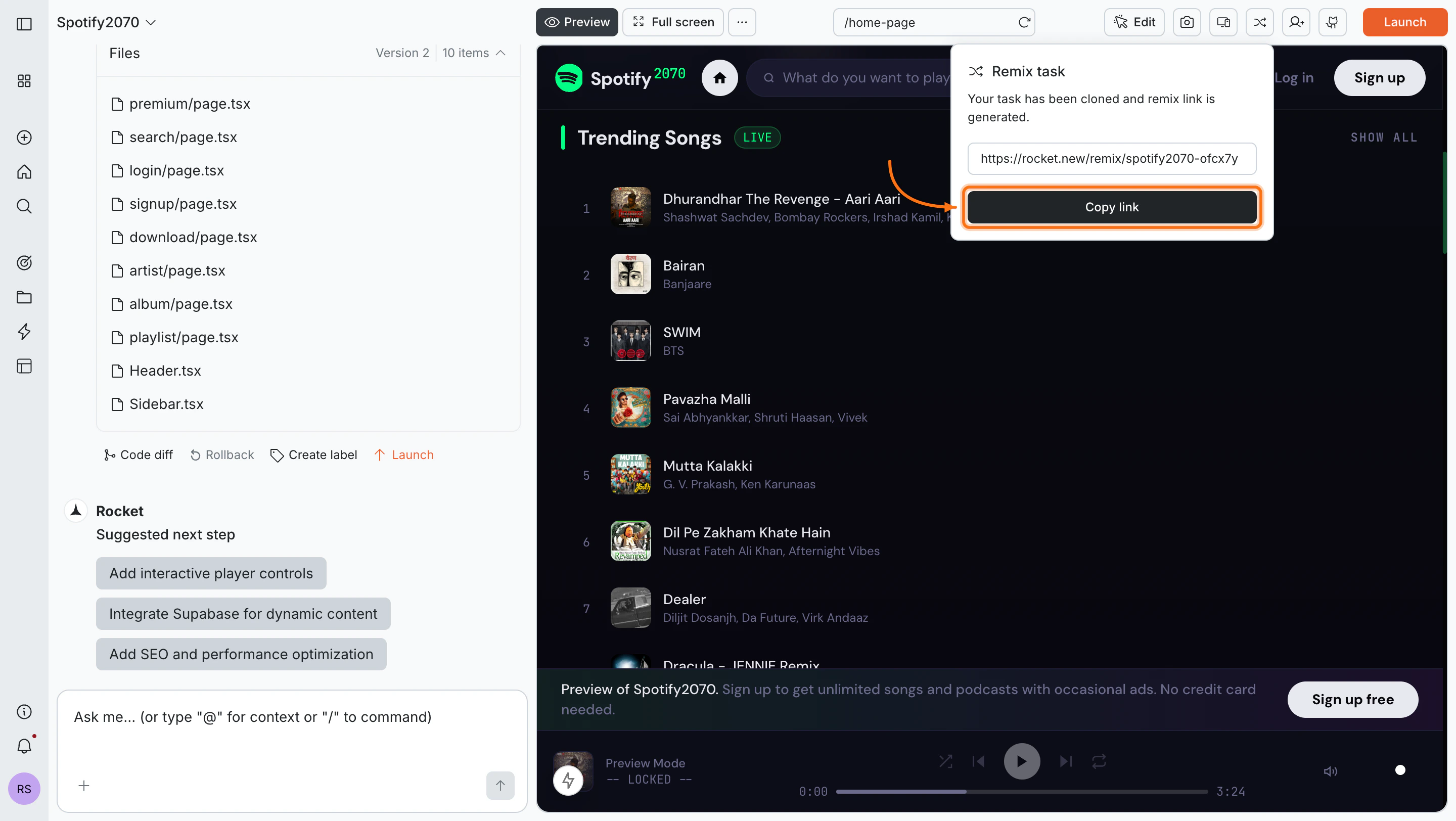
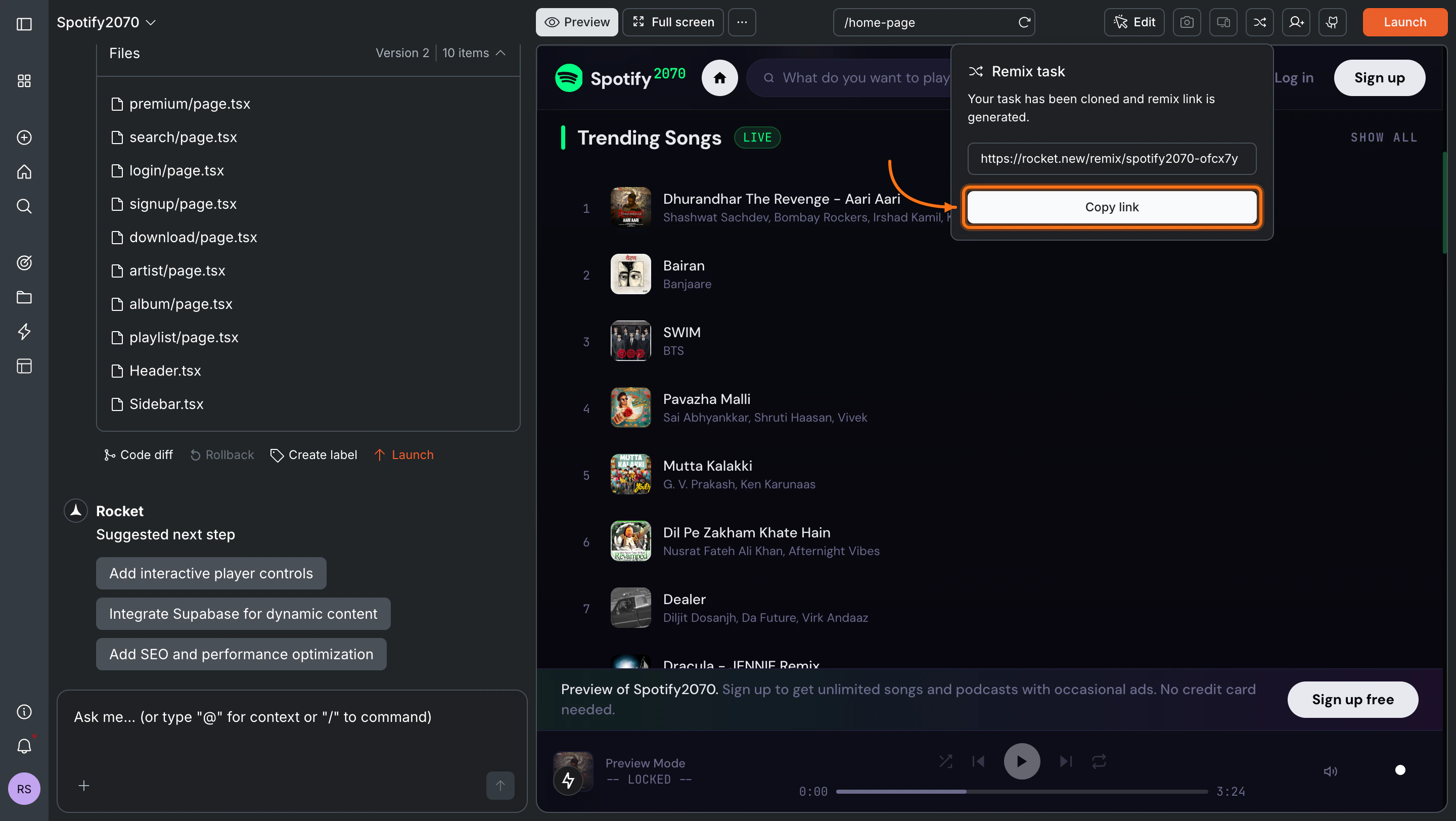 Anyone with the link can clone your task to their Rocket account, even if they are on a free plan.
### Using a remix link
Click the remix link shared with you. You will see a preview page with the task title, description, view count, and a live preview of the app.
Anyone with the link can clone your task to their Rocket account, even if they are on a free plan.
### Using a remix link
Click the remix link shared with you. You will see a preview page with the task title, description, view count, and a live preview of the app.
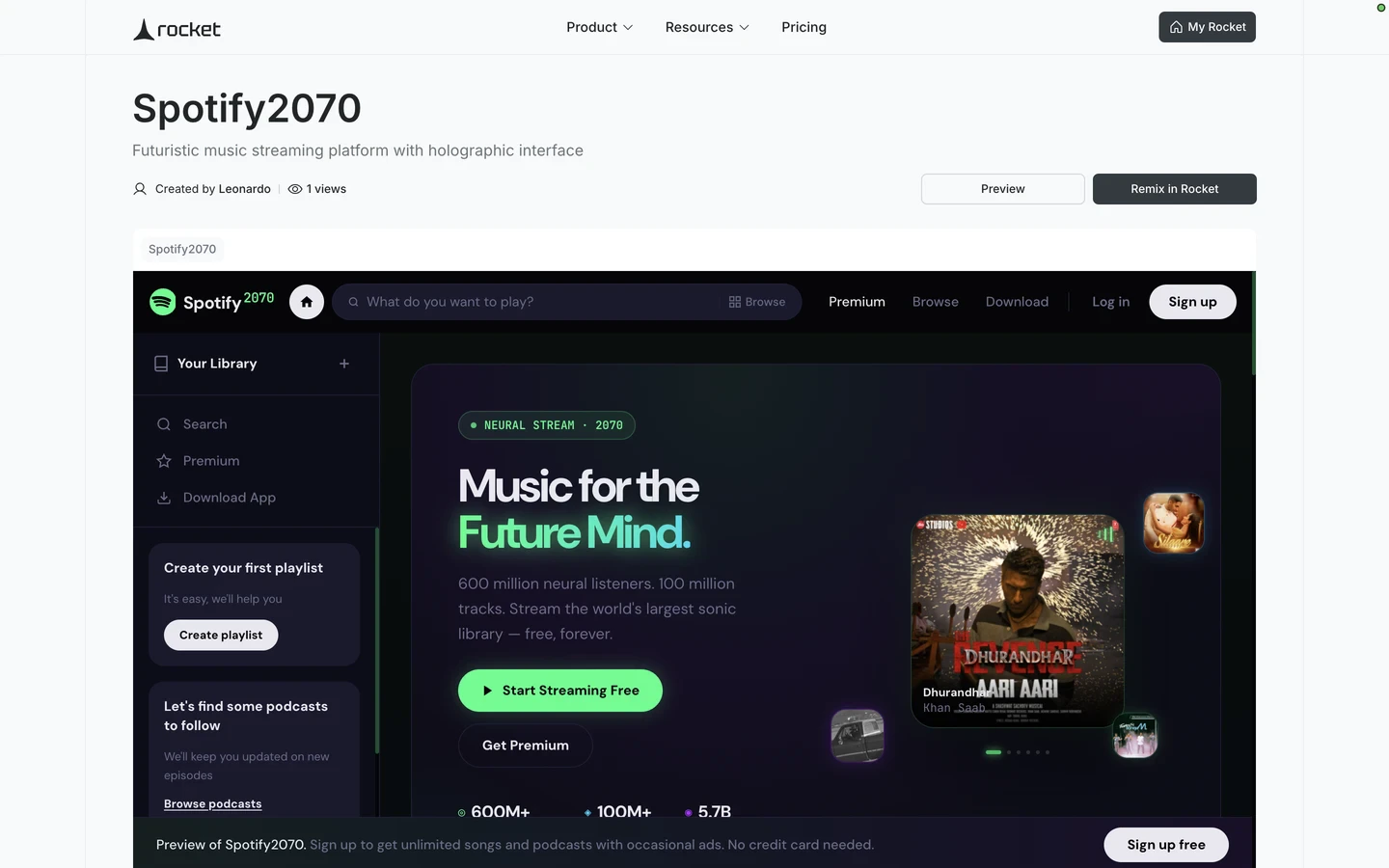 Click **Remix in Rocket** to clone the entire task to your account.
**Success check:** You will be redirected to your new task with a confirmation message.
After cloning, add any required API keys or credentials for integrations used in the project (Supabase, Stripe, OpenAI, etc.).
Environment variables and integration keys are automatically removed from remix links for security. You must provide your own.
**Mobile app limitation:** Remix links are not available on the mobile app. Use the web browser to create and use remix links.
## What's next?
Customize the cloned project using natural language.
Add your own API keys to activate the integrations.
Browse Rocket's built-in template library for more starting points.
Publish the task to the web once you have made it yours.
Click **Remix in Rocket** to clone the entire task to your account.
**Success check:** You will be redirected to your new task with a confirmation message.
After cloning, add any required API keys or credentials for integrations used in the project (Supabase, Stripe, OpenAI, etc.).
Environment variables and integration keys are automatically removed from remix links for security. You must provide your own.
**Mobile app limitation:** Remix links are not available on the mobile app. Use the web browser to create and use remix links.
## What's next?
Customize the cloned project using natural language.
Add your own API keys to activate the integrations.
Browse Rocket's built-in template library for more starting points.
Publish the task to the web once you have made it yours.