> ## Documentation Index
> Fetch the complete documentation index at: https://docs.rocket.new/llms.txt
> Use this file to discover all available pages before exploring further.

# Buy a domain

> Purchase and connect a domain to your Rocket.new app without leaving the editor. Part of the only vibe solutioning platform with research, building, and intelligence.

export const LlmsDirective = () => <blockquote className="llms-directive">
    For the complete documentation index, see <a href="/llms.txt">llms.txt</a>.
    For a lightweight markdown version of this page, append .md to the URL.
  </blockquote>;

<LlmsDirective />

Purchase a domain directly through Rocket and connect it to your app without visiting a separate registrar. Rocket uses IONOS to handle the purchase. You are redirected to IONOS to complete payment, and DNS is configured automatically when done.

<Note>
  Buying a domain through Rocket requires a paid plan (Pro or above).
</Note>

<Divider />

## Steps

<Steps>
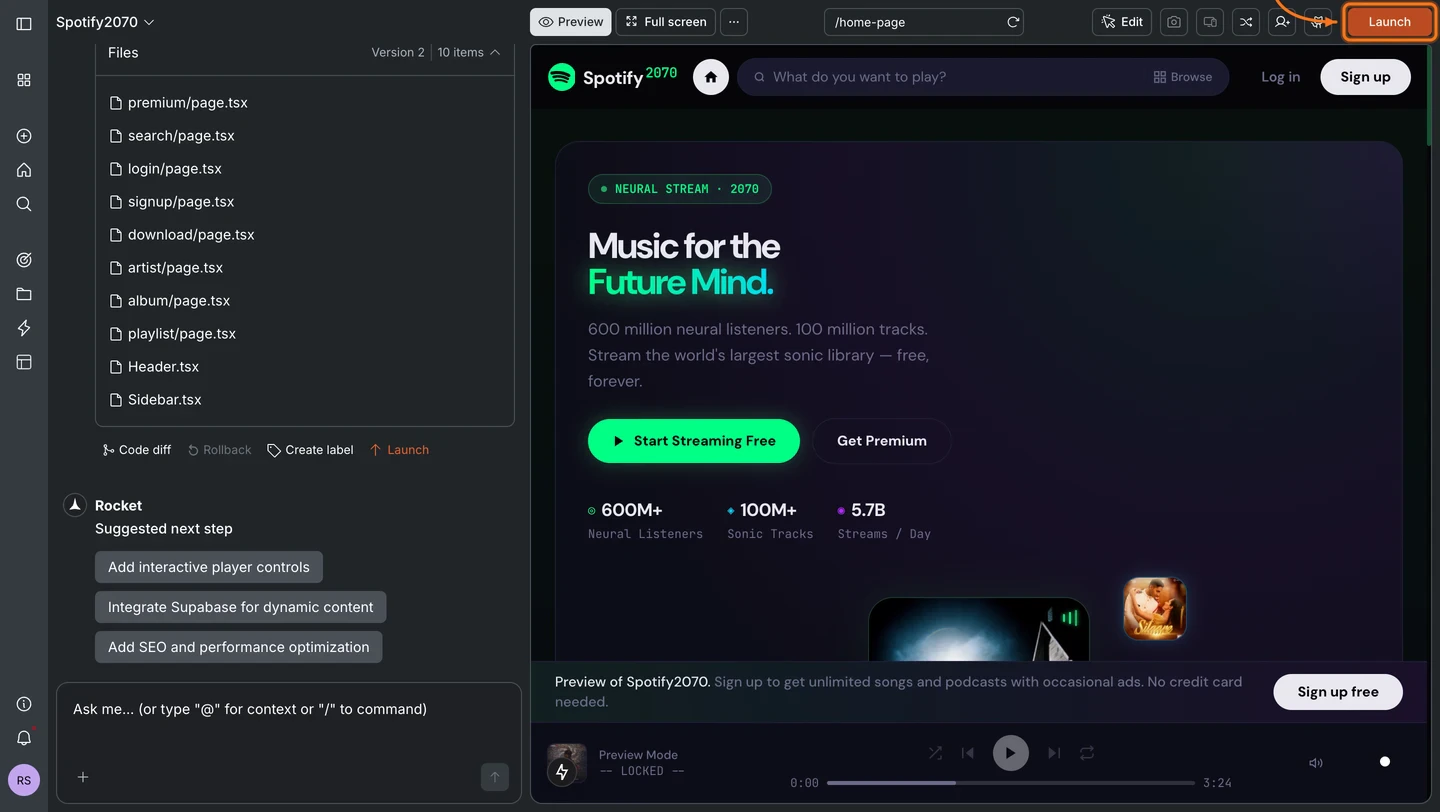
  <Step title="Click the Launch button">
    Click the **Launch** button in the top-right corner of your task.
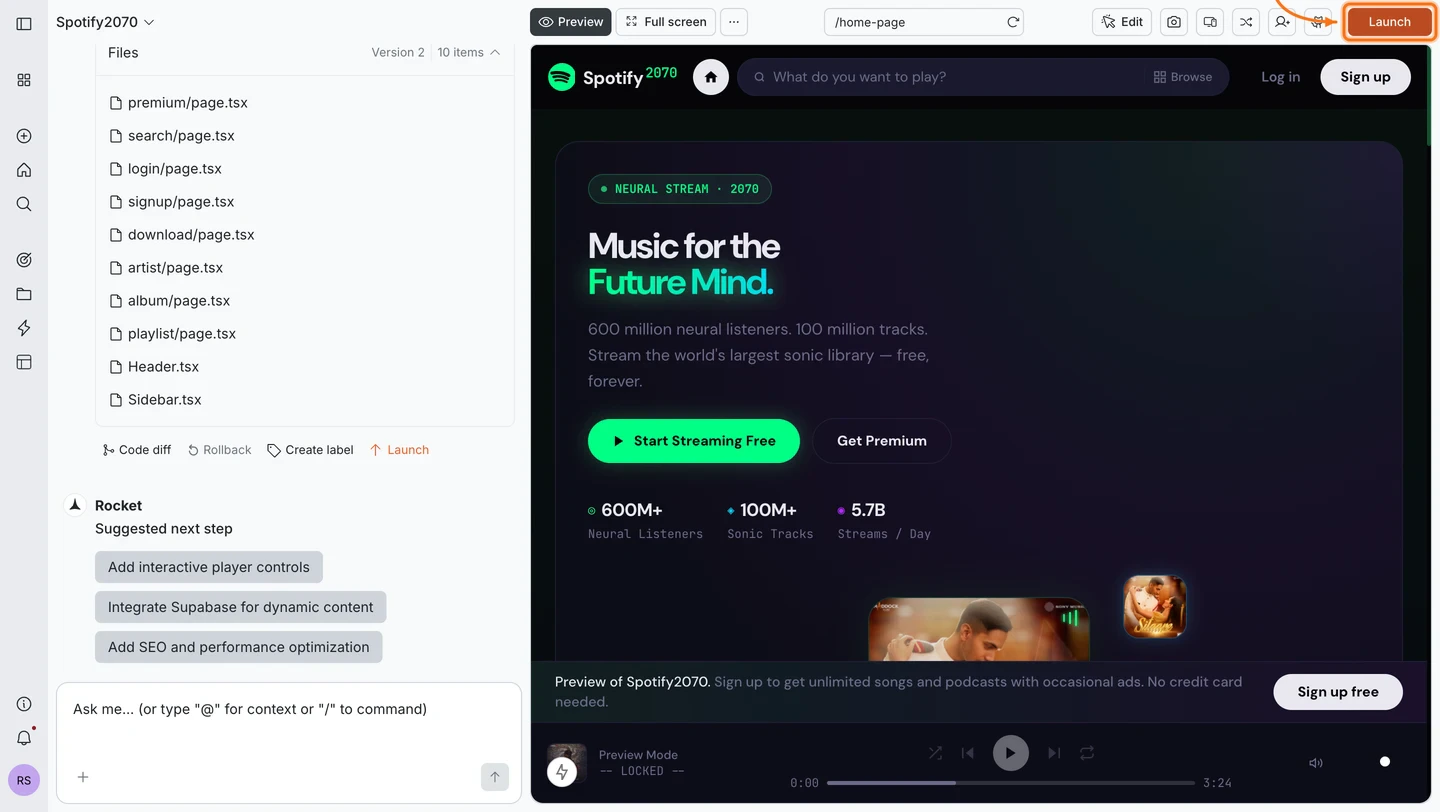
    <Frame caption="Click Launch in the top-right corner">
      <img src="https://mintcdn.com/dhiwisepvtltd-5e04e6a4/V8n5a5SD5I4rMm7t/images/build-docs/launch-web/buy-domain/web-browser/launch-button-light.webp?fit=max&auto=format&n=V8n5a5SD5I4rMm7t&q=85&s=aaf6315aa2199ab777a3793e2070e173" alt="Rocket editor with the Launch button highlighted in the top-right navbar." className="theme-image light-image" width="1440" height="812" data-path="images/build-docs/launch-web/buy-domain/web-browser/launch-button-light.webp" />

      <img src="https://mintcdn.com/dhiwisepvtltd-5e04e6a4/V8n5a5SD5I4rMm7t/images/build-docs/launch-web/buy-domain/web-browser/launch-button-dark.webp?fit=max&auto=format&n=V8n5a5SD5I4rMm7t&q=85&s=f70d31ced6d3851c163e3a1bda2b8d64" alt="Rocket editor with the Launch button highlighted in the top-right navbar." className="theme-image dark-image" width="1440" height="812" data-path="images/build-docs/launch-web/buy-domain/web-browser/launch-button-dark.webp" />
    </Frame>
  </Step>

  <Step title="Start the domain purchase">
    You can reach the domain purchase from two places in the launch dialog:

    <Tabs>
      <Tab title="From the Staging tab">
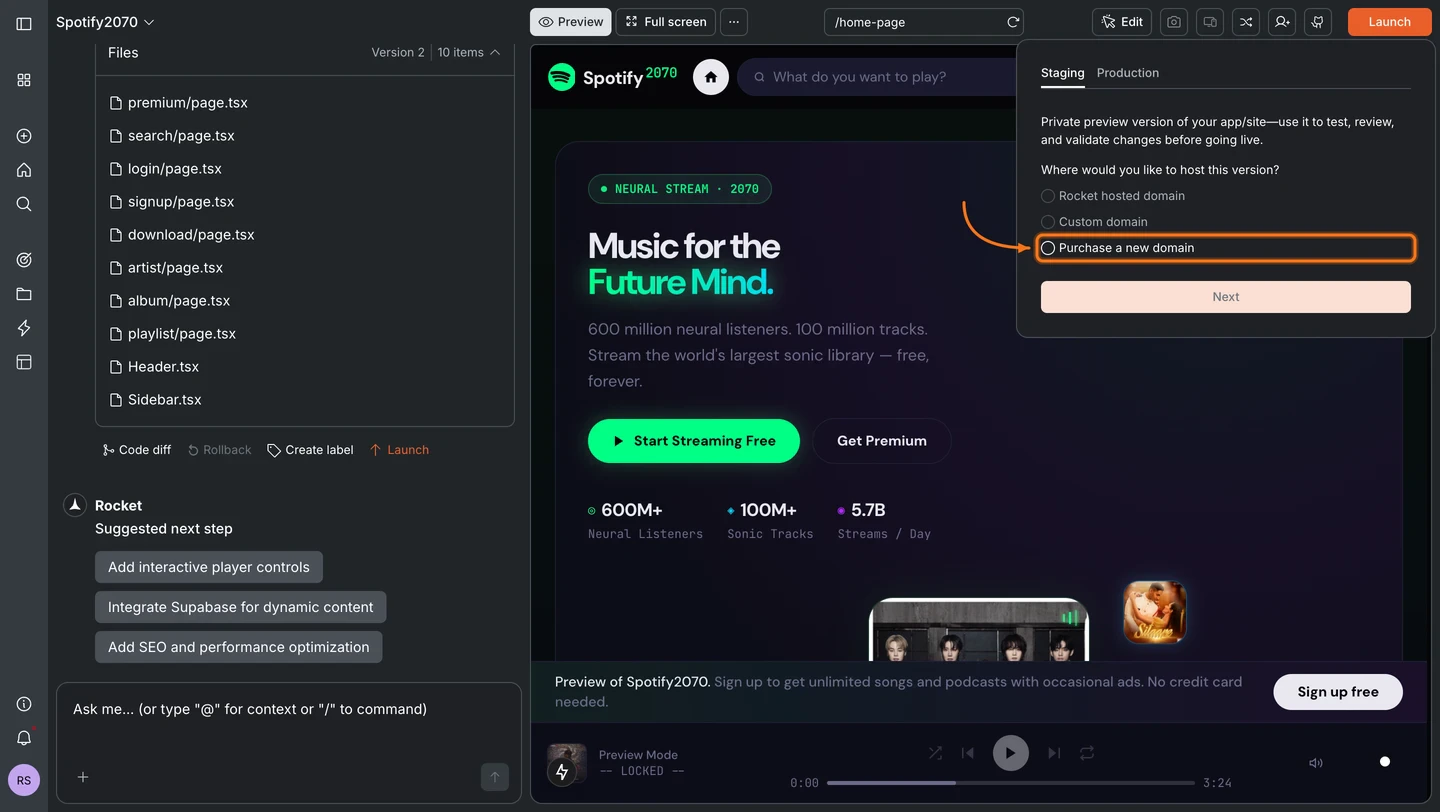
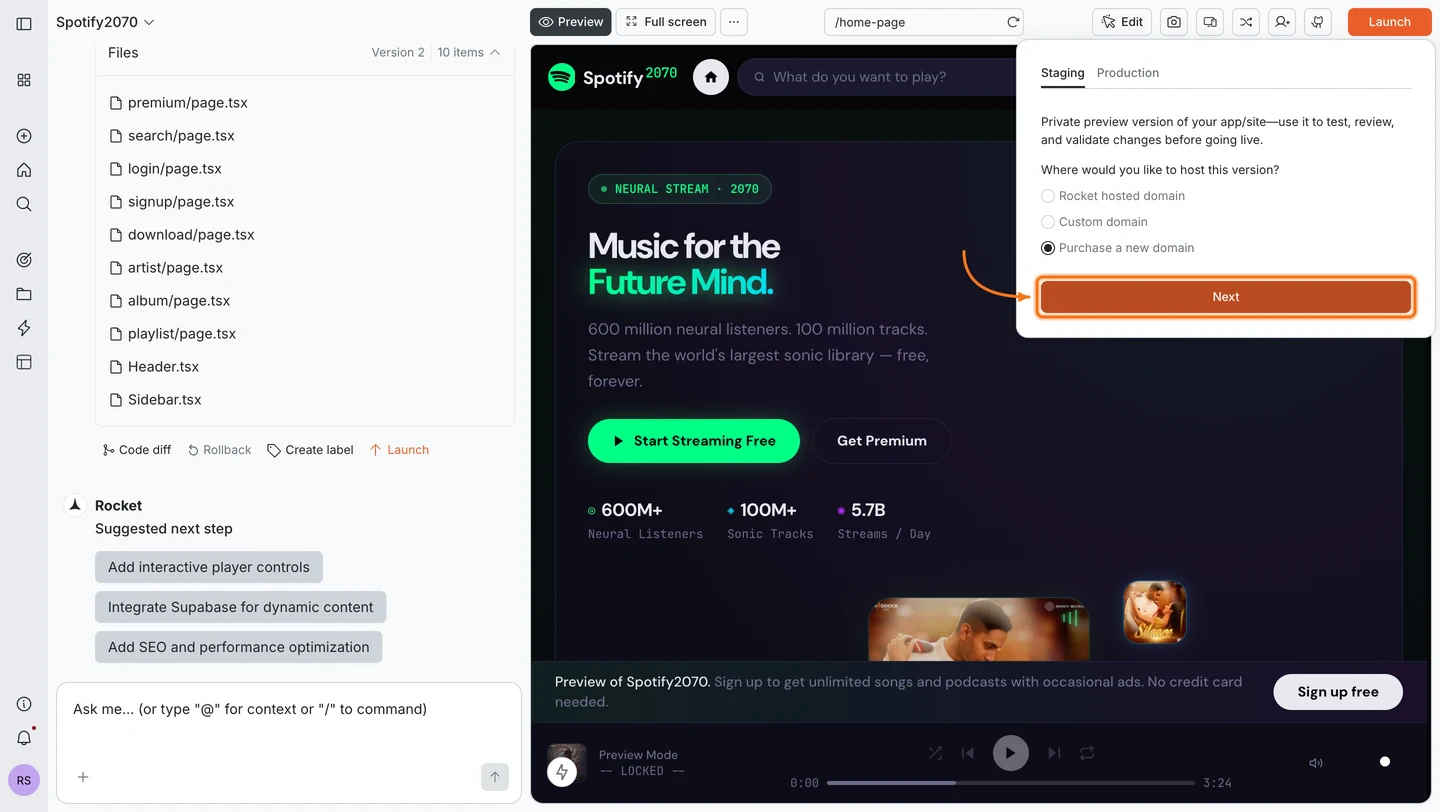
        In the **Staging** tab, select **Purchase a new domain** and click **Next**.
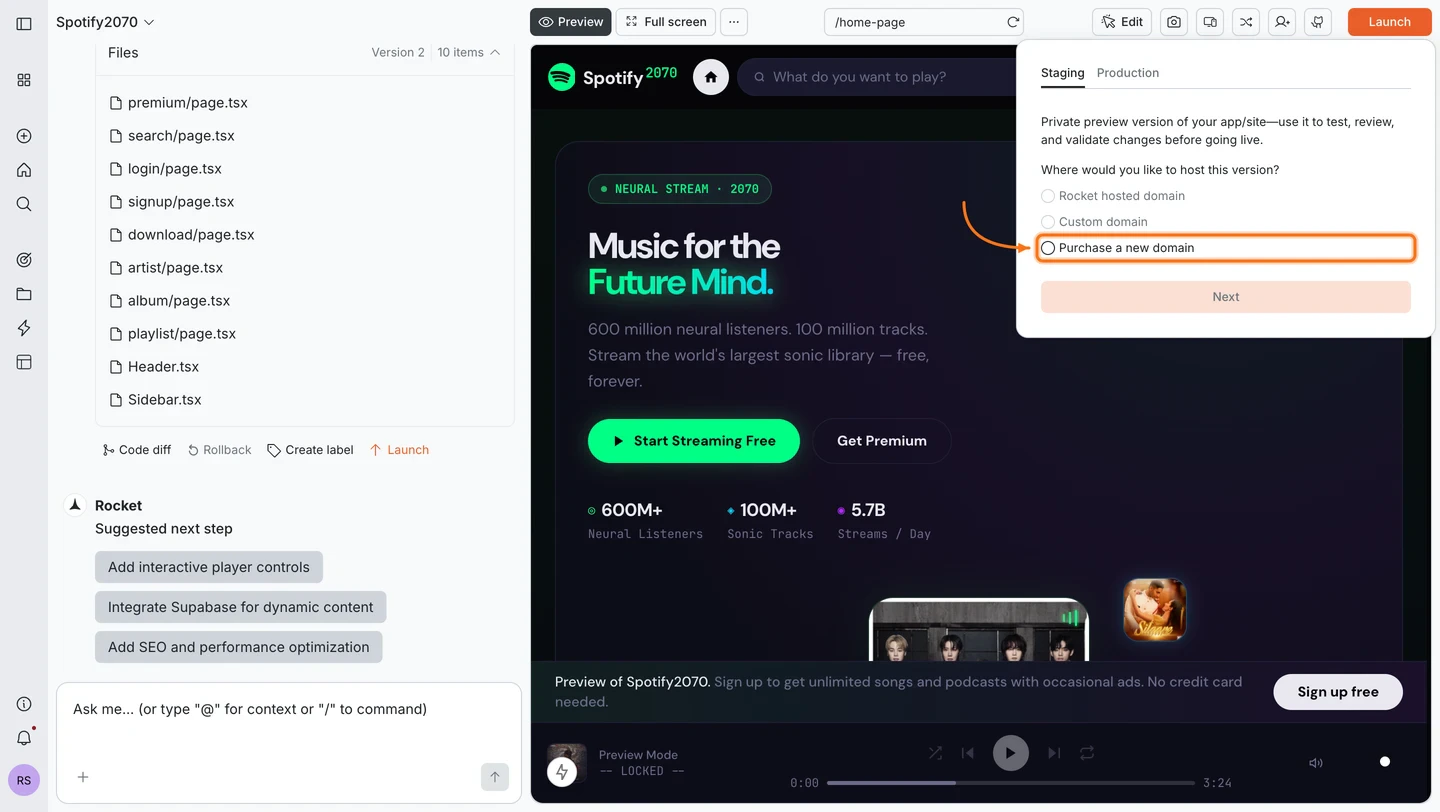
        <Frame caption="Select Purchase a new domain in the Staging tab">
          <img src="https://mintcdn.com/dhiwisepvtltd-5e04e6a4/V8n5a5SD5I4rMm7t/images/build-docs/launch-web/buy-domain/web-browser/staging-select-purchase-domain-light.webp?fit=max&auto=format&n=V8n5a5SD5I4rMm7t&q=85&s=50e4b817ba27aafb25e0ccf45fe91995" alt="Launch dialog on the Staging tab with the Purchase a new domain radio button selected." className="theme-image light-image" width="1440" height="812" data-path="images/build-docs/launch-web/buy-domain/web-browser/staging-select-purchase-domain-light.webp" />

          <img src="https://mintcdn.com/dhiwisepvtltd-5e04e6a4/V8n5a5SD5I4rMm7t/images/build-docs/launch-web/buy-domain/web-browser/staging-select-purchase-domain-dark.webp?fit=max&auto=format&n=V8n5a5SD5I4rMm7t&q=85&s=2b6c949dfaa342b4ece9164fdf74f4ab" alt="Launch dialog on the Staging tab with the Purchase a new domain radio button selected." className="theme-image dark-image" width="1440" height="812" data-path="images/build-docs/launch-web/buy-domain/web-browser/staging-select-purchase-domain-dark.webp" />
        </Frame>

        <Frame caption="Click Next to continue">
          <img src="https://mintcdn.com/dhiwisepvtltd-5e04e6a4/V8n5a5SD5I4rMm7t/images/build-docs/launch-web/buy-domain/web-browser/staging-click-next-light.webp?fit=max&auto=format&n=V8n5a5SD5I4rMm7t&q=85&s=0e45828cbdd453f8222f302e2fc39d5e" alt="Launch dialog on the Staging tab with the Next button highlighted." className="theme-image light-image" width="1440" height="812" data-path="images/build-docs/launch-web/buy-domain/web-browser/staging-click-next-light.webp" />

          <img src="https://mintcdn.com/dhiwisepvtltd-5e04e6a4/V8n5a5SD5I4rMm7t/images/build-docs/launch-web/buy-domain/web-browser/staging-click-next-dark.webp?fit=max&auto=format&n=V8n5a5SD5I4rMm7t&q=85&s=e3c654125f2971bcefc36dfda98b27b8" alt="Launch dialog on the Staging tab with the Next button highlighted." className="theme-image dark-image" width="1440" height="812" data-path="images/build-docs/launch-web/buy-domain/web-browser/staging-click-next-dark.webp" />
        </Frame>
      </Tab>

      <Tab title="From the Production tab">
        Switch to the **Production** tab. It shows a **Custom domain** input field with a **Purchase a new domain** link. Click it.
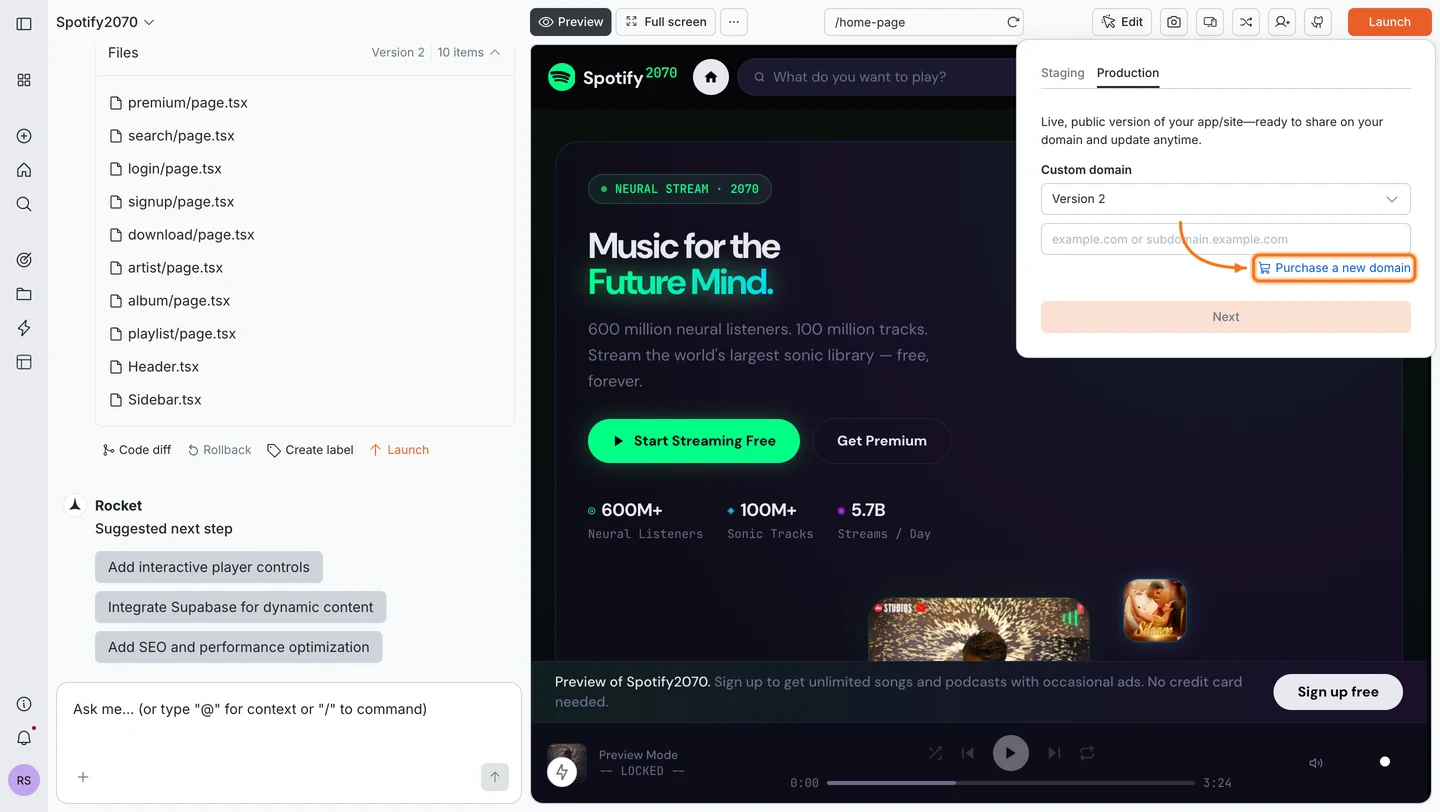
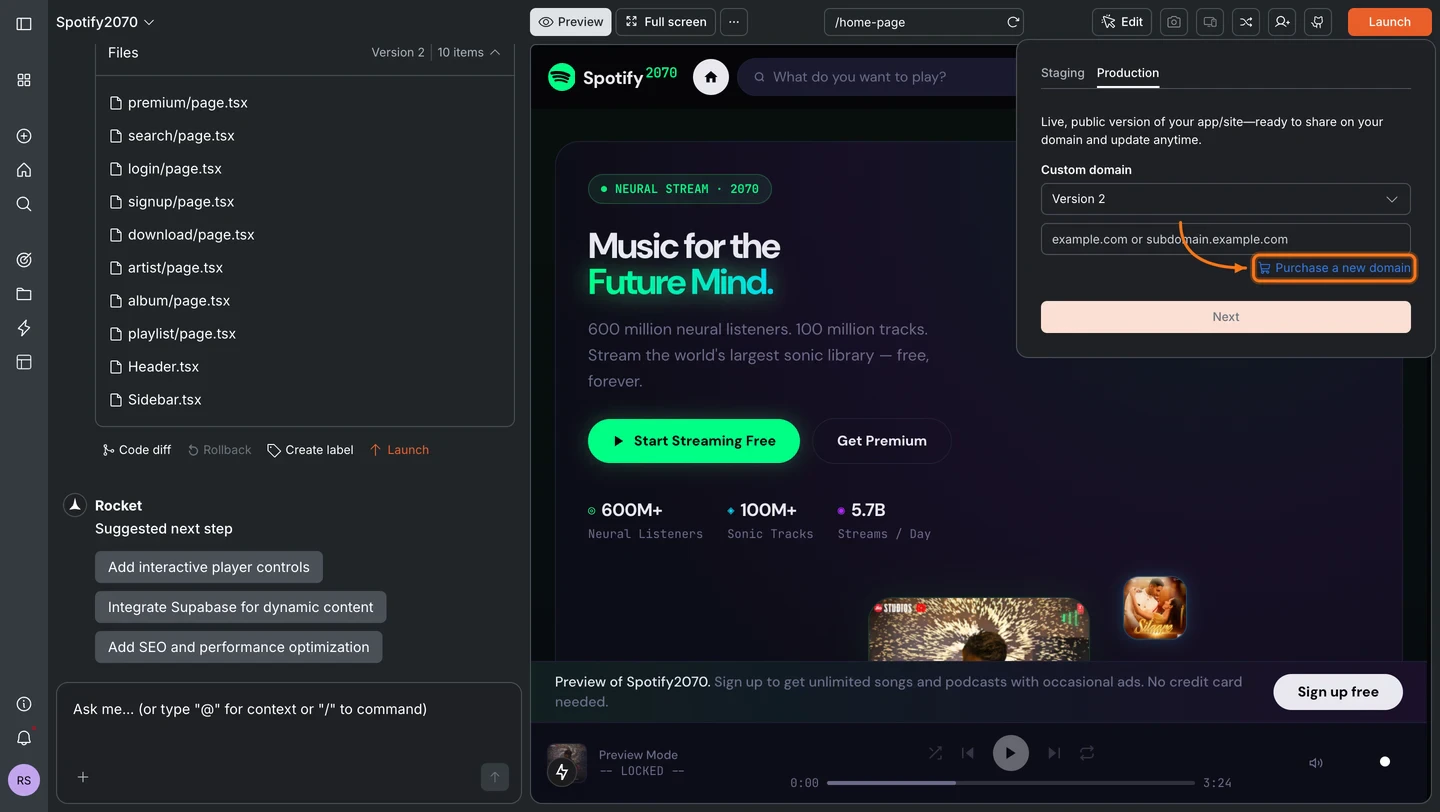
        <Frame caption="Click Purchase a new domain in the Production tab">
          <img src="https://mintcdn.com/dhiwisepvtltd-5e04e6a4/V8n5a5SD5I4rMm7t/images/build-docs/launch-web/buy-domain/web-browser/production-purchase-domain-button-light.webp?fit=max&auto=format&n=V8n5a5SD5I4rMm7t&q=85&s=8a4481cf6a61e4ff8aa99d399b98a590" alt="Production tab showing the Custom domain input field with the Purchase a new domain button highlighted." className="theme-image light-image" width="1440" height="812" data-path="images/build-docs/launch-web/buy-domain/web-browser/production-purchase-domain-button-light.webp" />

          <img src="https://mintcdn.com/dhiwisepvtltd-5e04e6a4/V8n5a5SD5I4rMm7t/images/build-docs/launch-web/buy-domain/web-browser/production-purchase-domain-button-dark.webp?fit=max&auto=format&n=V8n5a5SD5I4rMm7t&q=85&s=23ee0ae11c252ea487cda9a5e45f3723" alt="Production tab showing the Custom domain input field with the Purchase a new domain button highlighted." className="theme-image dark-image" width="1440" height="812" data-path="images/build-docs/launch-web/buy-domain/web-browser/production-purchase-domain-button-dark.webp" />
        </Frame>
      </Tab>
    </Tabs>
  </Step>

  <Step title="Search for a domain">
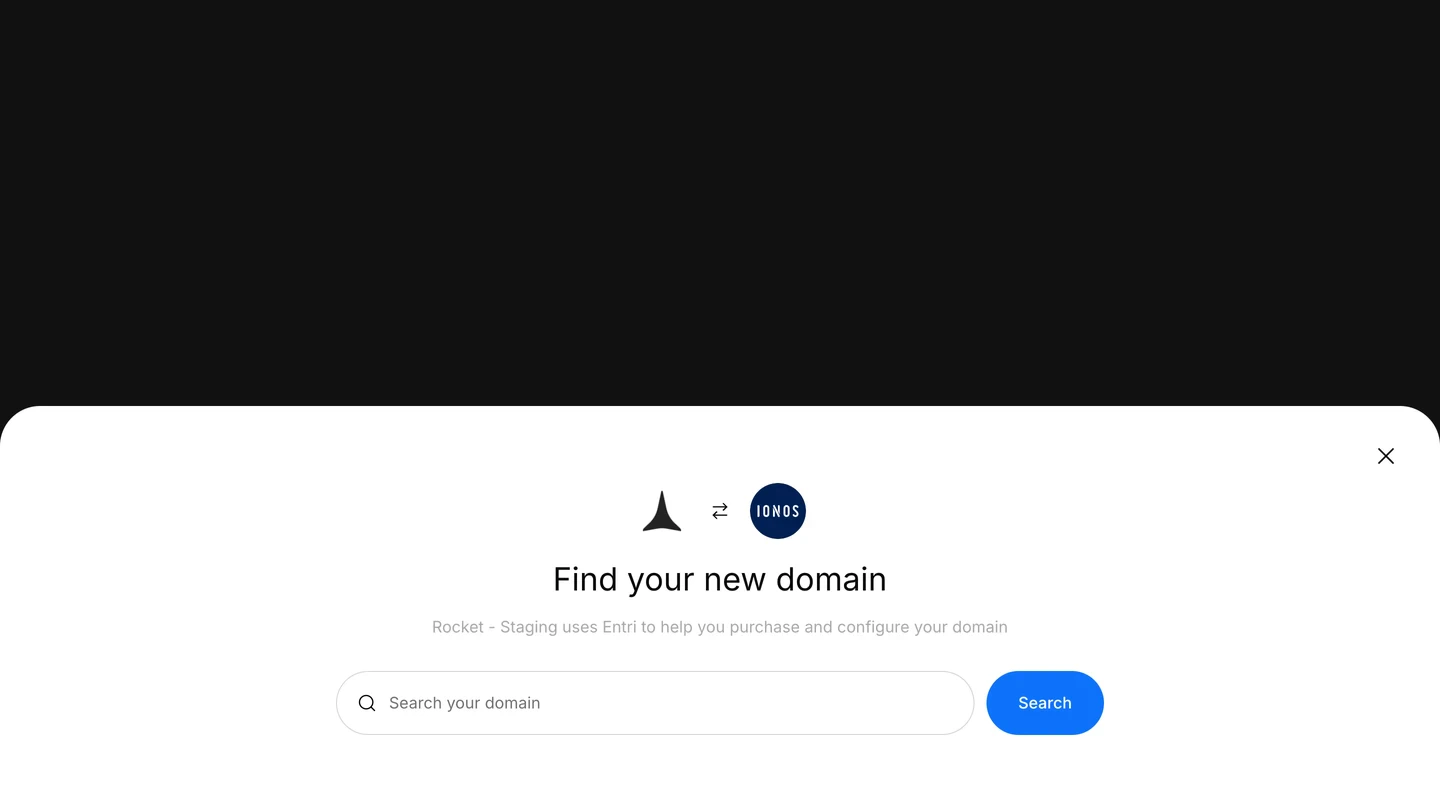
    The IONOS domain search opens inside Rocket. Type the name you want and click **Search**.
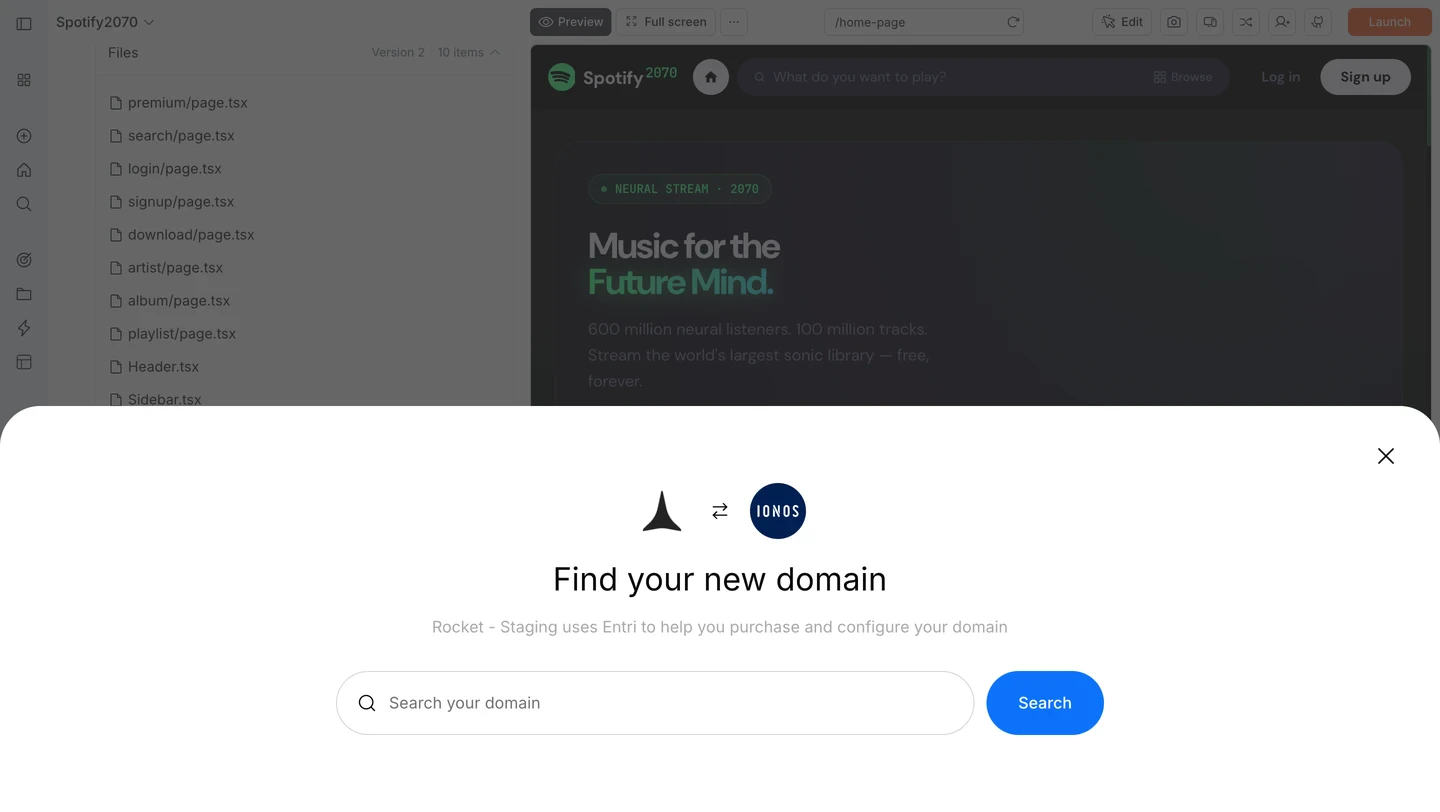
    <Frame caption="Search for your domain name">
      <img src="https://mintcdn.com/dhiwisepvtltd-5e04e6a4/V8n5a5SD5I4rMm7t/images/build-docs/launch-web/buy-domain/web-browser/ionos-domain-search-modal-light.webp?fit=max&auto=format&n=V8n5a5SD5I4rMm7t&q=85&s=ab7cace56097dc893fdc79f0d39f4709" alt="IONOS Find your new domain modal with a search input and Search button." className="theme-image light-image" width="1440" height="812" data-path="images/build-docs/launch-web/buy-domain/web-browser/ionos-domain-search-modal-light.webp" />

      <img src="https://mintcdn.com/dhiwisepvtltd-5e04e6a4/V8n5a5SD5I4rMm7t/images/build-docs/launch-web/buy-domain/web-browser/ionos-domain-search-modal-dark.webp?fit=max&auto=format&n=V8n5a5SD5I4rMm7t&q=85&s=90eaf0248e9a80174422f416f097608b" alt="IONOS Find your new domain modal with a search input and Search button." className="theme-image dark-image" width="1440" height="812" data-path="images/build-docs/launch-web/buy-domain/web-browser/ionos-domain-search-modal-dark.webp" />
    </Frame>
  </Step>

  <Step title="Select a domain">
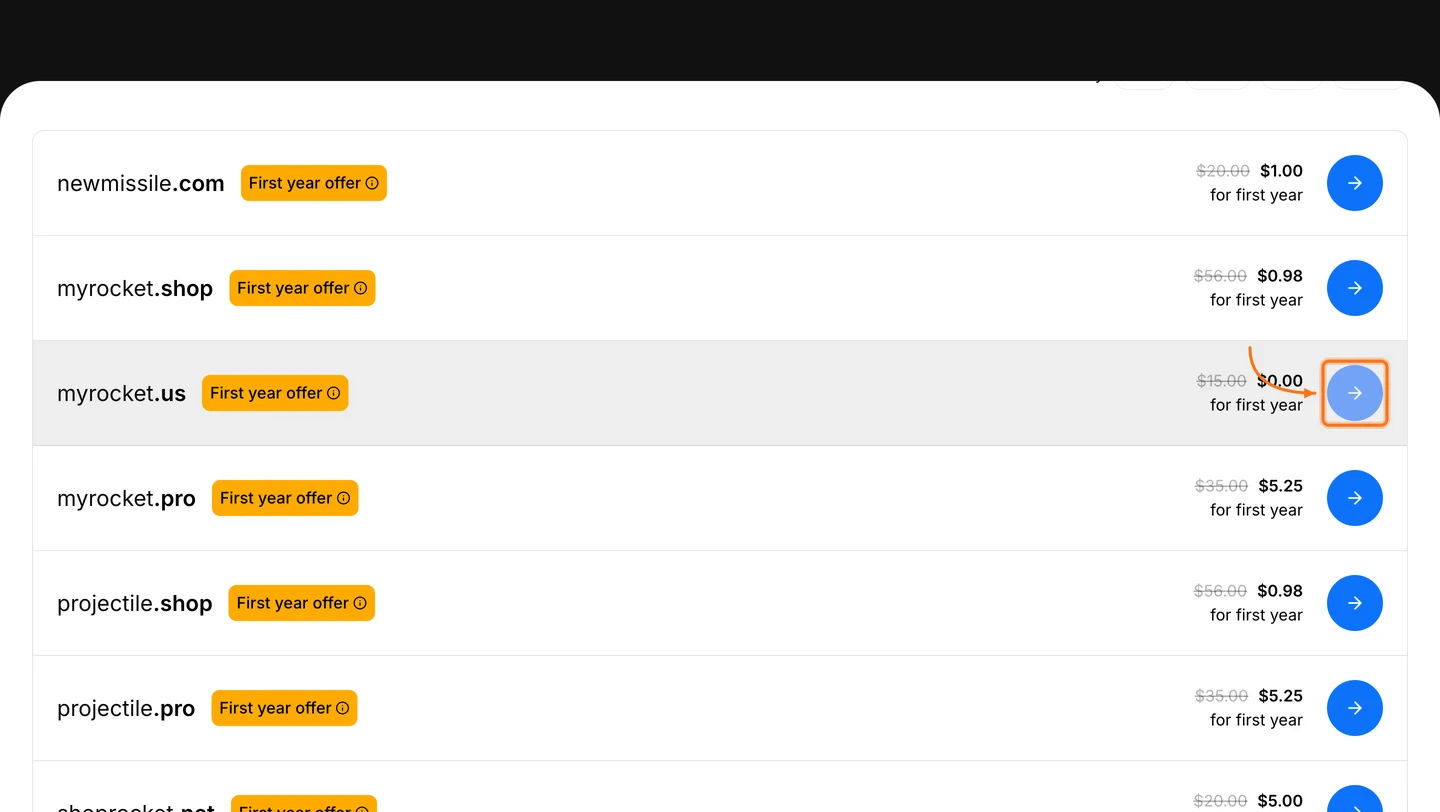
    Browse available domains and their pricing. Click the **→** button next to the domain you want.
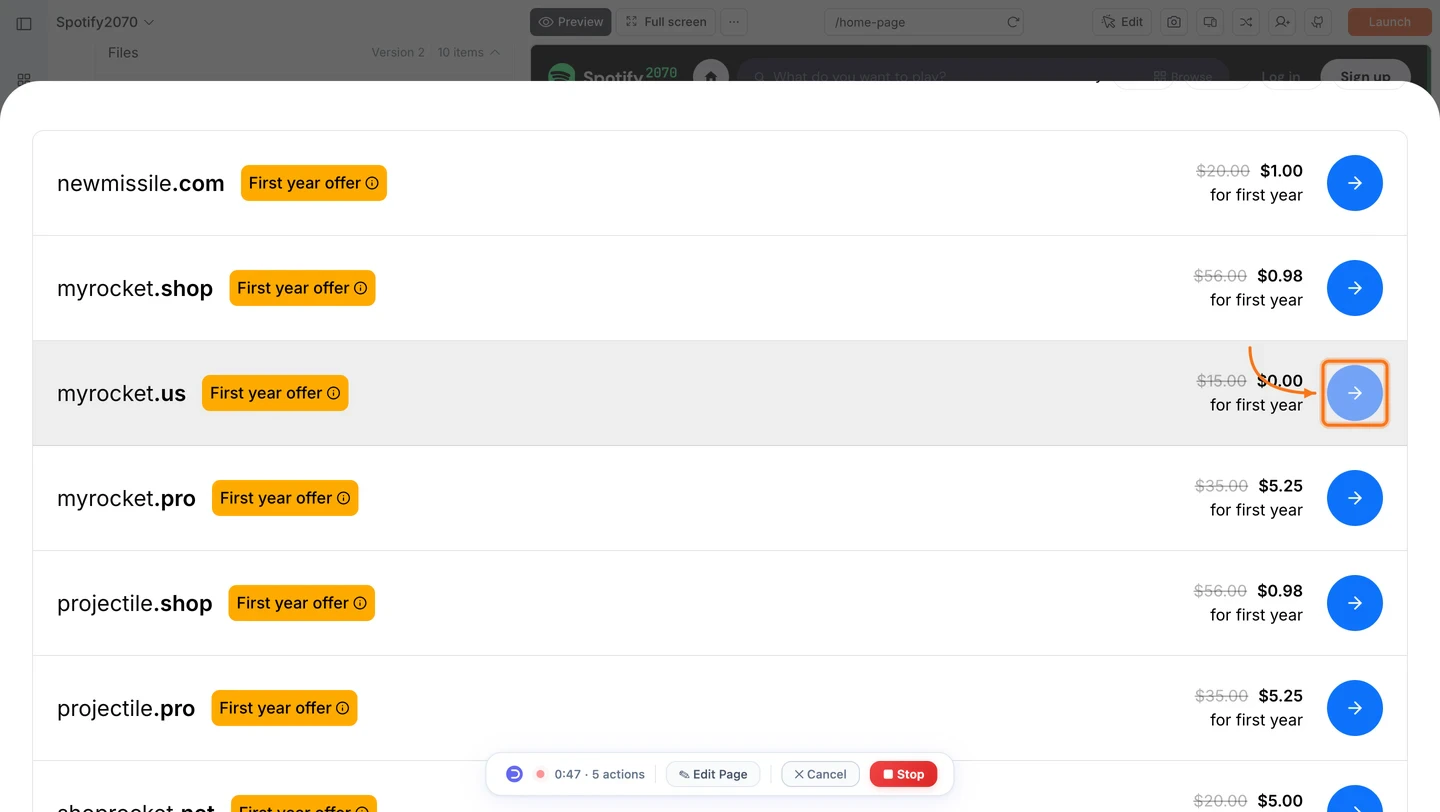
    <Frame caption="Choose a domain from the search results">
      <img src="https://mintcdn.com/dhiwisepvtltd-5e04e6a4/V8n5a5SD5I4rMm7t/images/build-docs/launch-web/buy-domain/web-browser/domain-search-results-light.webp?fit=max&auto=format&n=V8n5a5SD5I4rMm7t&q=85&s=d1525a246751525a93ba6d802db2565d" alt="Domain search results listing available domains with first-year pricing and a select arrow button." className="theme-image light-image" width="1440" height="812" data-path="images/build-docs/launch-web/buy-domain/web-browser/domain-search-results-light.webp" />

      <img src="https://mintcdn.com/dhiwisepvtltd-5e04e6a4/V8n5a5SD5I4rMm7t/images/build-docs/launch-web/buy-domain/web-browser/domain-search-results-dark.webp?fit=max&auto=format&n=V8n5a5SD5I4rMm7t&q=85&s=d8fe00eb9399c24a367832f505dfdbc6" alt="Domain search results listing available domains with first-year pricing and a select arrow button." className="theme-image dark-image" width="1440" height="812" data-path="images/build-docs/launch-web/buy-domain/web-browser/domain-search-results-dark.webp" />
    </Frame>
  </Step>

  <Step title="Complete the purchase on IONOS">
    Rocket redirects you to IONOS to complete payment. Keep this screen open. Rocket connects your domain automatically once the purchase is confirmed.
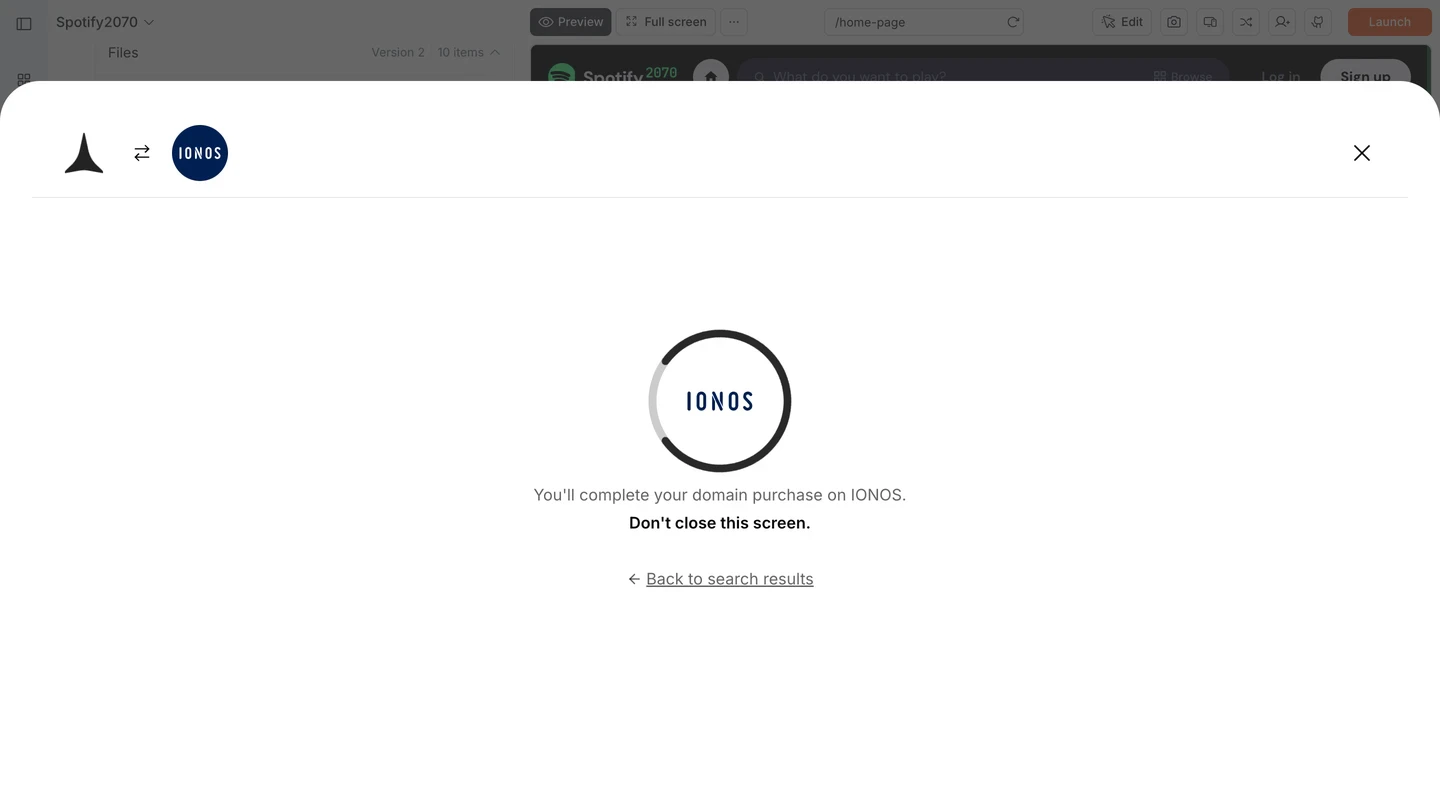
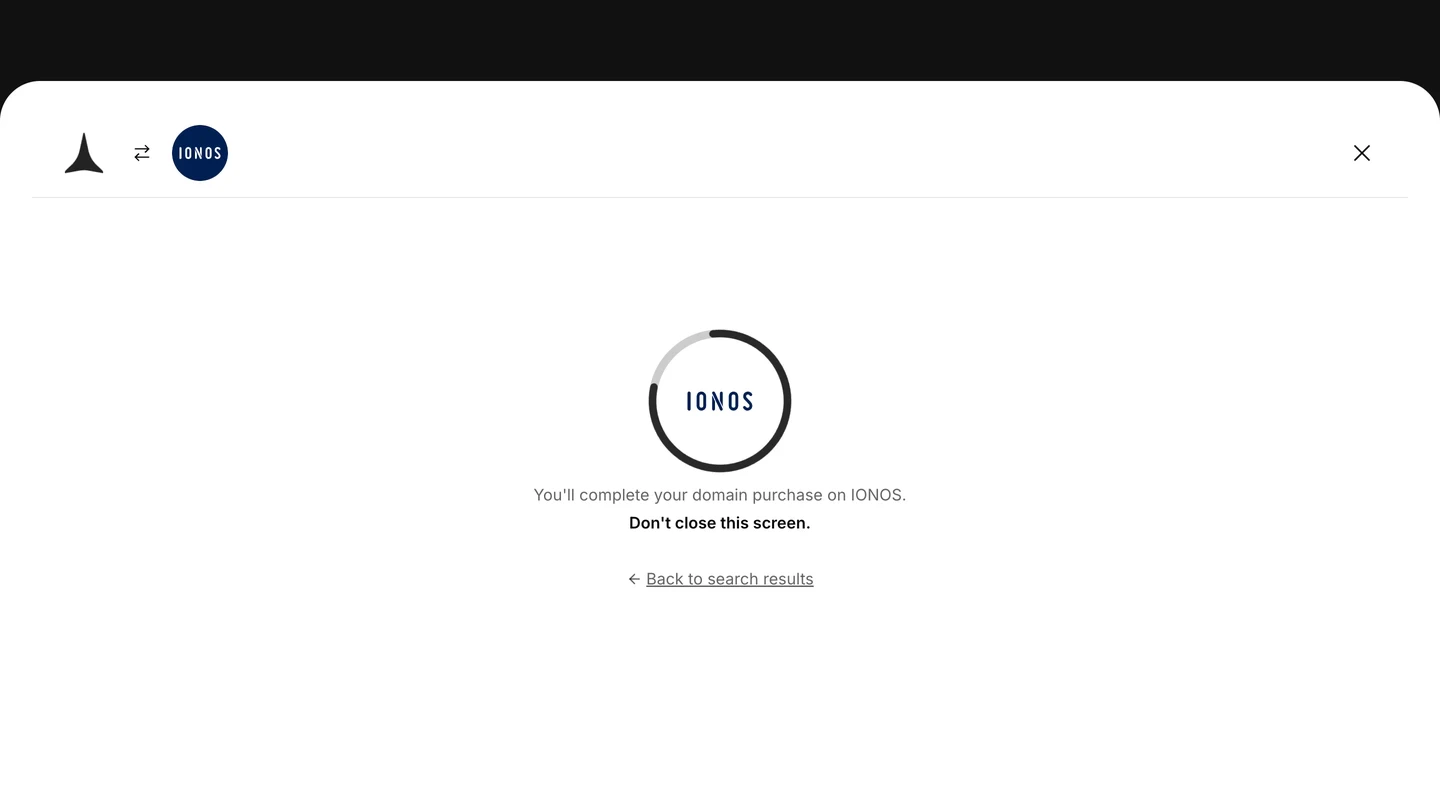
    <Frame caption="You are redirected to IONOS to complete payment">
      <img src="https://mintcdn.com/dhiwisepvtltd-5e04e6a4/V8n5a5SD5I4rMm7t/images/build-docs/launch-web/buy-domain/web-browser/ionos-redirect-light.webp?fit=max&auto=format&n=V8n5a5SD5I4rMm7t&q=85&s=c22a5c0384c06c1cb1b53495e139162d" alt="Rocket screen showing the IONOS logo and the message: You'll complete your domain purchase on IONOS. Don't close this screen." className="theme-image light-image" width="1440" height="812" data-path="images/build-docs/launch-web/buy-domain/web-browser/ionos-redirect-light.webp" />

      <img src="https://mintcdn.com/dhiwisepvtltd-5e04e6a4/V8n5a5SD5I4rMm7t/images/build-docs/launch-web/buy-domain/web-browser/ionos-redirect-dark.webp?fit=max&auto=format&n=V8n5a5SD5I4rMm7t&q=85&s=08c4cfe0df30bea851b2c61355a53024" alt="Rocket screen showing the IONOS logo and the message: You'll complete your domain purchase on IONOS. Don't close this screen." className="theme-image dark-image" width="1440" height="812" data-path="images/build-docs/launch-web/buy-domain/web-browser/ionos-redirect-dark.webp" />
    </Frame>

    <Warning>
      Do not close the Rocket tab while the IONOS payment is in progress. Rocket needs this screen open to detect the completed purchase and configure your DNS automatically.
    </Warning>
  </Step>
</Steps>

<Divider />

## What's next?

<CardGroup cols={2}>
  <Card title="Custom domain" icon="globe" href="/build/launch-web/custom-domain">
    Already own a domain? Connect it to your Rocket app instead.
  </Card>

  <Card title="Launch your site" icon="rocket" href="/build/launch-web/launch-your-site">
    Test in staging, publish to production, and roll back if needed.
  </Card>

  <Card title="SEO and discoverability" icon="magnifying-glass" href="/build/polish/seo">
    Optimize your site so search engines find it at your new domain.
  </Card>

  <Card title="Launch your app" icon="rocket" href="/build/launch-web/launch-your-site">
    Full guide to deploying your web app.
  </Card>
</CardGroup>