> ## Documentation Index
> Fetch the complete documentation index at: https://docs.rocket.new/llms.txt
> Use this file to discover all available pages before exploring further.

# Launch your site

> Publish your Rocket.new app to a staging URL for testing before going live.

export const LlmsDirective = () => <blockquote className="llms-directive">
    For the complete documentation index, see <a href="/llms.txt">llms.txt</a>.
    For a lightweight markdown version of this page, append .md to the URL.
  </blockquote>;

<LlmsDirective />

Rocket deploys your app to a staging URL where you can test and share it before going live. When you're ready to publish to a real domain, connect a custom domain from the **Production** tab.

<Divider />

## Publish to staging

<Steps>
  <Step title="Click the Launch button">
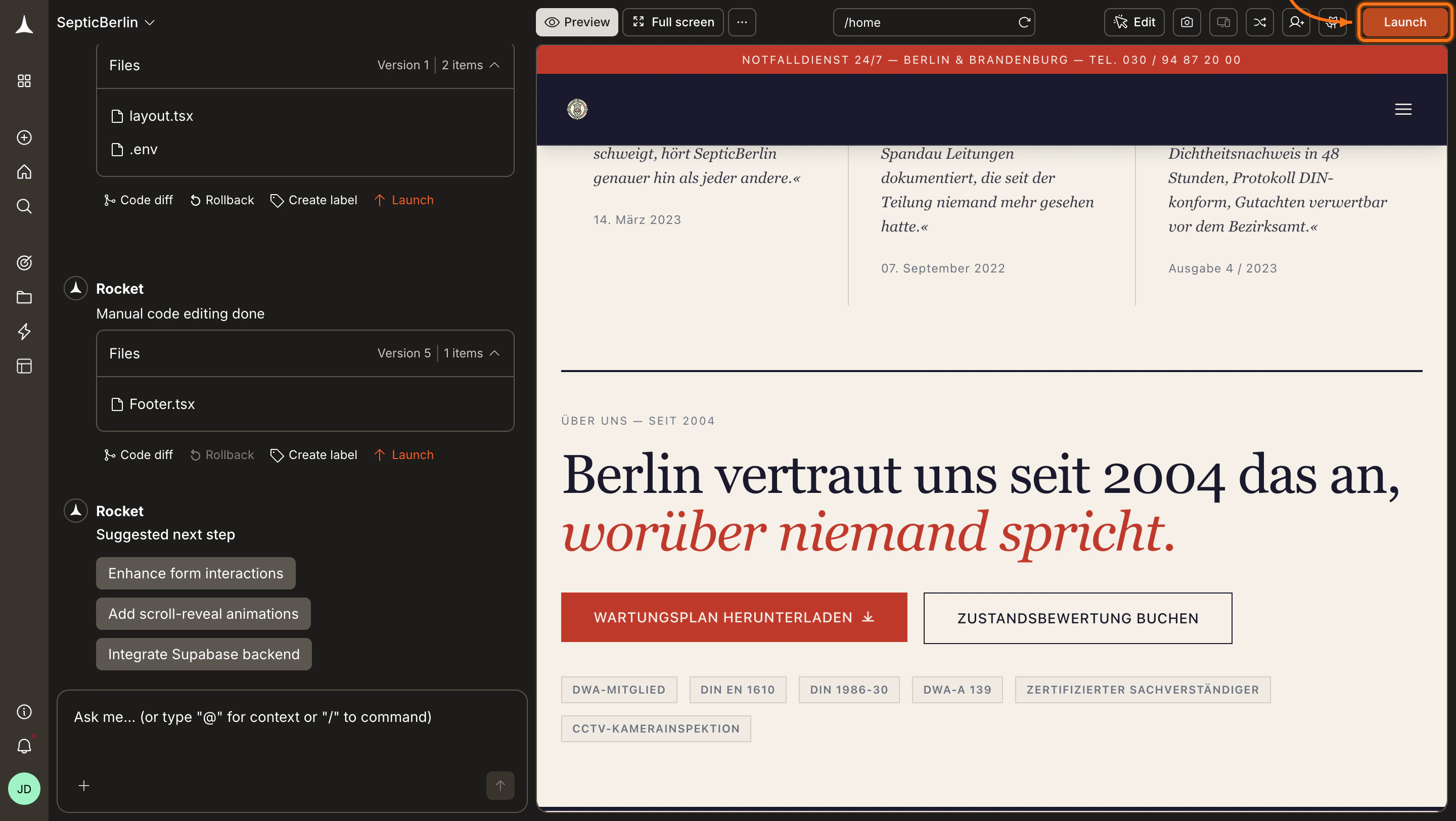
    Open your task in Rocket and click the **Launch** button in the top-right corner.
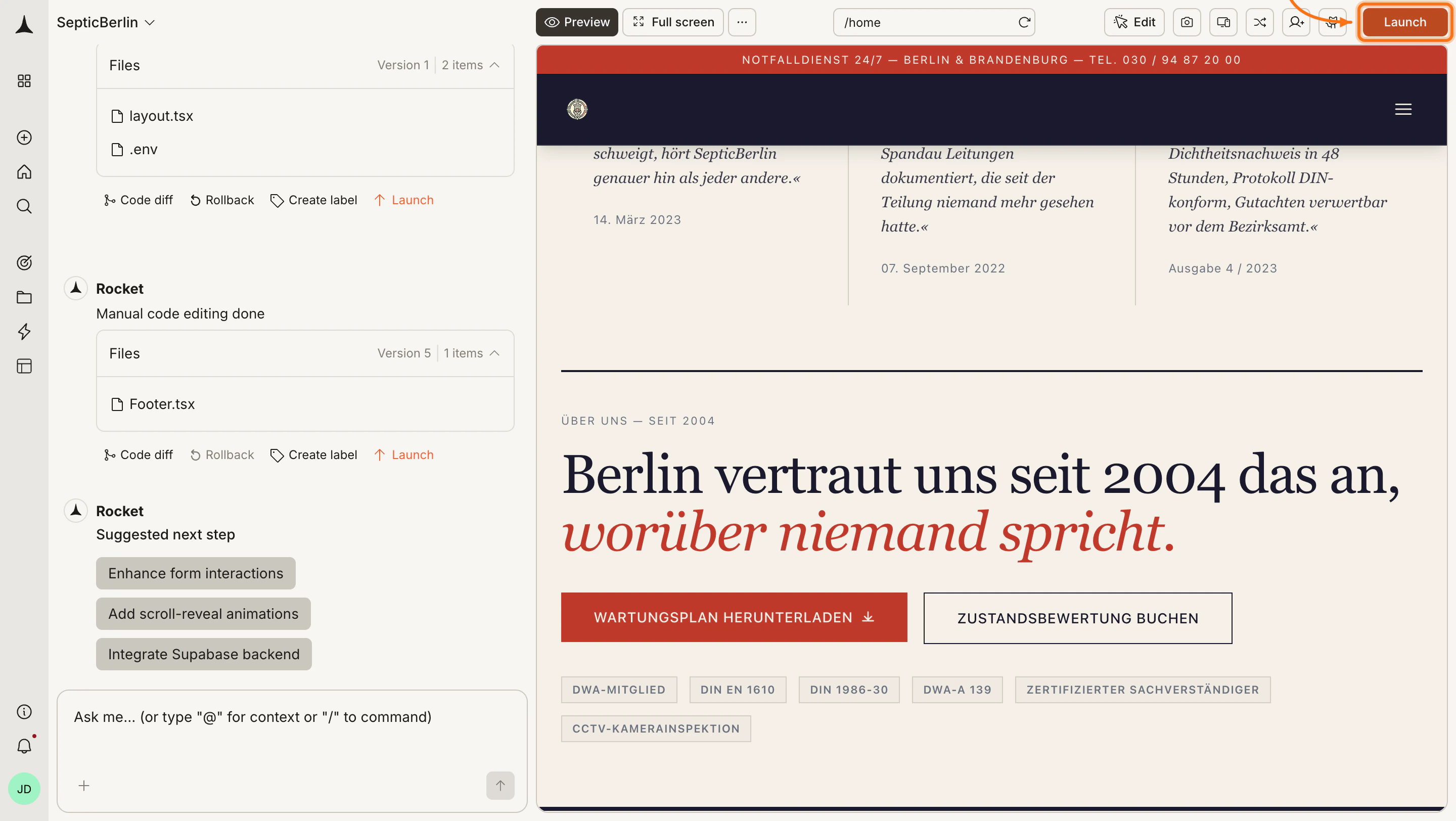
    <Frame caption="Launch button in the top-right">
      <img src="https://mintcdn.com/dhiwisepvtltd-5e04e6a4/t4uGz5dS0ue_V4hy/images/build-docs/launch-web/deploy-web/web-browser/launch-button-light.webp?fit=max&auto=format&n=t4uGz5dS0ue_V4hy&q=85&s=9761e3a7aedadf921f16ef45bfcb702d" alt="Rocket editor with the Launch button highlighted in the top-right." className="theme-image light-image" width="2880" height="1624" data-path="images/build-docs/launch-web/deploy-web/web-browser/launch-button-light.webp" />

      <img src="https://mintcdn.com/dhiwisepvtltd-5e04e6a4/t4uGz5dS0ue_V4hy/images/build-docs/launch-web/deploy-web/web-browser/launch-button-dark.webp?fit=max&auto=format&n=t4uGz5dS0ue_V4hy&q=85&s=a8428a2b63cfafb5b2abe053b4af75f3" alt="Rocket editor with the Launch button highlighted in the top-right." className="theme-image dark-image" width="2880" height="1624" data-path="images/build-docs/launch-web/deploy-web/web-browser/launch-button-dark.webp" />
    </Frame>
  </Step>

  <Step title="Go to the Staging tab and publish">
    The launch dialog opens with **Staging** and **Production** tabs. Stay on **Staging** and click **Publish**.

    You can also connect or purchase a custom domain directly from the Staging tab. See [Custom domain](/build/launch-web/custom-domain) and [Buy a domain](/build/launch-web/buy-domain) for details.
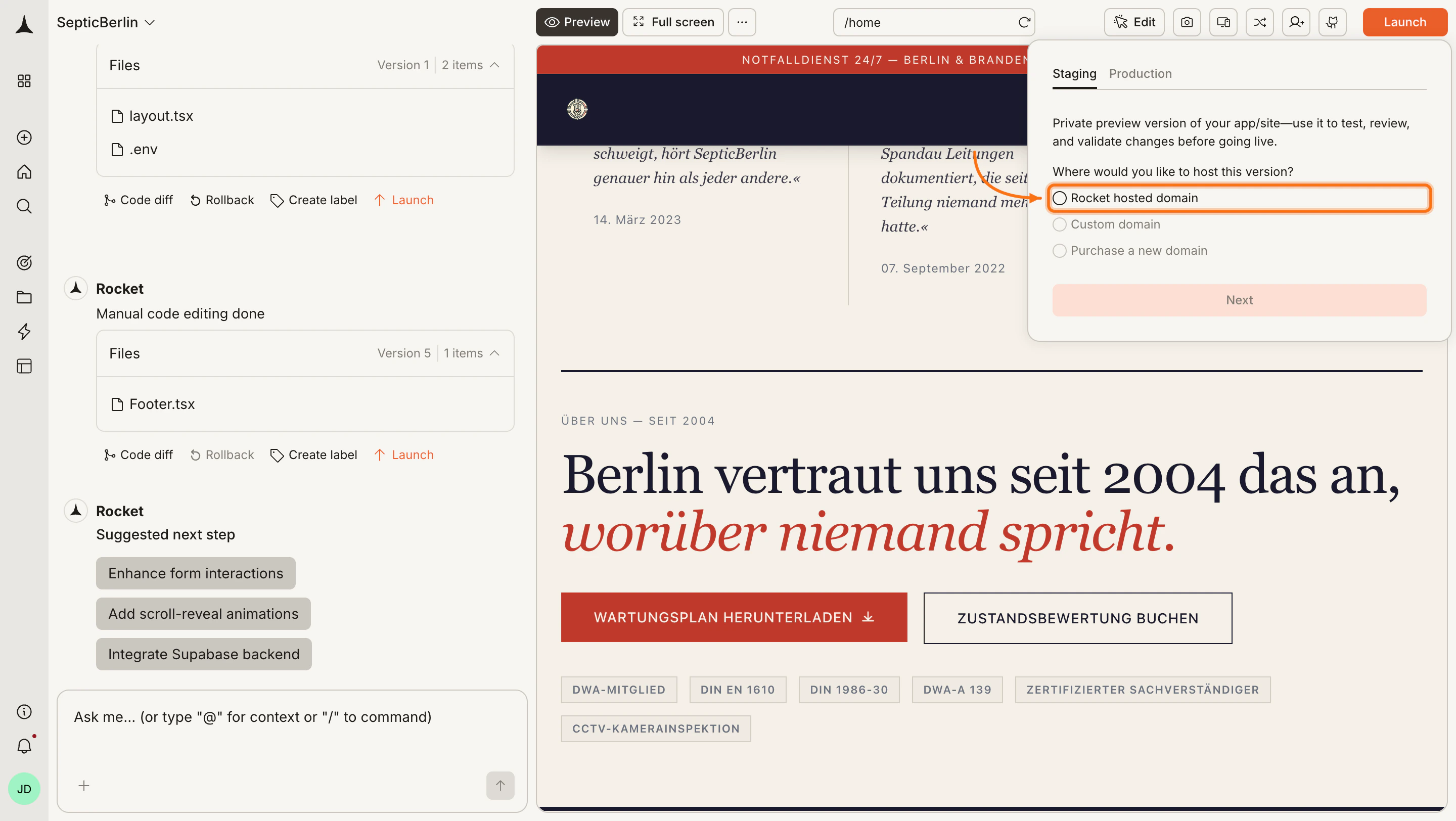
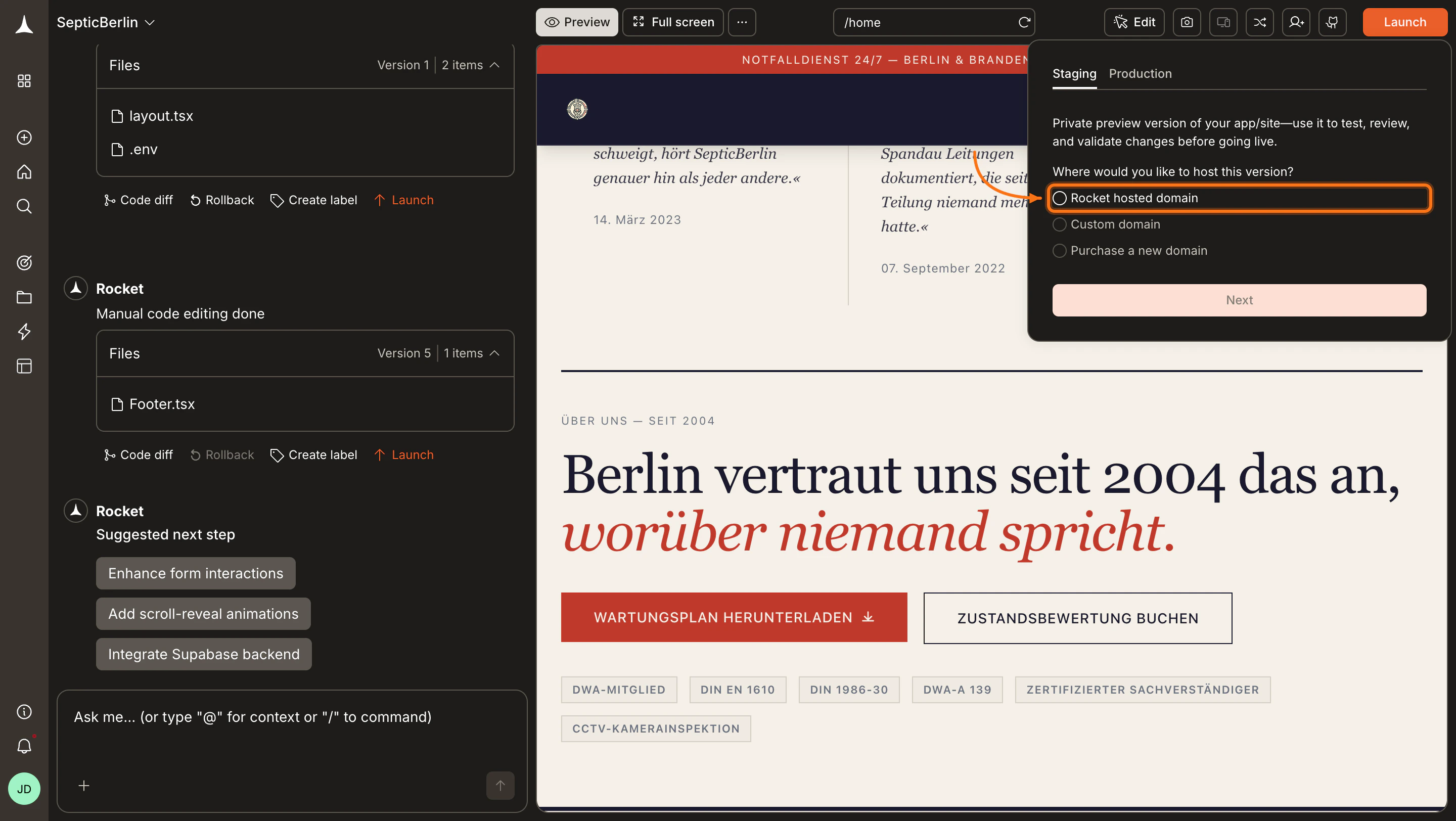
    <Frame caption="Launch dialog - Staging tab">
      <img src="https://mintcdn.com/dhiwisepvtltd-5e04e6a4/t4uGz5dS0ue_V4hy/images/build-docs/launch-web/deploy-web/web-browser/publish-popup-initial-light.webp?fit=max&auto=format&n=t4uGz5dS0ue_V4hy&q=85&s=5174185e80460eba66862441f485baff" alt="Launch dialog with Staging tab selected." className="theme-image light-image" width="2880" height="1624" data-path="images/build-docs/launch-web/deploy-web/web-browser/publish-popup-initial-light.webp" />

      <img src="https://mintcdn.com/dhiwisepvtltd-5e04e6a4/t4uGz5dS0ue_V4hy/images/build-docs/launch-web/deploy-web/web-browser/publish-popup-initial-dark.webp?fit=max&auto=format&n=t4uGz5dS0ue_V4hy&q=85&s=de34ee1019c9cf3ee110fe3171dc87eb" alt="Launch dialog with Staging tab selected." className="theme-image dark-image" width="2880" height="1624" data-path="images/build-docs/launch-web/deploy-web/web-browser/publish-popup-initial-dark.webp" />
    </Frame>

    <Note>
      Rocket uses a default Netlify account if you have not connected your own. You can [connect your Netlify account](/build/connectors/netlify) to use your own.
    </Note>
  </Step>

  <Step title="Your app is live on staging">
    When deployment finishes, you see your staging URL. Share it with teammates to collect feedback, or open it yourself to test.
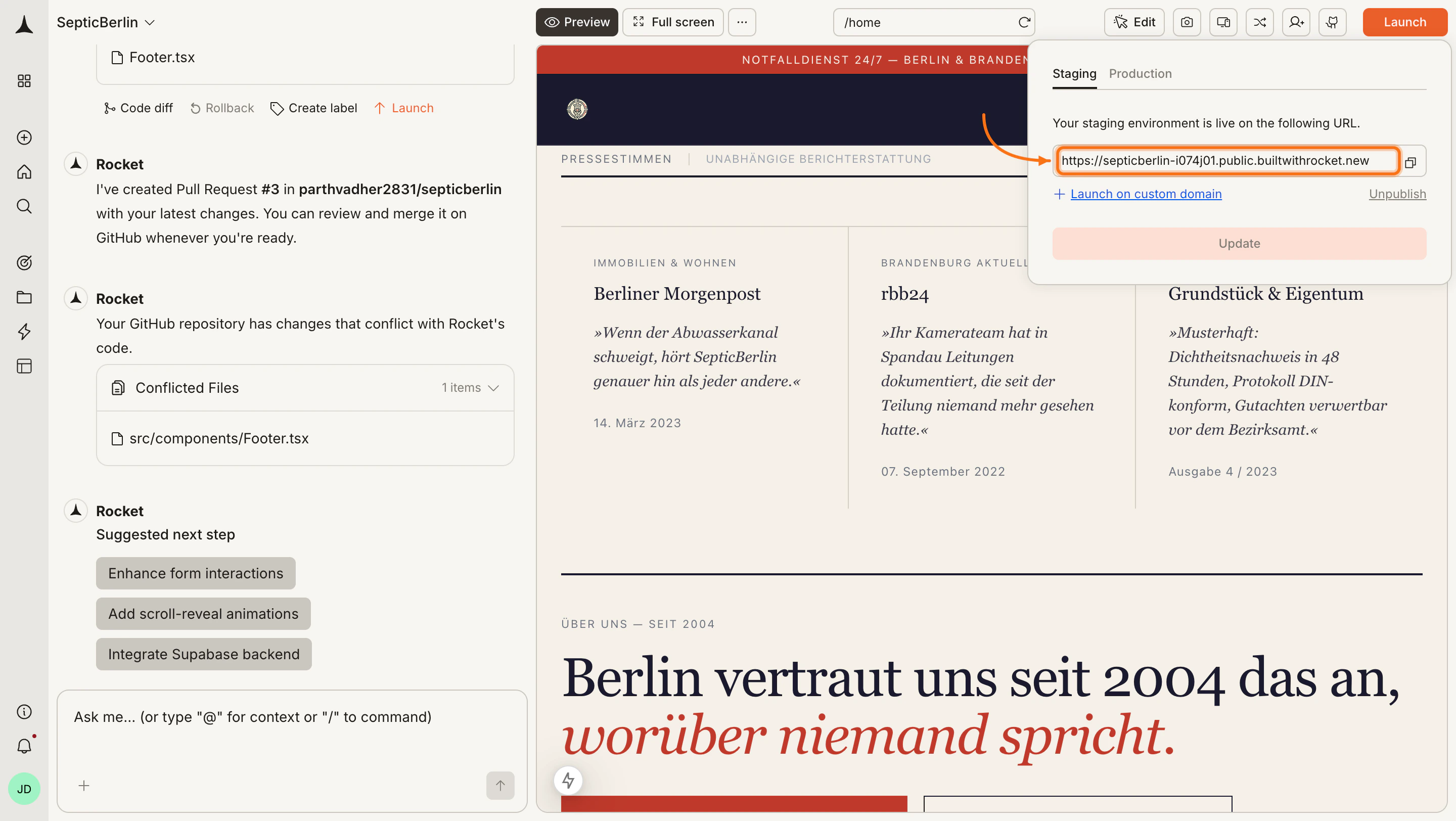
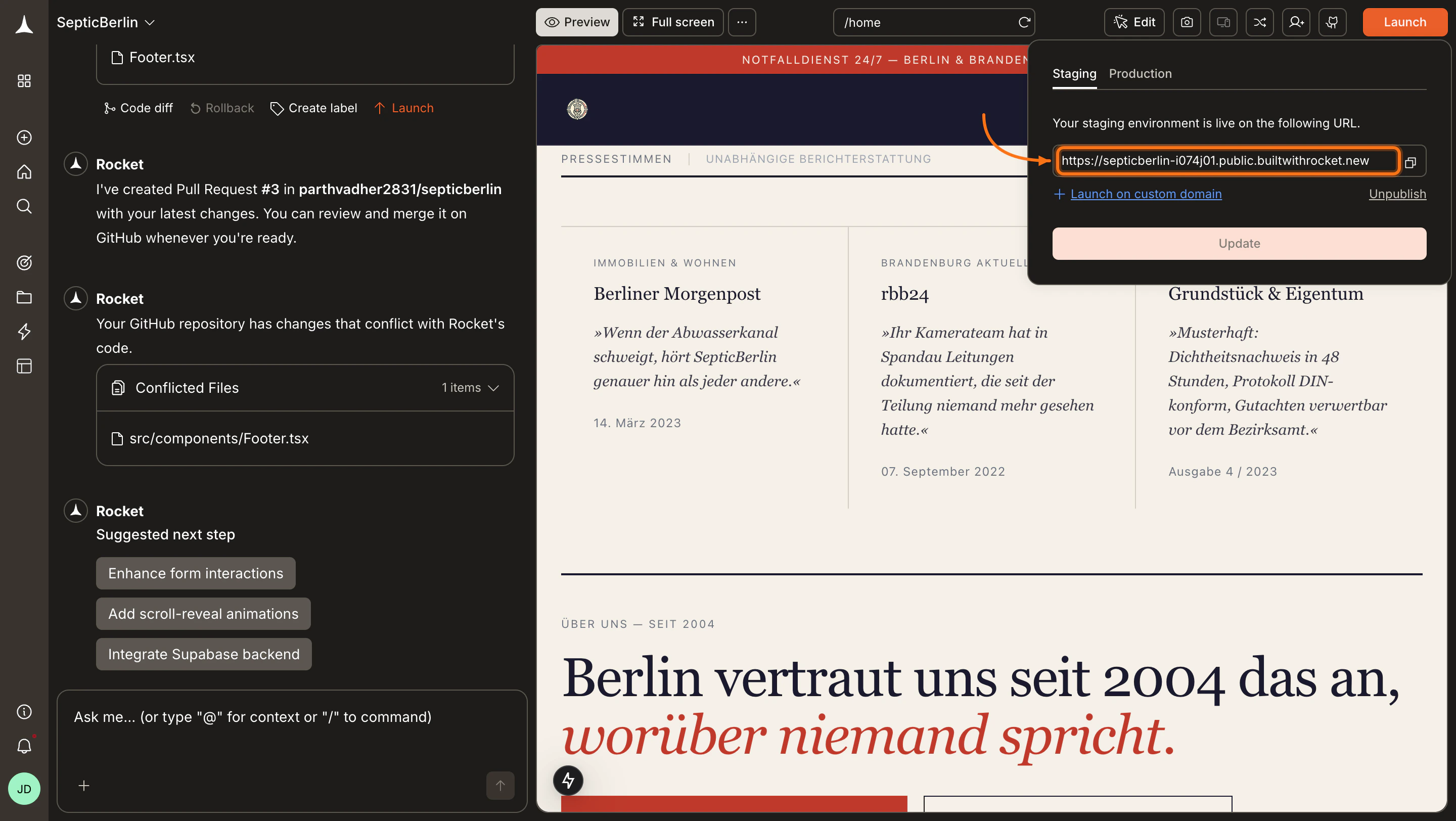
    <Frame caption="Staging URL live with controls">
      <img src="https://mintcdn.com/dhiwisepvtltd-5e04e6a4/t4uGz5dS0ue_V4hy/images/build-docs/launch-web/deploy-web/web-browser/publish-success-light.webp?fit=max&auto=format&n=t4uGz5dS0ue_V4hy&q=85&s=34e9e7b9ab58037391cc62a1cff369bc" alt="Confirmation screen showing the staging URL and options to update or unpublish." className="theme-image light-image" width="2880" height="1624" data-path="images/build-docs/launch-web/deploy-web/web-browser/publish-success-light.webp" />

      <img src="https://mintcdn.com/dhiwisepvtltd-5e04e6a4/t4uGz5dS0ue_V4hy/images/build-docs/launch-web/deploy-web/web-browser/publish-success-dark.webp?fit=max&auto=format&n=t4uGz5dS0ue_V4hy&q=85&s=bd755d2f4dcb347f3efff70000973eb2" alt="Confirmation screen showing the staging URL and options to update or unpublish." className="theme-image dark-image" width="2880" height="1624" data-path="images/build-docs/launch-web/deploy-web/web-browser/publish-success-dark.webp" />
    </Frame>

    Click **Update** any time to push your latest changes to the same URL.
  </Step>

  <Step title="Unpublish if needed">
    Click **Unpublish** to take the staging URL offline. Unpublishing requires a paid plan (Pro or above).
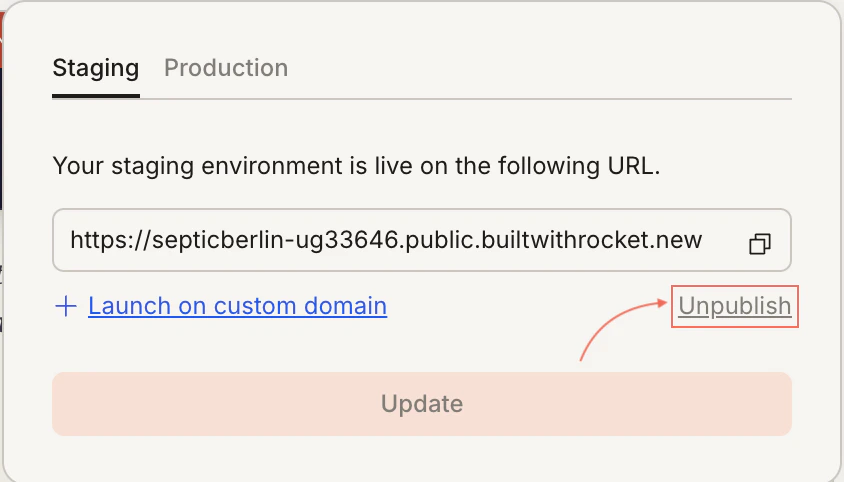
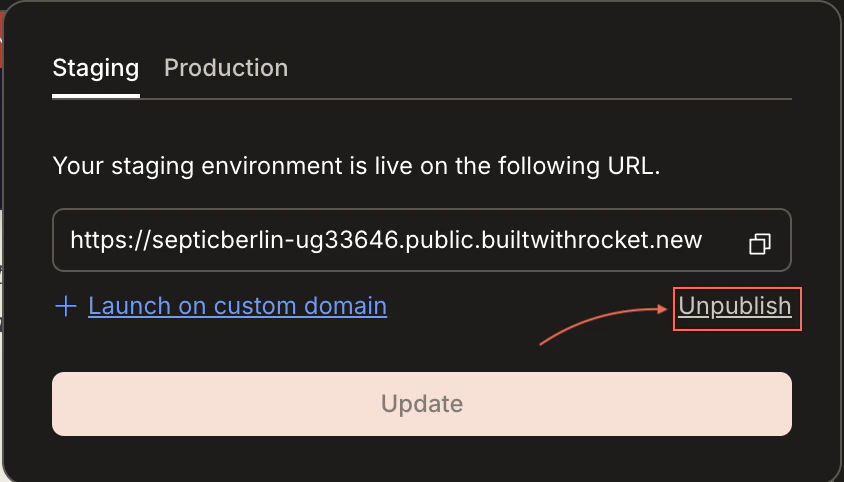
    <Frame caption="Unpublish confirmation dialog">
      <img src="https://mintcdn.com/dhiwisepvtltd-5e04e6a4/t4uGz5dS0ue_V4hy/images/build-docs/launch-web/deploy-web/web-browser/unpublish-confirm-light.webp?fit=max&auto=format&n=t4uGz5dS0ue_V4hy&q=85&s=a3ea7546146d6f30be7c0adcd0ccfa30" alt="Unpublish confirmation dialog." className="theme-image light-image" width="844" height="482" data-path="images/build-docs/launch-web/deploy-web/web-browser/unpublish-confirm-light.webp" />

      <img src="https://mintcdn.com/dhiwisepvtltd-5e04e6a4/t4uGz5dS0ue_V4hy/images/build-docs/launch-web/deploy-web/web-browser/unpublish-confirm-dark.webp?fit=max&auto=format&n=t4uGz5dS0ue_V4hy&q=85&s=a7568b9e4468564fcb5b8676d0f283d3" alt="Unpublish confirmation dialog." className="theme-image dark-image" width="844" height="482" data-path="images/build-docs/launch-web/deploy-web/web-browser/unpublish-confirm-dark.webp" />
    </Frame>

    <Warning>
      After unpublishing, the link stops working immediately. You can republish at any time.
    </Warning>
  </Step>
</Steps>

<Divider />

## Ready to go live?

When testing is done, switch to the **Production** tab in the Launch dialog to connect a custom domain and publish your live app.

<Card title="Custom domain" icon="globe-pointer" href="/build/launch-web/custom-domain" horizontal arrow="true">
  Connect your own domain and publish to production.
</Card>

<Divider />

## What's next?

<CardGroup cols={2}>
  <Card title="SEO & discoverability" icon="magnifying-glass" href="/build/polish/seo">
    Optimize meta tags and sitemaps so search engines find your site.
  </Card>

  <Card title="Analytics" icon="chart-line" href="/build/measure/analytics">
    Track how users interact with your live app.
  </Card>
</CardGroup>