> ## Documentation Index
> Fetch the complete documentation index at: https://docs.rocket.new/llms.txt
> Use this file to discover all available pages before exploring further.
# Prompt intelligence
> See how Rocket.new scores prompt quality and asks clarifying questions before running Solve or Build tasks so results match what you meant.
export const LlmsDirective = () =>
For the complete documentation index, see llms.txt.
For a lightweight markdown version of this page, append .md to the URL.
;
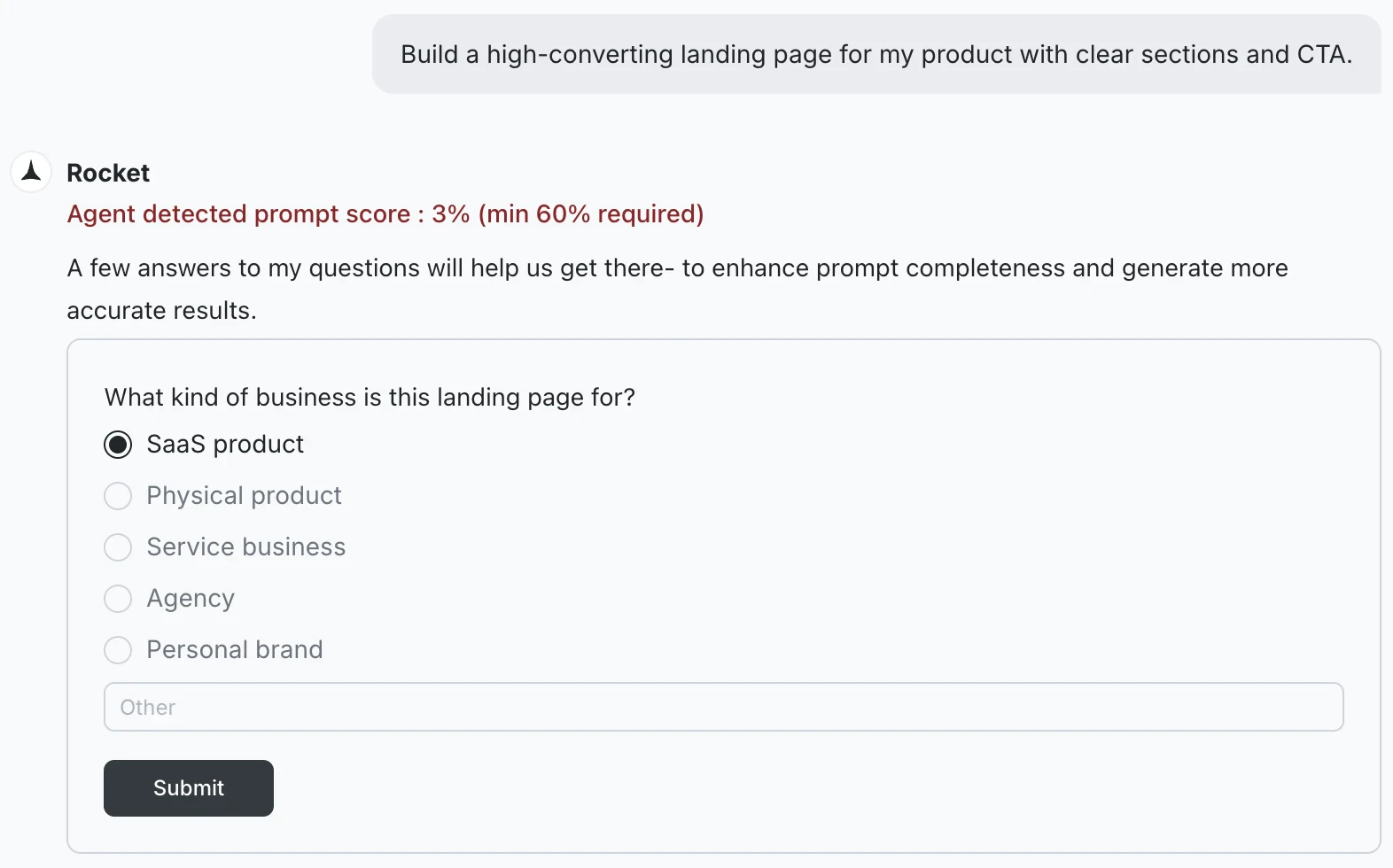
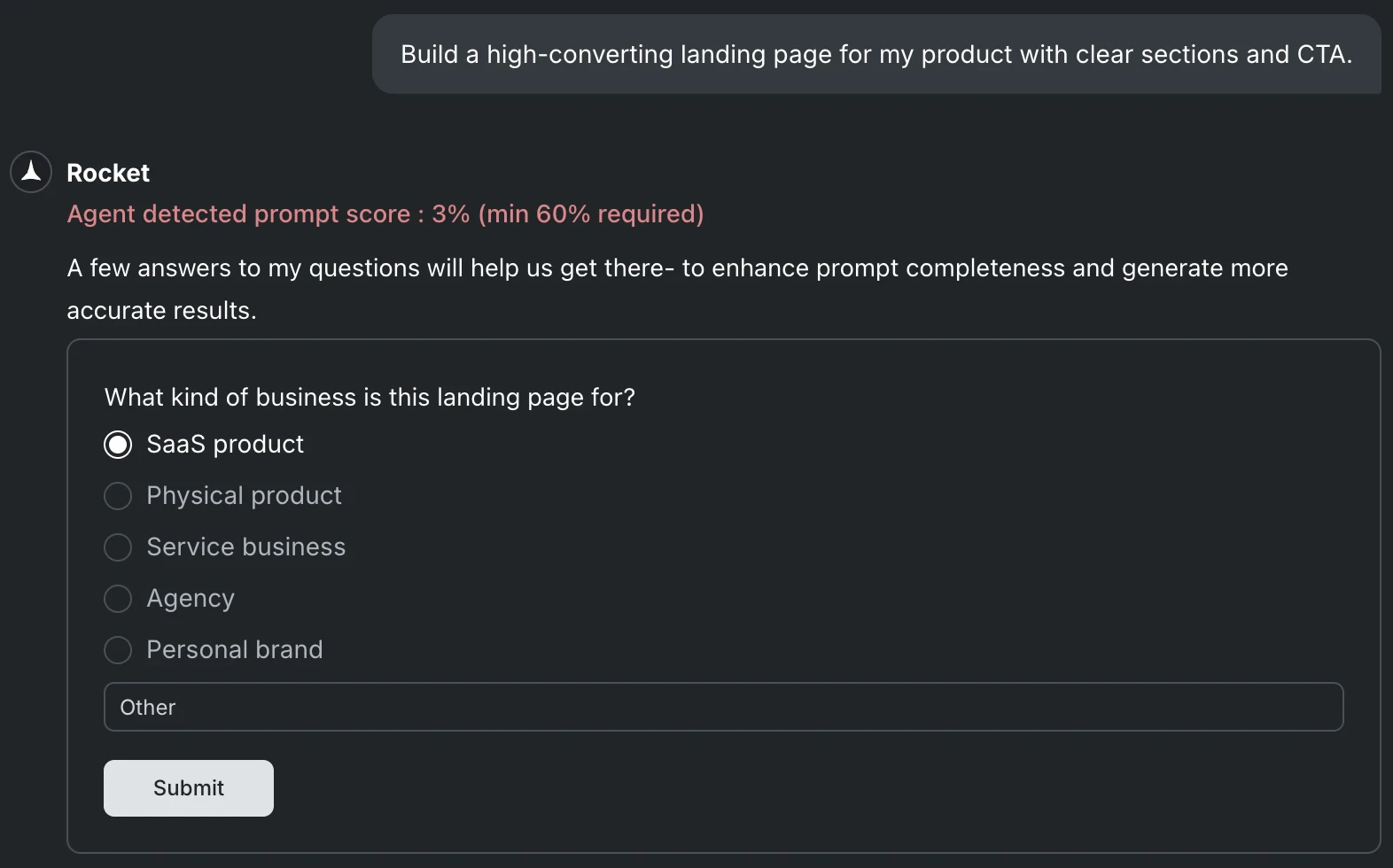
Rocket scores every prompt for clarity before starting work. If the score meets the minimum threshold, work starts immediately. If it falls below, **Prompt intelligence** asks a short set of targeted questions to fill the gaps, then starts once it has enough to proceed.
This applies to both [Solve](/solve/overview) and [Build](/build/overview) tasks.
 ## Why Rocket pauses for clarity
A vague prompt produces worse output and wastes your tokens. Rather than make assumptions that send the task in the wrong direction, Rocket pauses to ask the minimum it needs to do the job well.
The questions are targeted, not a form to fill out. Rocket asks only the specific gaps it needs filled before it can start confidently.
## What the questions cover
The questions depend on what is missing from your prompt.
Solve questions focus on scope and audience:
* What type of company are you targeting? (for example, horizontal platform, vertical SaaS, enterprise)
* Which aspects of this question are most critical? (for example, market size, competitive landscape, customer pain points)
* Is this for internal use, a client, investors, or another audience?
* What geography or market segment should this cover?
* Are there specific competitors or companies you want included?
Build questions focus on platform and product:
* What platform are you building for: web or mobile?
* Who is this app for and what is the core action they take?
* What are the must-have screens or features?
* Are there any design references, similar apps, or style preferences?
* Are there specific integrations that need to be included?
## How to answer
Answer the questions that appear. Some are multiple choice, others have an open text field for custom input. You do not need to be exhaustive. Give Rocket enough to narrow the direction, then click **Submit**. You can always refine through conversation once the first output is ready.
Rocket starts the task as soon as the questions are answered. The answers become part of the task context and inform everything it produces.
## Write prompts that skip the questions
If you want Rocket to start without asking anything, make your prompt specific enough that there is nothing left to guess. The more of these elements you include, the less likely Rocket is to ask.
| Element | Example |
| :--------------------- | :--------------------------------------------------------------- |
| **Platform** | "a web app" or "a Flutter mobile app for iOS and Android" |
| **Who it is for** | "for small business owners managing appointments" |
| **Key screens** | "homepage, booking flow, confirmation page, and booking history" |
| **Must-have features** | "Stripe for payments, email confirmation via Resend" |
| **Constraints** | "no login screen needed" or "dark mode only" |
| Element | Example |
| :---------------- | :---------------------------------------------------------------------------------------------- |
| **Who it is for** | "for a B2B SaaS company targeting mid-market HR teams" |
| **What you need** | "a competitive analysis" vs. "a feature matrix comparing pricing, onboarding, and integrations" |
| **Scope** | "focused on the US market, 2024-2025 data" |
| **Output format** | "structured as an investor memo" |
| **Constraints** | "must include Workday and BambooHR" |
The goal is not a perfect prompt. It is a prompt specific enough that Rocket can make confident choices without checking.
## What's next?
Tips for writing Build prompts that start without clarification.
Best practices for writing Solve prompts that produce sharper results.
## Why Rocket pauses for clarity
A vague prompt produces worse output and wastes your tokens. Rather than make assumptions that send the task in the wrong direction, Rocket pauses to ask the minimum it needs to do the job well.
The questions are targeted, not a form to fill out. Rocket asks only the specific gaps it needs filled before it can start confidently.
## What the questions cover
The questions depend on what is missing from your prompt.
Solve questions focus on scope and audience:
* What type of company are you targeting? (for example, horizontal platform, vertical SaaS, enterprise)
* Which aspects of this question are most critical? (for example, market size, competitive landscape, customer pain points)
* Is this for internal use, a client, investors, or another audience?
* What geography or market segment should this cover?
* Are there specific competitors or companies you want included?
Build questions focus on platform and product:
* What platform are you building for: web or mobile?
* Who is this app for and what is the core action they take?
* What are the must-have screens or features?
* Are there any design references, similar apps, or style preferences?
* Are there specific integrations that need to be included?
## How to answer
Answer the questions that appear. Some are multiple choice, others have an open text field for custom input. You do not need to be exhaustive. Give Rocket enough to narrow the direction, then click **Submit**. You can always refine through conversation once the first output is ready.
Rocket starts the task as soon as the questions are answered. The answers become part of the task context and inform everything it produces.
## Write prompts that skip the questions
If you want Rocket to start without asking anything, make your prompt specific enough that there is nothing left to guess. The more of these elements you include, the less likely Rocket is to ask.
| Element | Example |
| :--------------------- | :--------------------------------------------------------------- |
| **Platform** | "a web app" or "a Flutter mobile app for iOS and Android" |
| **Who it is for** | "for small business owners managing appointments" |
| **Key screens** | "homepage, booking flow, confirmation page, and booking history" |
| **Must-have features** | "Stripe for payments, email confirmation via Resend" |
| **Constraints** | "no login screen needed" or "dark mode only" |
| Element | Example |
| :---------------- | :---------------------------------------------------------------------------------------------- |
| **Who it is for** | "for a B2B SaaS company targeting mid-market HR teams" |
| **What you need** | "a competitive analysis" vs. "a feature matrix comparing pricing, onboarding, and integrations" |
| **Scope** | "focused on the US market, 2024-2025 data" |
| **Output format** | "structured as an investor memo" |
| **Constraints** | "must include Workday and BambooHR" |
The goal is not a perfect prompt. It is a prompt specific enough that Rocket can make confident choices without checking.
## What's next?
Tips for writing Build prompts that start without clarification.
Best practices for writing Solve prompts that produce sharper results.