> ## Documentation Index
> Fetch the complete documentation index at: https://docs.rocket.new/llms.txt
> Use this file to discover all available pages before exploring further.
# Quick start
> Submit a business question and get a structured, evidence-backed research report in minutes.
export const LlmsDirective = () =>
For the complete documentation index, see llms.txt.
For a lightweight markdown version of this page, append .md to the URL.
;
Solve turns a plain-language business question into a structured research report. This walkthrough covers selecting Solve, submitting a question, watching the research pipeline, and reviewing the output.
You need a Rocket account to follow along. If you have not signed up yet, [create an account](/getting-started/create-an-account) first.
## Walkthrough
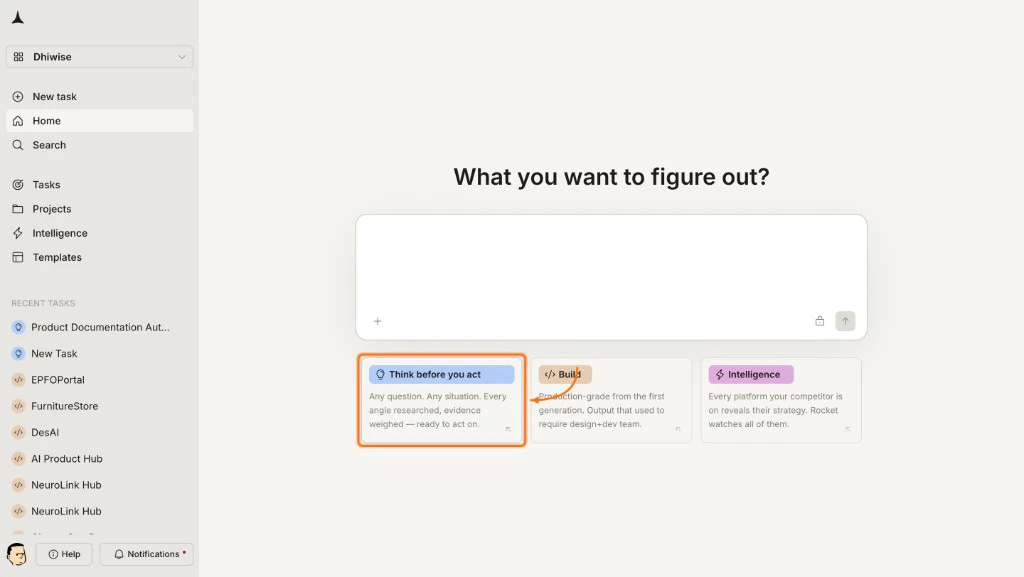
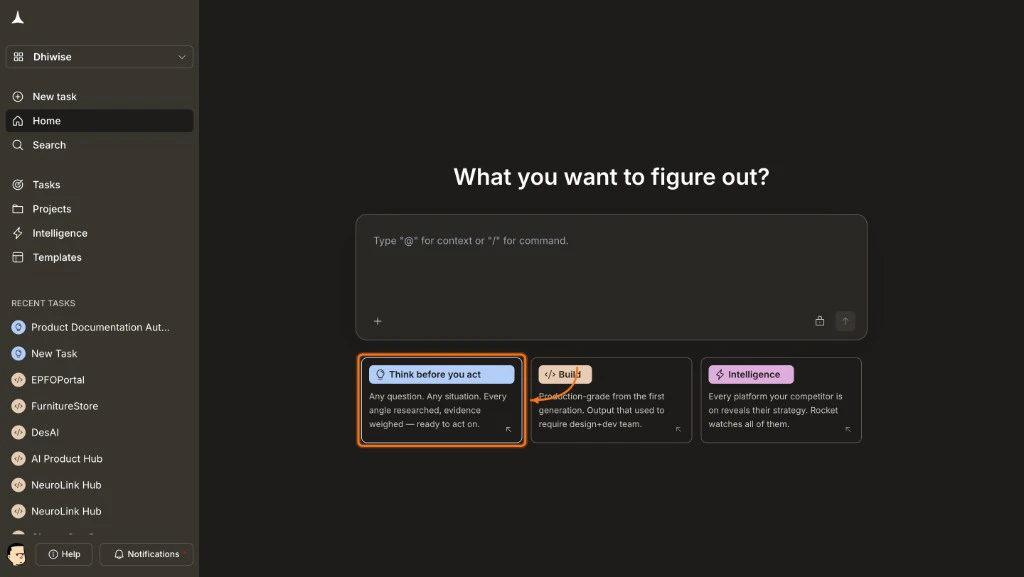
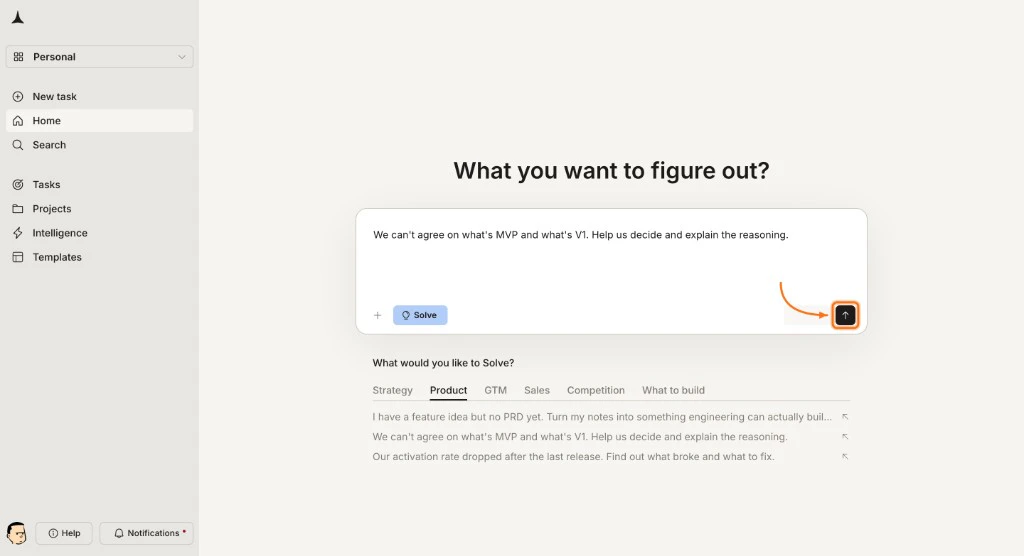
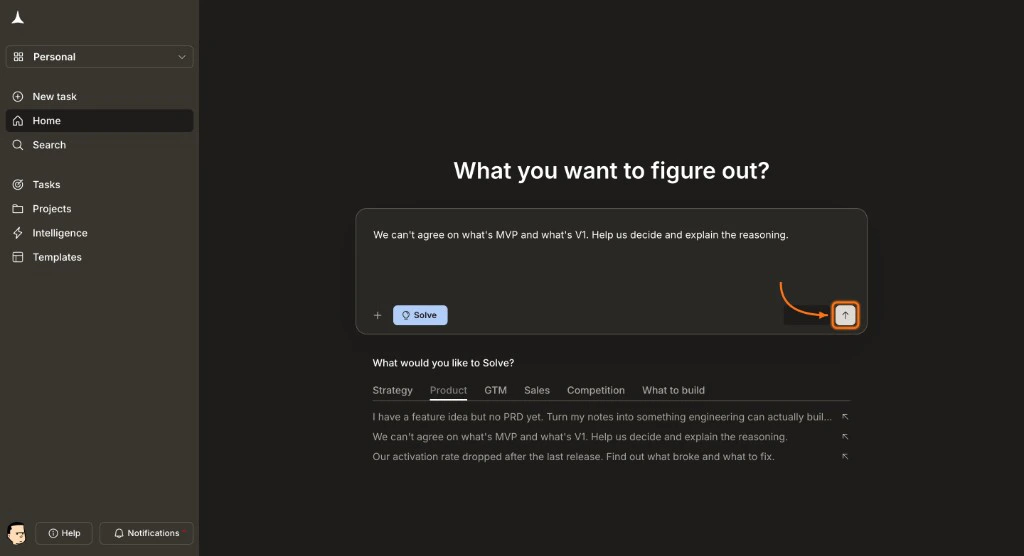
After logging in, the home screen presents three options: **Solve**, **Build**, and **Intelligence**. Select the **Solve** card to open the research interface.
 A centered input box appears. Type a specific business question, or pick a suggestion category below the input to see pre-framed examples.
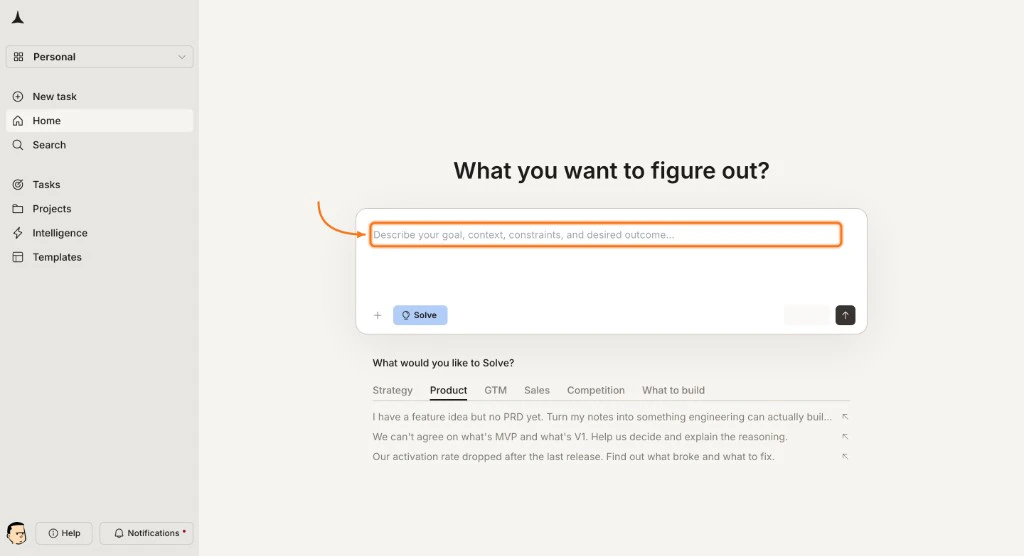
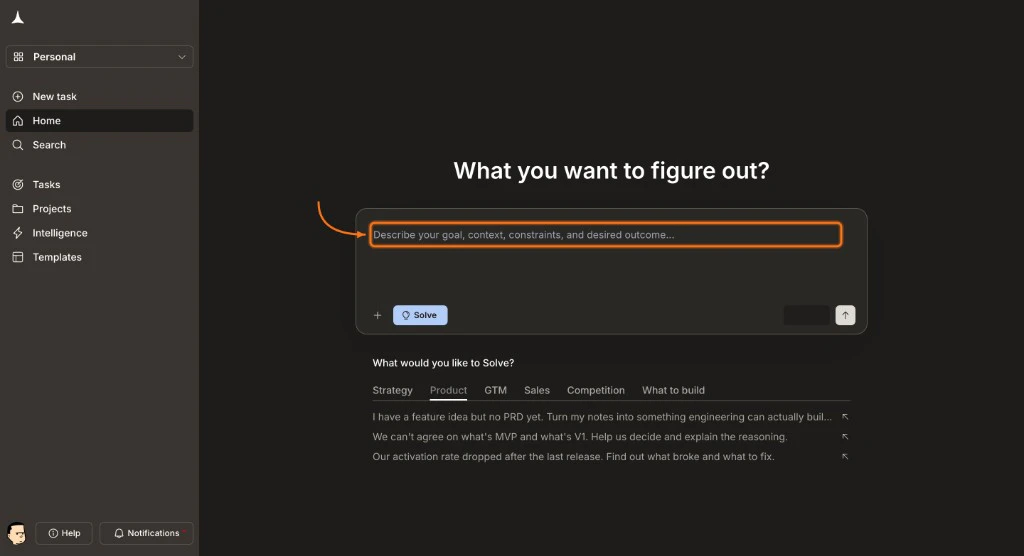 | Category | What it covers |
| :---------------- | :------------------------------------------------------------ |
| **Strategy** | Business strategy, market entry, growth planning |
| **Product** | Feature prioritization, roadmap decisions, product-market fit |
| **GTM** | Go-to-market strategy, sales motions, channel selection |
| **Sales** | Revenue optimization, deal cycles, conversion improvement |
| **Competition** | Competitive landscape, positioning, feature comparisons |
| **What to build** | Idea validation, technical feasibility, MVP scoping |
For this walkthrough, try:
```plaintext wrap theme={null}
What is the market size for AI-powered documentation tools? Include TAM, SAM, and SOM estimates with growth projections through 2027.
```
Press **Enter** or click **Send** to submit. For guidance on writing effective prompts, see [question framing best practices](/solve/best-practices).
| Category | What it covers |
| :---------------- | :------------------------------------------------------------ |
| **Strategy** | Business strategy, market entry, growth planning |
| **Product** | Feature prioritization, roadmap decisions, product-market fit |
| **GTM** | Go-to-market strategy, sales motions, channel selection |
| **Sales** | Revenue optimization, deal cycles, conversion improvement |
| **Competition** | Competitive landscape, positioning, feature comparisons |
| **What to build** | Idea validation, technical feasibility, MVP scoping |
For this walkthrough, try:
```plaintext wrap theme={null}
What is the market size for AI-powered documentation tools? Include TAM, SAM, and SOM estimates with growth projections through 2027.
```
Press **Enter** or click **Send** to submit. For guidance on writing effective prompts, see [question framing best practices](/solve/best-practices).
 Solve may use prompt intelligence before it begins research. These help narrow the scope and produce a more targeted report. Answer the questions and click **Submit** to continue.
Learn when Solve asks questions and how to write prompts that skip them.
Solve may use prompt intelligence before it begins research. These help narrow the scope and produce a more targeted report. Answer the questions and click **Submit** to continue.
Learn when Solve asks questions and how to write prompts that skip them.
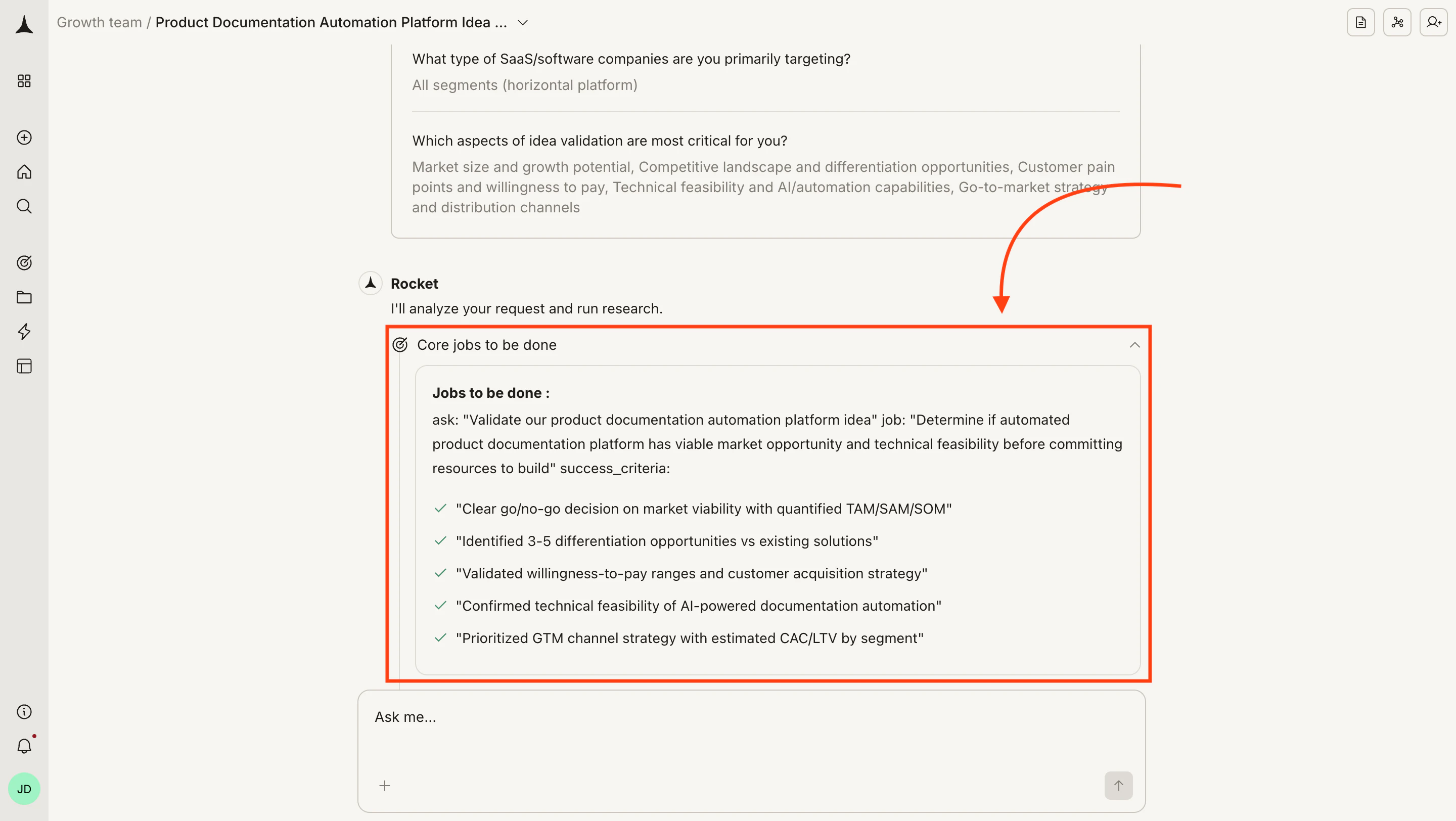
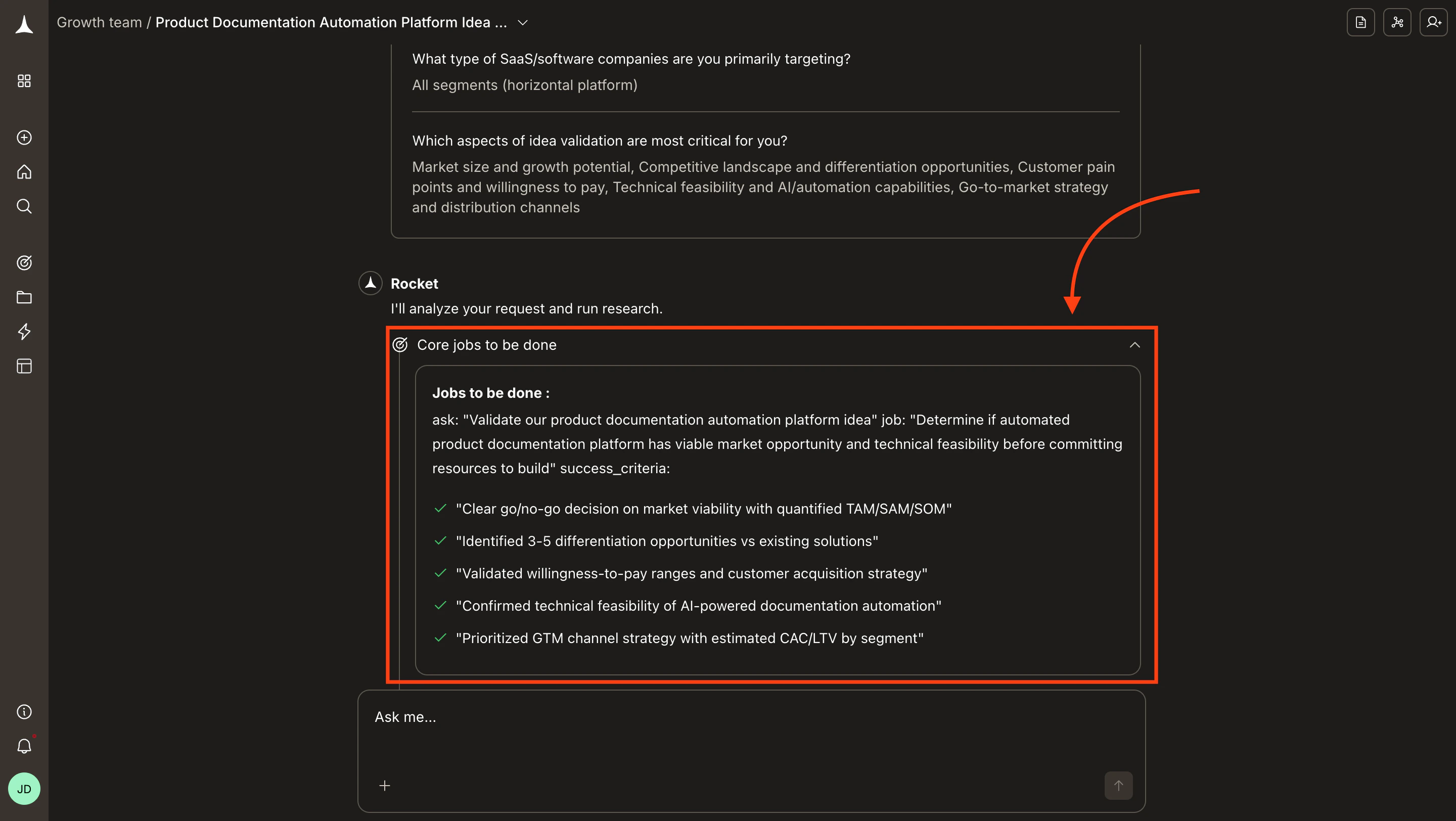 Solve defines a research objective, breaks it into individual queries, then runs each as a parallel agent stream. You can watch progress in the chat as each stream completes.
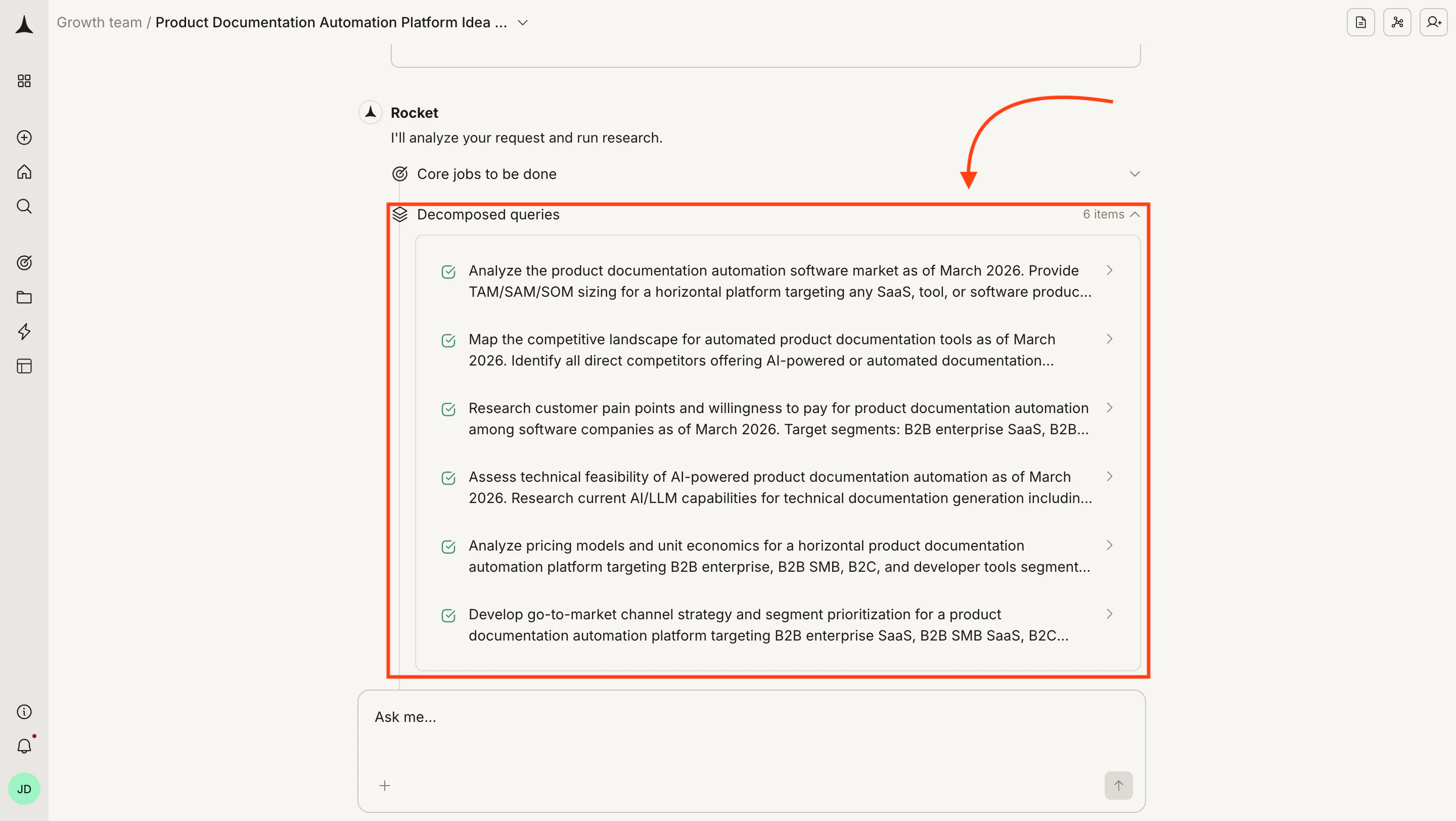
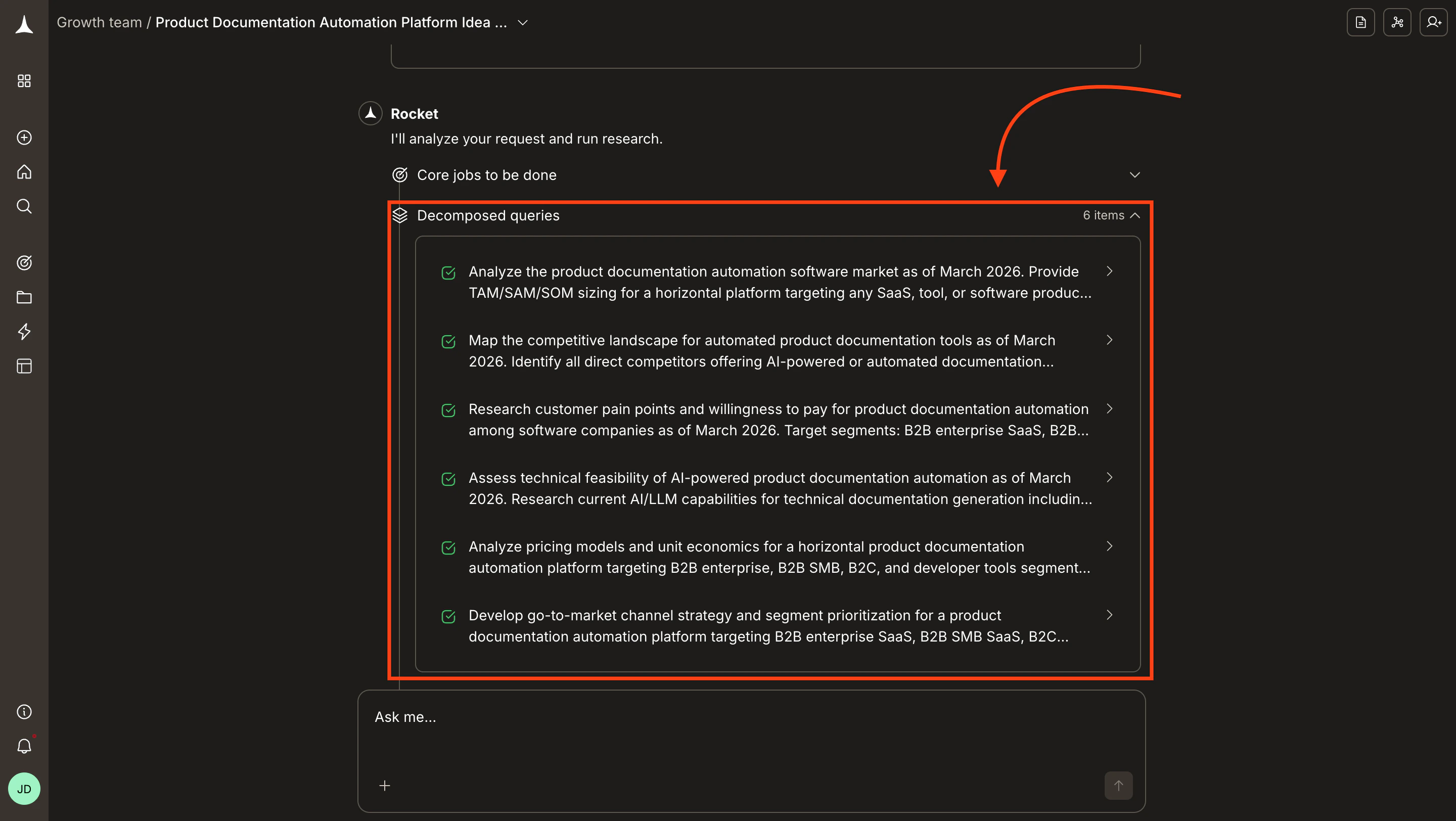 For each stream the chat shows:
| Element | What it means |
| :-------------------------- | :------------------------------------------------------------ |
| **Positives and negatives** | Key findings that support or challenge the research direction |
| **Data** | Specific numbers, tables, and data points collected |
| **Tools used** | Sources and research tools the agents referenced |
| **Research performed** | What searches and analyses ran for this stream |
| **Assessment** | How the agent interpreted and weighted the findings |
Most reports finish in one to three minutes. Click **Notify me** in the banner to receive a browser notification when the report is ready.
Step away and get notified when your report is ready.
A **Final report** link appears in the chat once all streams complete. Click it to open the report in the right panel while the chat stays on the left.
Each refinement creates a new version, accessible from the version dropdown.
See the full breakdown of report sections and how to export them.
Solve tasks are conversational. After reviewing your report, ask a follow-up to drill deeper, challenge an assumption, request a different framework, or redirect the analysis entirely.
Edit, extend, and improve your report through conversation.
## Example output
Solve reports draw on publicly available data and AI analysis. Always validate critical business decisions with primary research and domain expertise.
The global market for AI-powered documentation tools is estimated at **\$4.2B** (TAM) in 2025. The serviceable addressable market is **\$1.8B**, focused on enterprise and mid-market segments. A new entrant can target roughly **\$120 to \$180M** (SOM) in the first three years. The market is growing at a **24% CAGR**, driven by enterprise AI adoption and automated knowledge management.
| Metric | Estimate | Methodology |
| :------ | :-------------- | :------------------------------------------------------------------------------------- |
| **TAM** | \$4.2B | Total global spend on documentation, knowledge management, and technical writing tools |
| **SAM** | \$1.8B | Enterprise and mid-market companies evaluating AI-augmented documentation |
| **SOM** | \$120 to \$180M | Achievable share for a differentiated new entrant in years 1 to 3 |
| Company | Focus | Est. Revenue | Funding |
| :--------------------- | :--------------------------- | :-------------------------------- | :------------ |
| Notion | All-in-one workspace with AI | \$250M+ ARR | \$343M raised |
| Confluence (Atlassian) | Enterprise wiki and docs | Part of \$3.5B+ Atlassian revenue | Public |
| GitBook | Developer documentation | \$15 to \$25M ARR | \$41M raised |
| Mintlify | Developer docs with AI | \$5 to \$10M ARR | \$22M raised |
| Document360 | Knowledge base platform | \$10 to \$20M ARR | \$12M raised |
Target mid-market (100 to 1,000 employees) where AI adoption is accelerating but incumbents are weakest.
Differentiate on generation quality. Most current tools bolt AI onto existing workflows instead of designing AI-first experiences.
Consider product-led growth. The documentation space rewards self-serve adoption with team expansion.
Monitor Notion and Confluence roadmaps, as both are investing heavily in AI for 2025 to 2026.
## What's next
Learn how reports are organized and how to export them as HTML or PPT.
Improve report quality with proven question-framing techniques.
Compare competitors side by side with structured research.
For each stream the chat shows:
| Element | What it means |
| :-------------------------- | :------------------------------------------------------------ |
| **Positives and negatives** | Key findings that support or challenge the research direction |
| **Data** | Specific numbers, tables, and data points collected |
| **Tools used** | Sources and research tools the agents referenced |
| **Research performed** | What searches and analyses ran for this stream |
| **Assessment** | How the agent interpreted and weighted the findings |
Most reports finish in one to three minutes. Click **Notify me** in the banner to receive a browser notification when the report is ready.
Step away and get notified when your report is ready.
A **Final report** link appears in the chat once all streams complete. Click it to open the report in the right panel while the chat stays on the left.
Each refinement creates a new version, accessible from the version dropdown.
See the full breakdown of report sections and how to export them.
Solve tasks are conversational. After reviewing your report, ask a follow-up to drill deeper, challenge an assumption, request a different framework, or redirect the analysis entirely.
Edit, extend, and improve your report through conversation.
## Example output
Solve reports draw on publicly available data and AI analysis. Always validate critical business decisions with primary research and domain expertise.
The global market for AI-powered documentation tools is estimated at **\$4.2B** (TAM) in 2025. The serviceable addressable market is **\$1.8B**, focused on enterprise and mid-market segments. A new entrant can target roughly **\$120 to \$180M** (SOM) in the first three years. The market is growing at a **24% CAGR**, driven by enterprise AI adoption and automated knowledge management.
| Metric | Estimate | Methodology |
| :------ | :-------------- | :------------------------------------------------------------------------------------- |
| **TAM** | \$4.2B | Total global spend on documentation, knowledge management, and technical writing tools |
| **SAM** | \$1.8B | Enterprise and mid-market companies evaluating AI-augmented documentation |
| **SOM** | \$120 to \$180M | Achievable share for a differentiated new entrant in years 1 to 3 |
| Company | Focus | Est. Revenue | Funding |
| :--------------------- | :--------------------------- | :-------------------------------- | :------------ |
| Notion | All-in-one workspace with AI | \$250M+ ARR | \$343M raised |
| Confluence (Atlassian) | Enterprise wiki and docs | Part of \$3.5B+ Atlassian revenue | Public |
| GitBook | Developer documentation | \$15 to \$25M ARR | \$41M raised |
| Mintlify | Developer docs with AI | \$5 to \$10M ARR | \$22M raised |
| Document360 | Knowledge base platform | \$10 to \$20M ARR | \$12M raised |
Target mid-market (100 to 1,000 employees) where AI adoption is accelerating but incumbents are weakest.
Differentiate on generation quality. Most current tools bolt AI onto existing workflows instead of designing AI-first experiences.
Consider product-led growth. The documentation space rewards self-serve adoption with team expansion.
Monitor Notion and Confluence roadmaps, as both are investing heavily in AI for 2025 to 2026.
## What's next
Learn how reports are organized and how to export them as HTML or PPT.
Improve report quality with proven question-framing techniques.
Compare competitors side by side with structured research.