

This guide walks you through installing an APK (Android Package) file on your Android device. This is sometimes called “sideloading” because the app comes from outside the Google Play Store.You will need:
- An Android device running version 8.0 or higher
- The APK file, downloaded or transferred to your device
Install your APK
Locate the APK on your device
Find the APK file on your phone or tablet.
- If you downloaded it from a browser, check the Downloads folder.
- If you received it via email or chat, open the file from that app.
Tap the APK to start installation
Open your device’s Files or Downloads app and tap the APK file. A system prompt will appear asking if you want to install the app.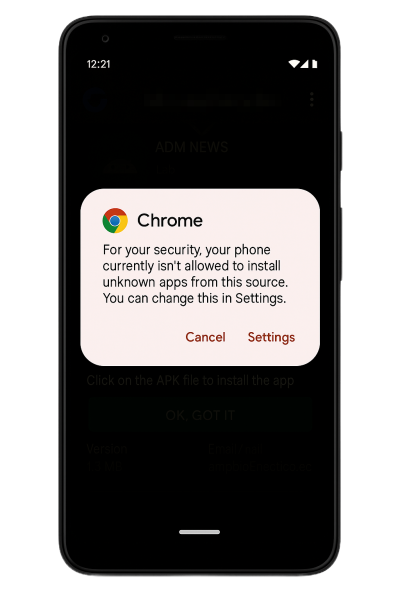
Allow unknown app installs
If this is your first time installing an APK, Android may block the install and show a warning.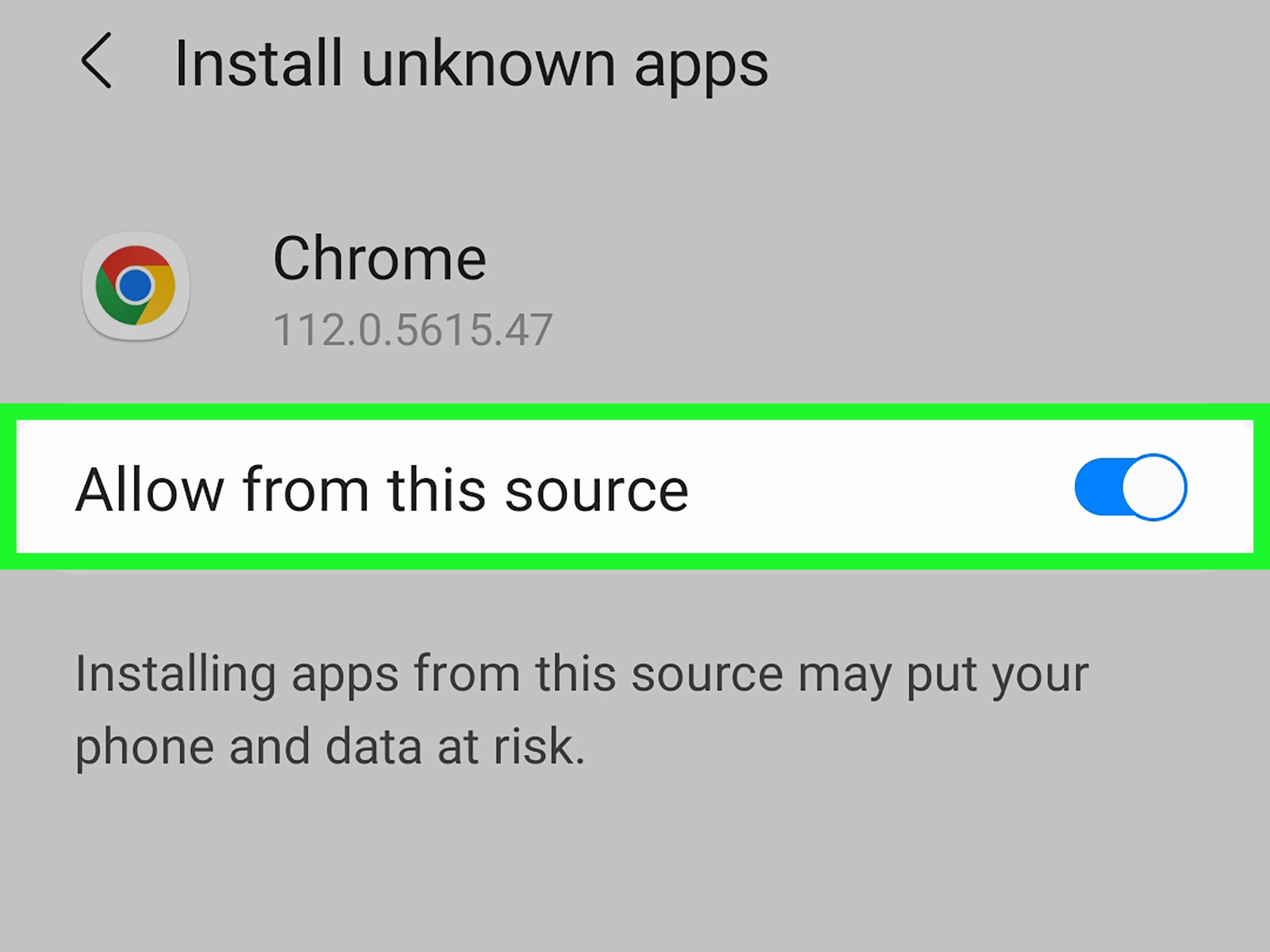
- Tap Settings in the popup.
- Toggle on Allow from this source.
- Tap the back arrow to return to the install screen.
By default, Android blocks third-party app installs. Enabling this setting allows trusted installs from your chosen app source without repeating the step each time.
What’s next?
Publish to Google Play
Ready for production? Submit your app to the Google Play Store.
Share via web link
Launch your mobile app as a web app so anyone can access it from a browser.
Sharing vs. stores
Compare web links, downloadable builds, and app store submissions.