

How to open analytics
Open your deployed task
Go to rocket.new and open the task you want to monitor. Make sure it has been launched, as analytics only tracks live traffic and the dashboard will be empty until your site is deployed.
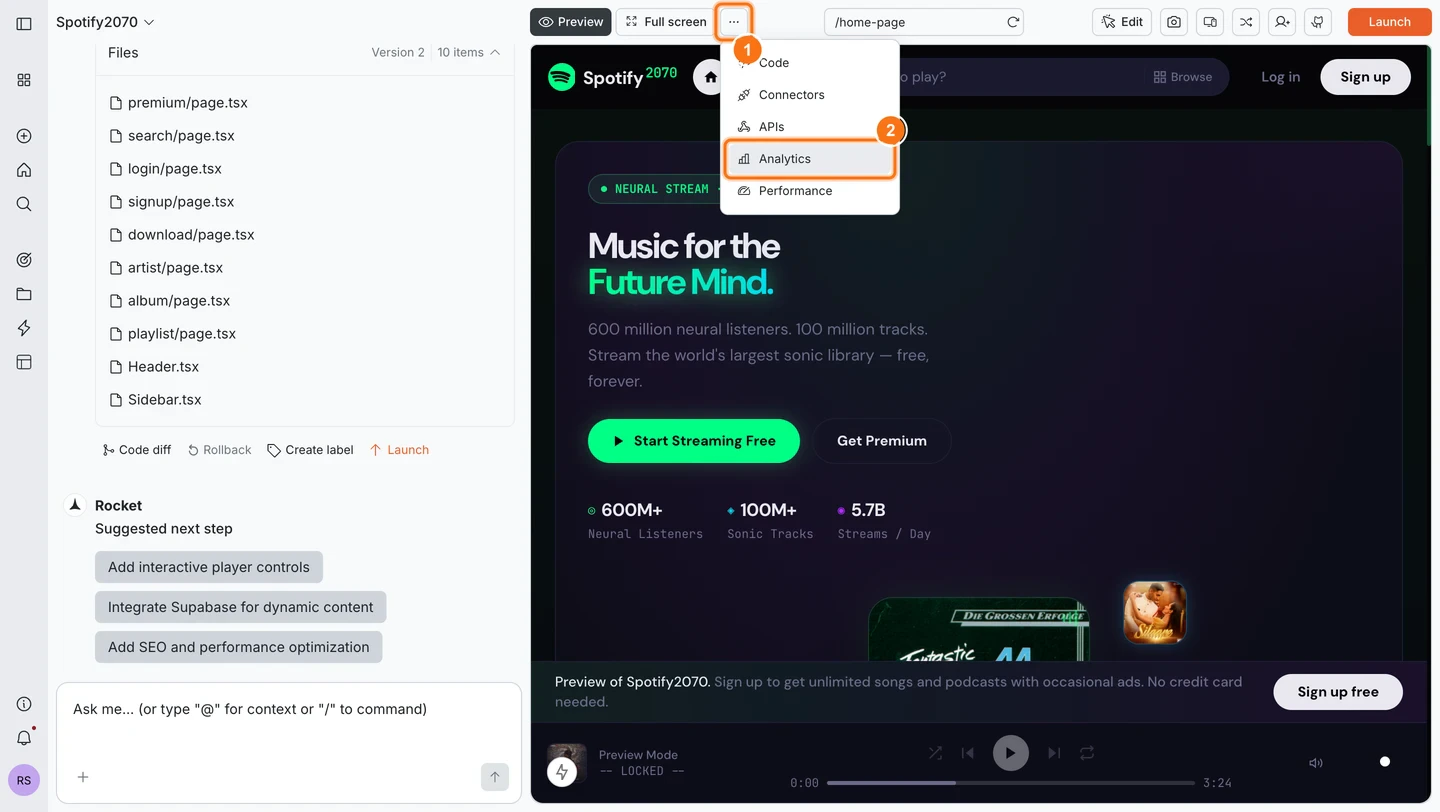
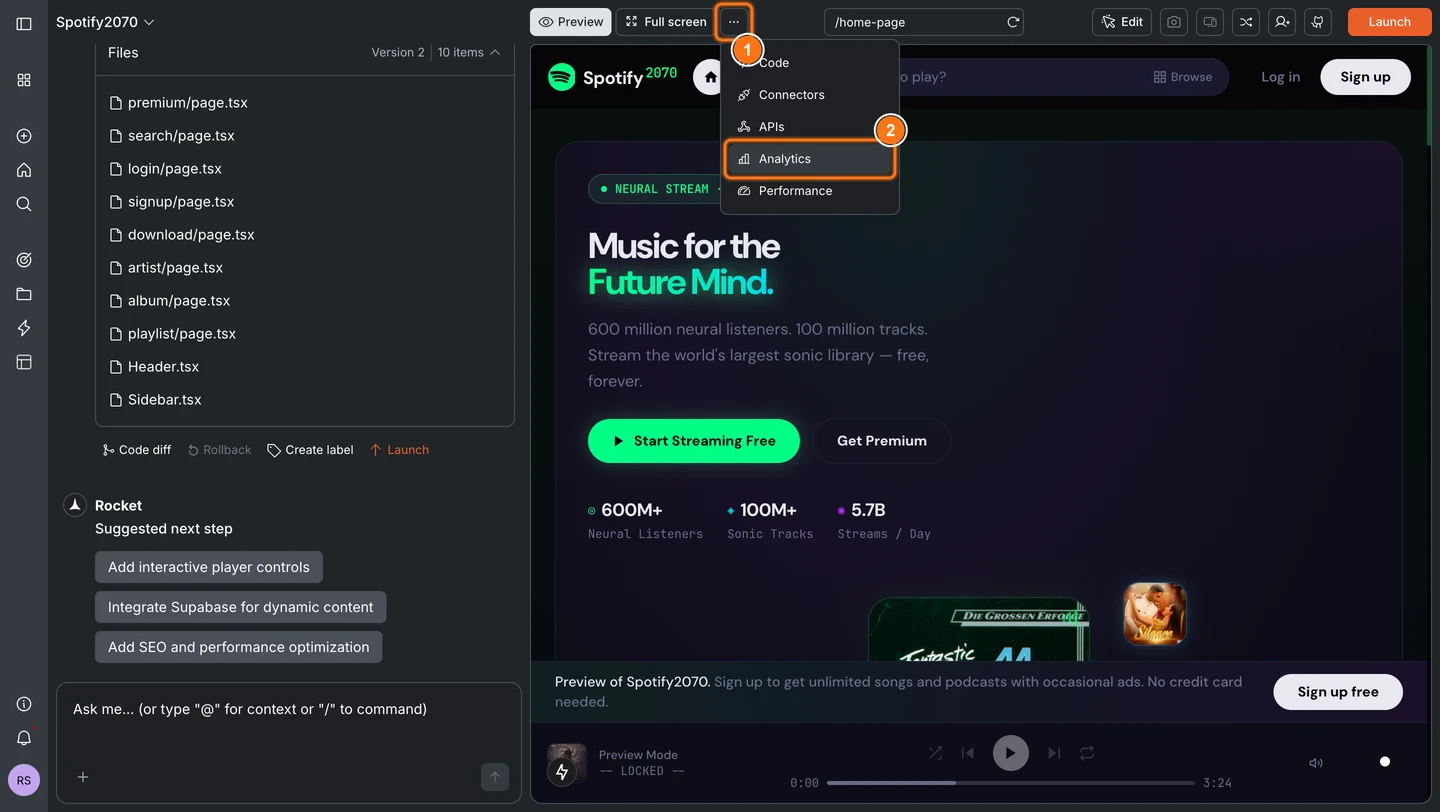
Preview mode and localhost visits are not tracked. Only traffic to your deployed site is counted.
What the dashboard tracks
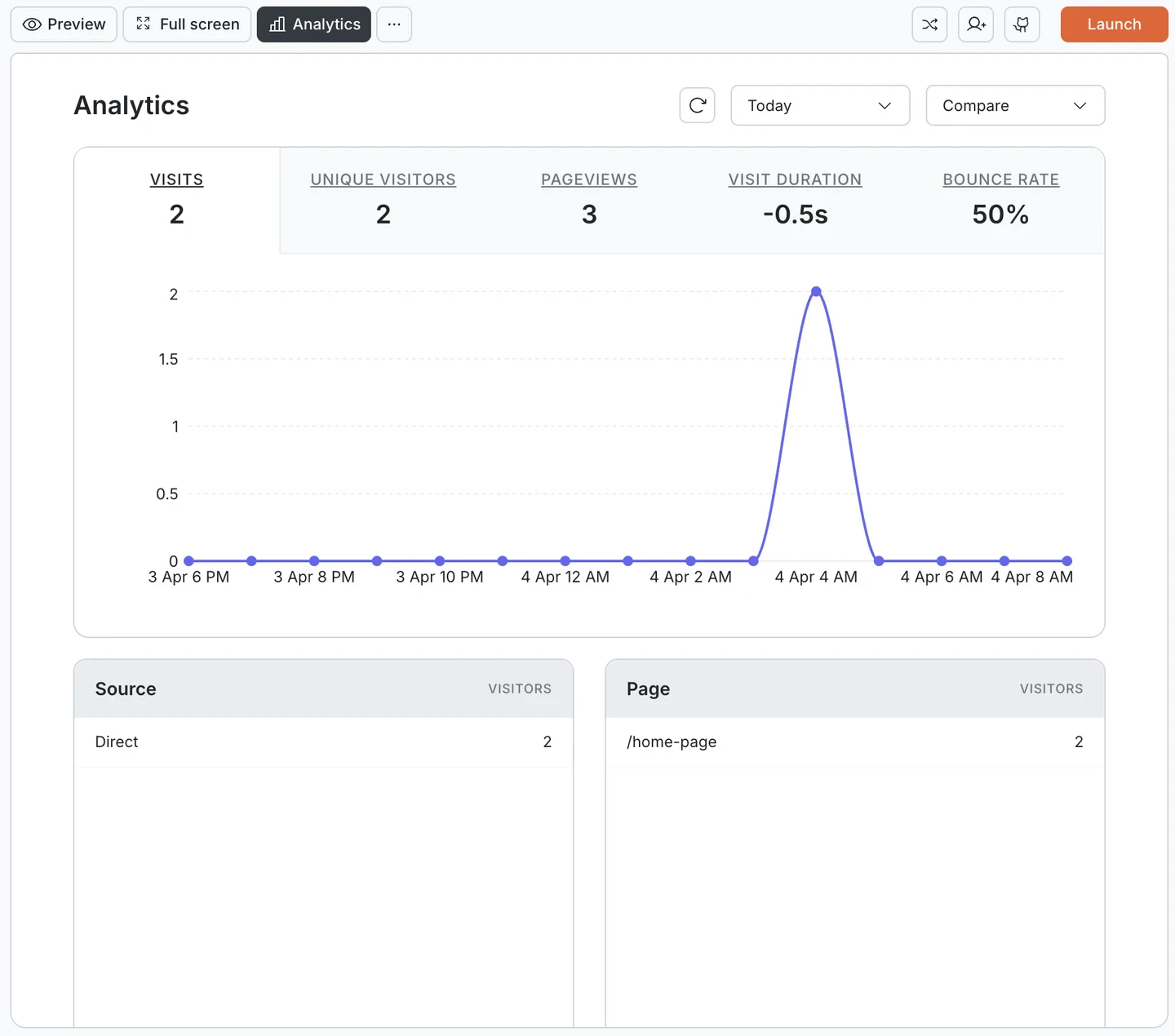
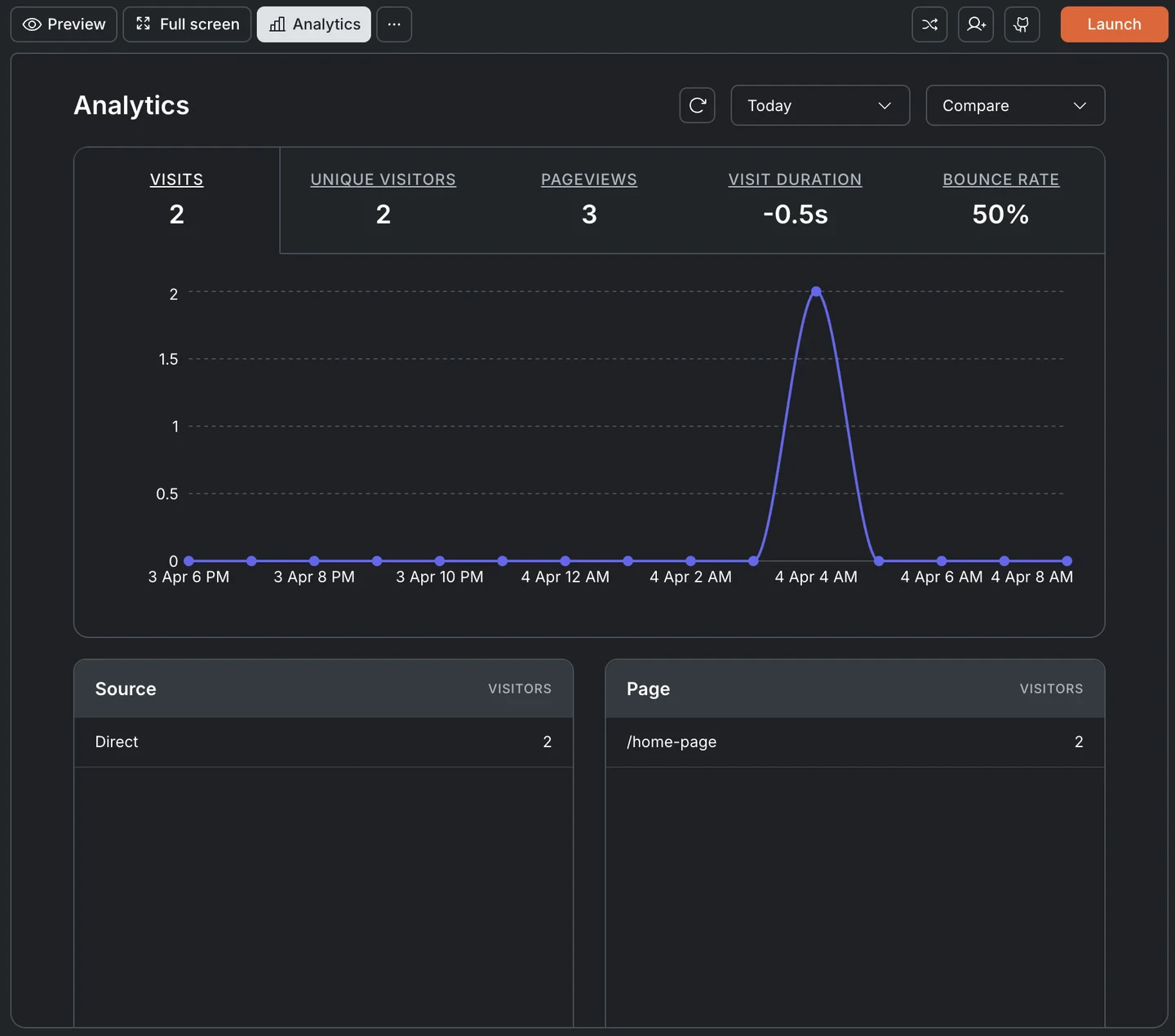
Top-level metrics
Five metrics appear across the top of the dashboard:| Metric | What it measures |
|---|---|
| Visits | Total number of sessions |
| Unique Visitors | Distinct users who visited your site |
| Pageviews | Total pages viewed across all sessions |
| Visit Duration | Average time visitors spend on your site |
| Bounce Rate | Percentage of visitors who leave after viewing a single page |
Visits over time
A timeline chart plots visits over your selected date range. Hover over any point to see the exact count for that time slot. Use the date filter to switch between Today, 7 days, 30 days, or a custom range. Use the Compare dropdown to compare traffic against another date.Traffic breakdowns
Five sections below the chart break down where your traffic is coming from and who is visiting:| Section | What it shows |
|---|---|
| Source | Where visitors come from: direct, Google, social media, or referral links |
| Page | Which pages get the most visits |
| Device | Desktop, mobile, or tablet split |
| Country | Geographic distribution of visitors |
| UTM Campaign | Traffic attributed to specific campaigns using UTM parameters. Append ?utm_campaign=name to your shared URLs to start tracking. |
What’s next?
SEO & discoverability
Drive more organic traffic with better SEO settings.
Compliance & privacy
Cookie consent settings affect what analytics can track.
Performance
See how your site scores on Core Web Vitals and fix speed issues.
Custom code
Add third-party tracking scripts like Facebook Pixel or Hotjar.