Environment variables let you store API keys, database URLs, and other secrets without hardcoding them in your app. Rocket keeps separate values for staging (while you build) and production (when you launch).
The Environment settings panel is only available for web build tasks, which use a .env file. For mobile tasks, variables are stored in env.json - update them directly in that file or inside the connector’s value field.

Open Environment settings

1

Open Settings

Click your task name in the top-left corner of the editor, then click Settings.
Task name menu open with Settings highlighted.Task name menu open with Settings highlighted.
2

Click Environment

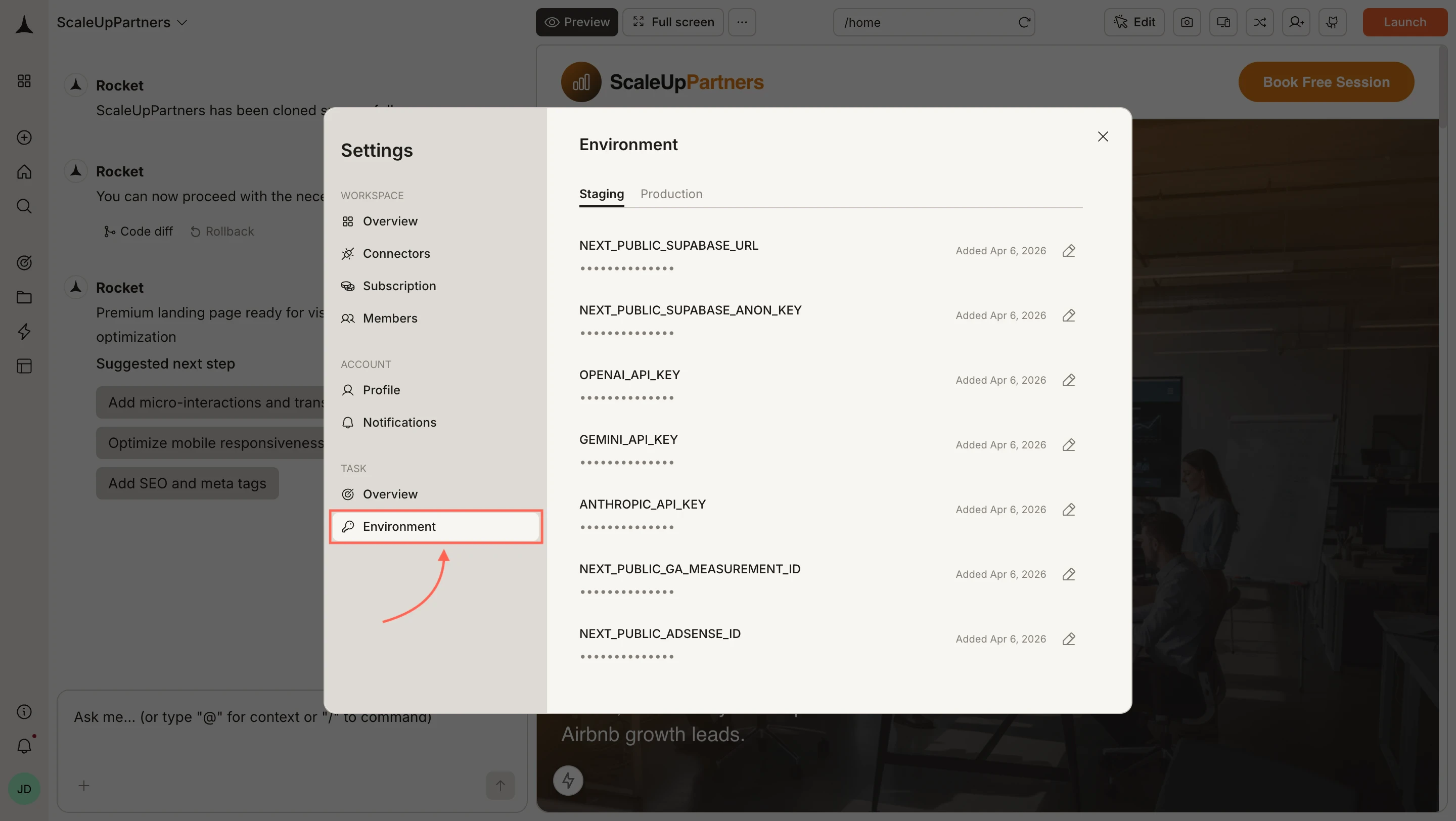
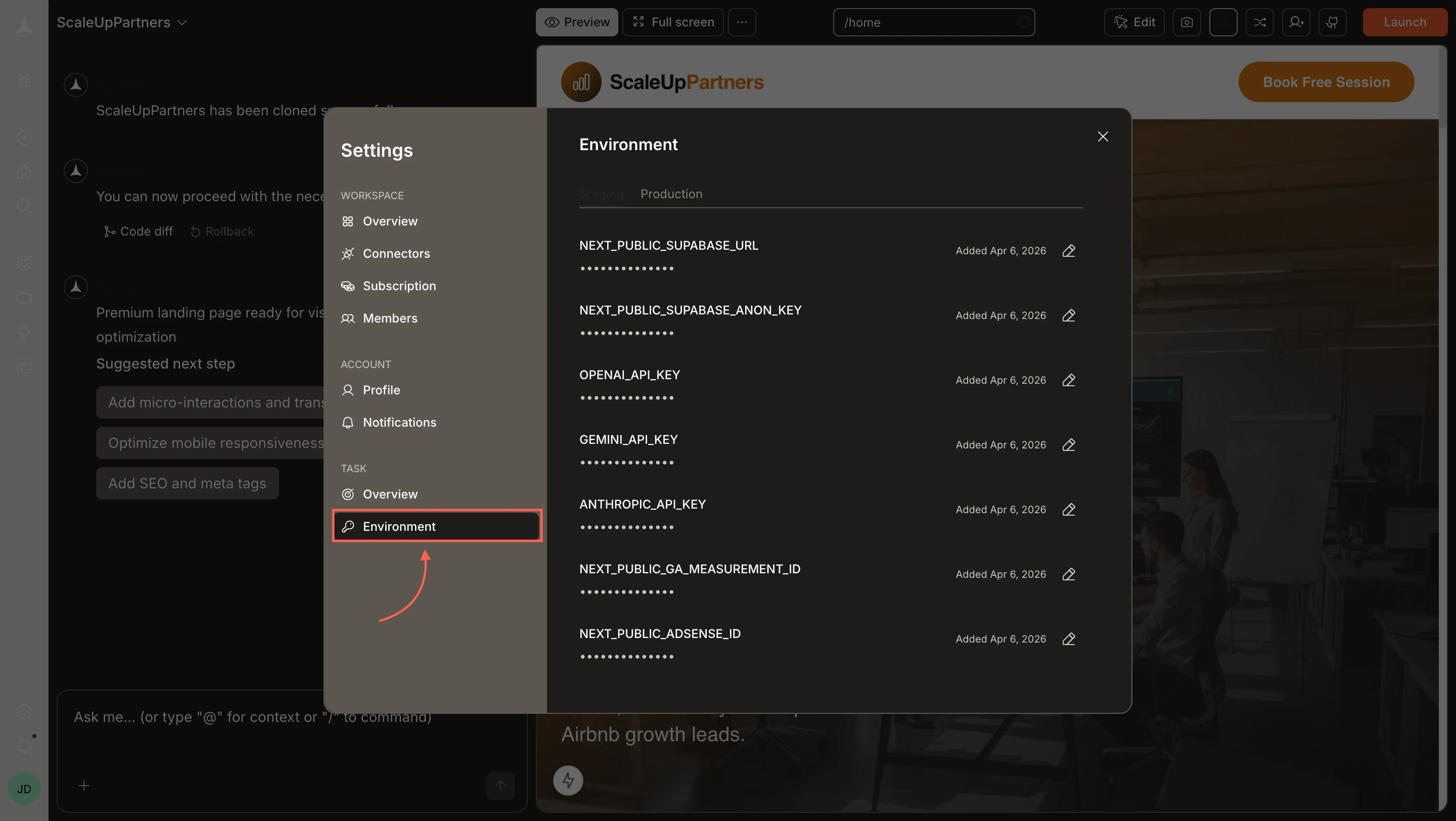
In the Settings sidebar under Task, click Environment. The panel opens showing your existing variables across Staging and Production tabs.
Settings modal with Environment selected, showing Staging and Production tabs with variable rows.Settings modal with Environment selected, showing Staging and Production tabs with variable rows.

Staging and Production

The Environment panel has two tabs:
  • Staging - values used while you are building and testing inside Rocket.
  • Production - values used when your app is live and publicly launched.
Make sure both tabs are filled in so your app behaves correctly in each environment.
If you set a value directly in your code or in a connector’s value field instead of using this panel, Rocket treats it as a staging value by default.

Add a variable

New environment variables are added through your .env file in code, not through the Settings UI.
1

Open the Code tab

Click Code in the editor toolbar to open the file explorer.
2

Edit the .env file

Open .env at the root of your project and add your variable:
OPENAI_API_KEY=your-key-here
NEXT_PUBLIC_SUPABASE_URL=https://your-project.supabase.co
3

Save

Save the file. The variable is now available to your app and will appear in the Environment panel under the relevant tab.
For mobile tasks, variables are stored in env.json instead. Open it in the Code tab and add your key-value pairs there directly.
Never commit real secrets to a public repository. Use placeholder values in your code and set real values only in the Environment panel.

Edit an existing variable

To update the value of an existing variable, open the Environment panel (Settings > Environment) and click the edit icon on the right side of any variable row. Make your change and save. Changes take effect on the next build or generation in that environment.

Use variables in your app

Reference variables in server-side code using standard patterns:
process.env.OPENAI_API_KEY
process.env.NEXT_PUBLIC_SUPABASE_URL
You can also ask Rocket to wire them up directly in chat:
Use the OPENAI_API_KEY environment variable to set up the AI chat feature.
Variables prefixed with NEXT_PUBLIC_ are exposed to the browser (client side). All others stay server-side only. Never put secrets in NEXT_PUBLIC_ variables.


Common variables

VariableService
NEXT_PUBLIC_SUPABASE_URLSupabase
NEXT_PUBLIC_SUPABASE_ANON_KEYSupabase
STRIPE_SECRET_KEYStripe
OPENAI_API_KEYOpenAI
GEMINI_API_KEYGoogle Gemini
ANTHROPIC_API_KEYAnthropic
RESEND_API_KEYResend
NEXT_PUBLIC_GA_MEASUREMENT_IDGoogle Analytics
NEXT_PUBLIC_ADSENSE_IDGoogle AdSense

What’s next?

APIs

Import and integrate API endpoints that use your environment variables.

Connectors

Connect services like Supabase, Stripe, and OpenAI with dedicated integrations.

Custom code

Inject scripts and styles that reference your environment configuration.

Chat interface

Ask Rocket to use your variables when building features.