Publish your Rocket.new mobile app as a shareable web preview so testers can open the build in a browser without installing an APK or IPA.
Rocket deploys your mobile app as a browser-accessible web preview that anyone can open without installing anything. This is useful for sharing with testers, stakeholders, or clients without waiting for App Store or Google Play review. You can push updates to the same URL at any time.
Mobile apps are always hosted on Rocket’s Netlify account. You cannot connect your own Netlify account or a custom domain for mobile app web previews.
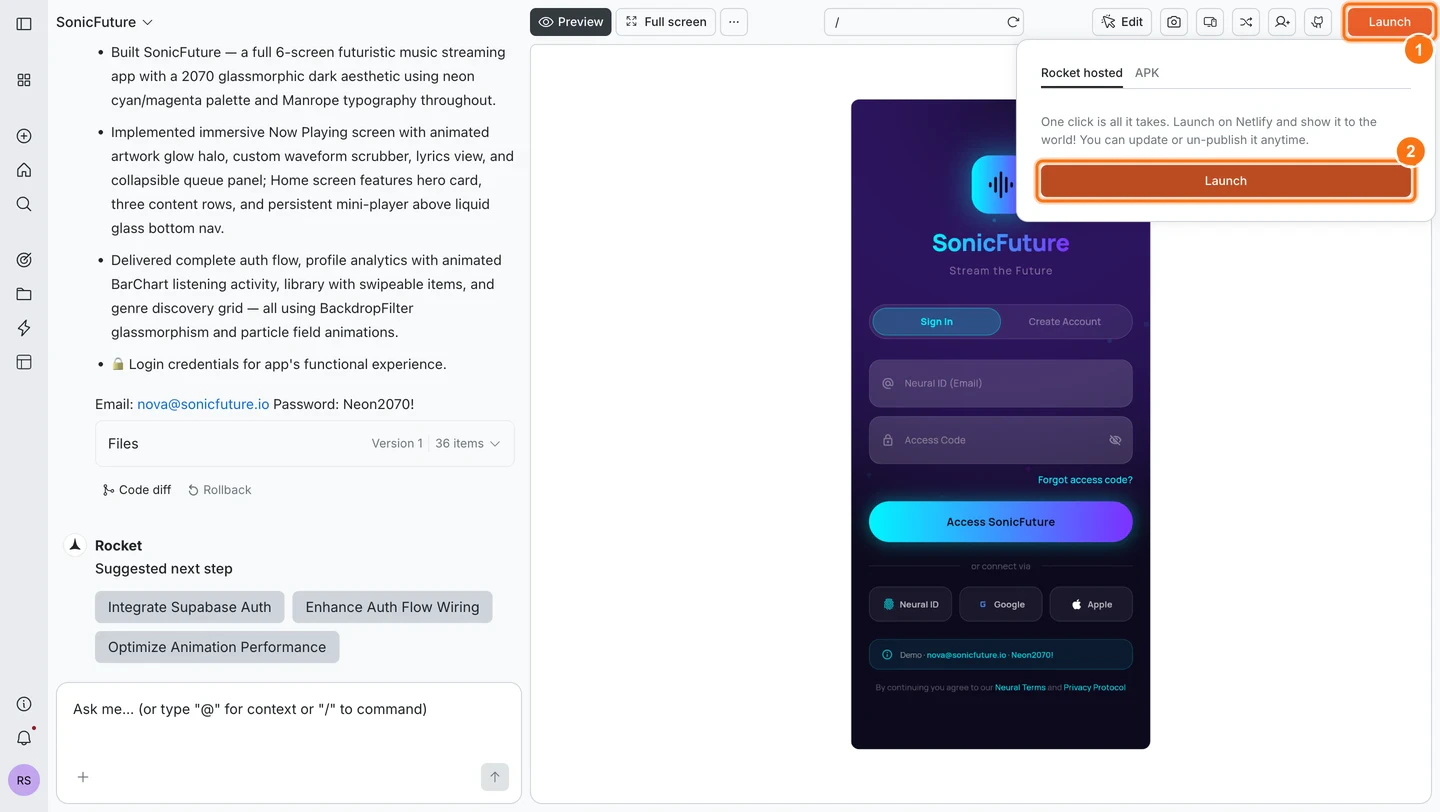
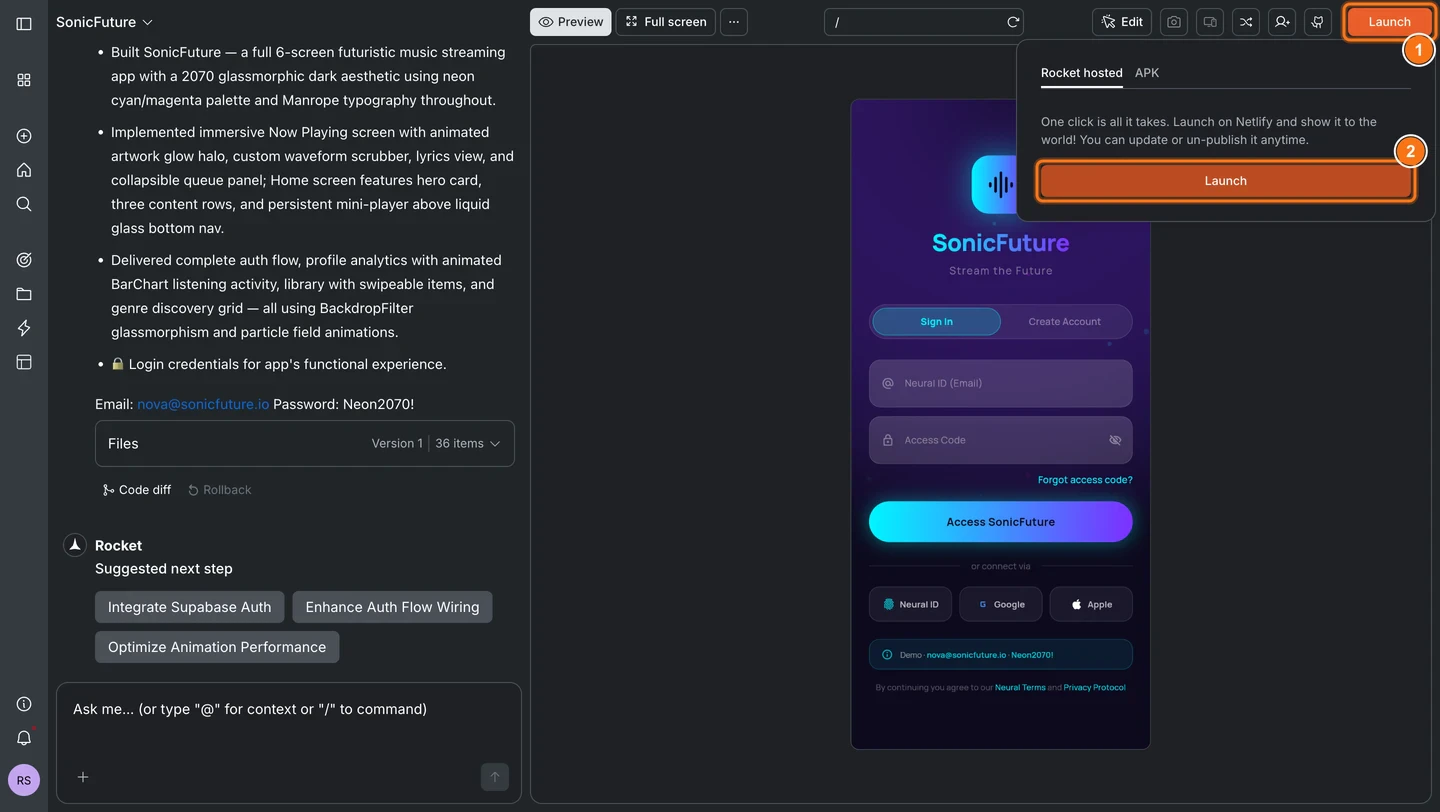
Click the Launch button in the top-right corner of your task. A popup appears with the Rocket hosted tab already selected.
Rocket hosted popup with Launch button
2
Click Launch in the popup
Click Launch. Rocket deploys your app and shows a loading spinner while it is running.
3
Copy your live URL
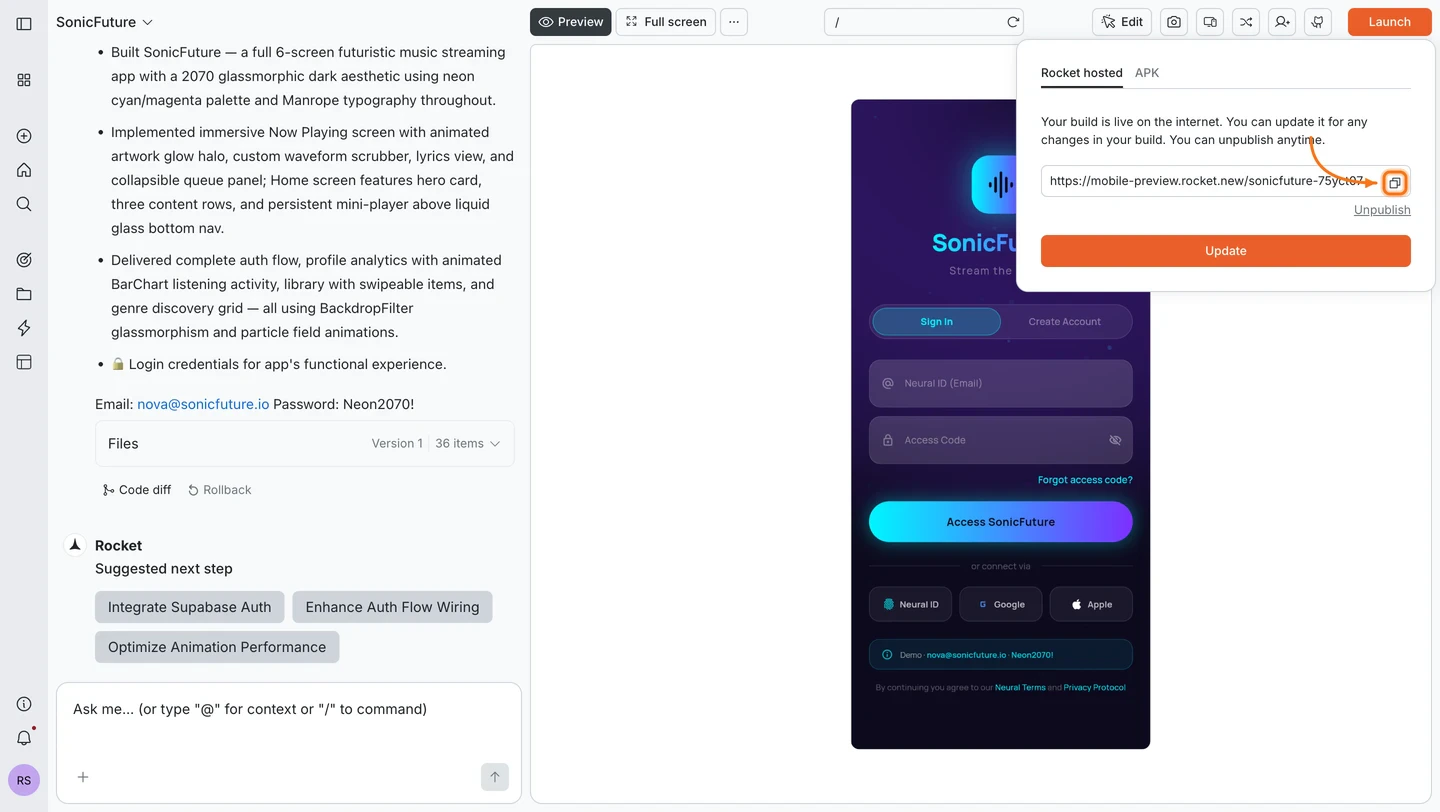
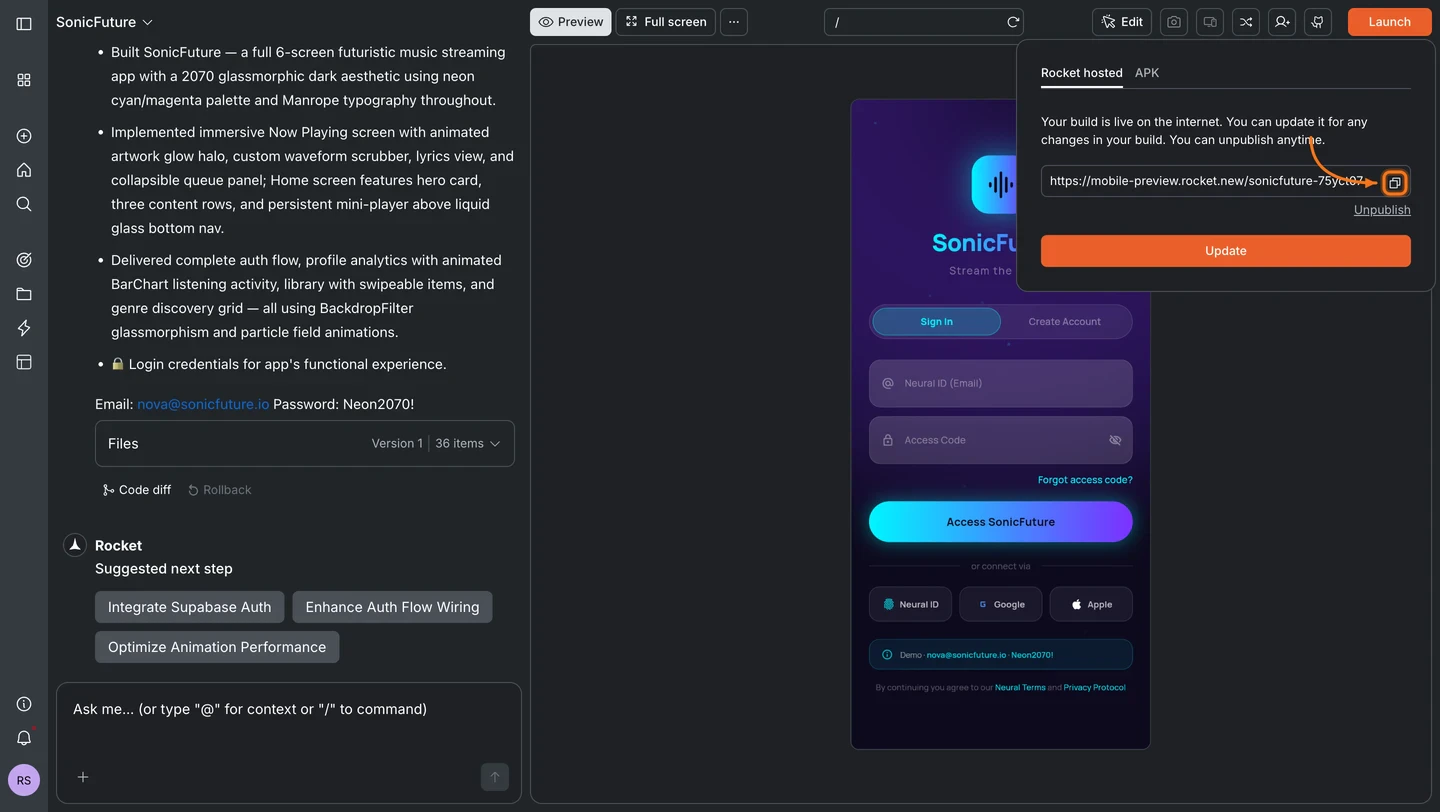
When deployment finishes, your public URL appears with a Copy button. Share this link with anyone. No app install is needed to open it.
Live URL with copy button
Mobile apps are always hosted on Rocket’s Netlify account. See the note at the top of this page for details.
4
Update or unpublish
Click Launch again at any time to return to the popup.
Click Update to push your latest changes to the same URL.
Click Unpublish to remove the app and disable the public link (paid plan required).
1
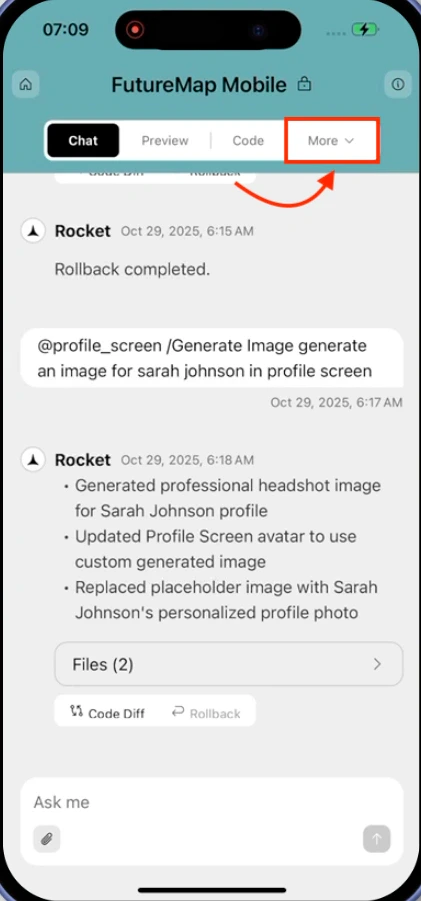
Open the More tab
Open your project in the Rocket mobile app and tap More at the bottom of the screen.
More tab in the navigation bar
2
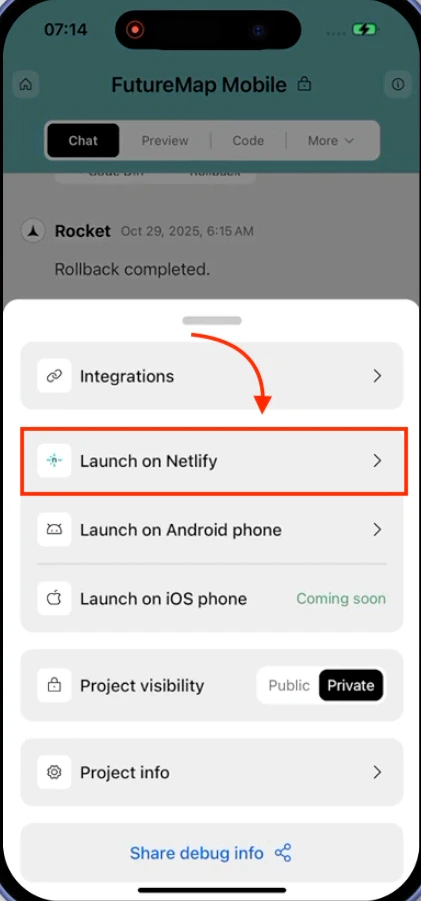
Tap Launch on Netlify
In the settings modal, tap Launch on Netlify.
Project settings modal with Launch on Netlify option
3
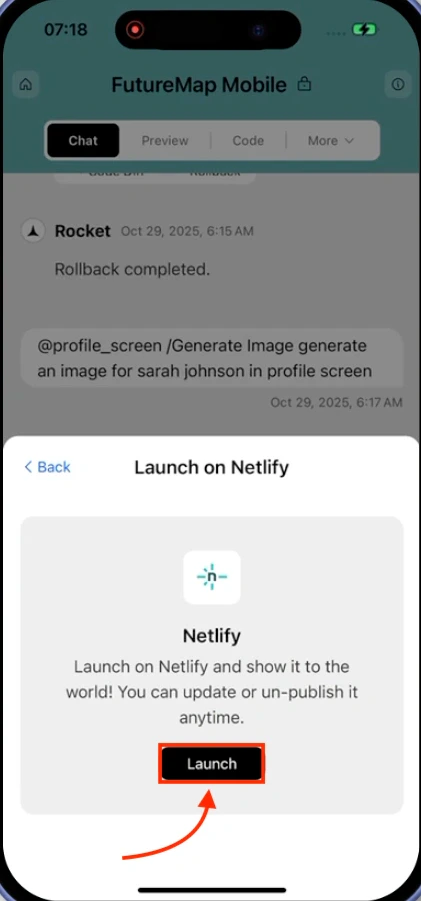
Tap Launch
Tap Launch to start deployment. The button changes to Launching while Rocket deploys your app.
Launch on Netlify modal with Launch button
4
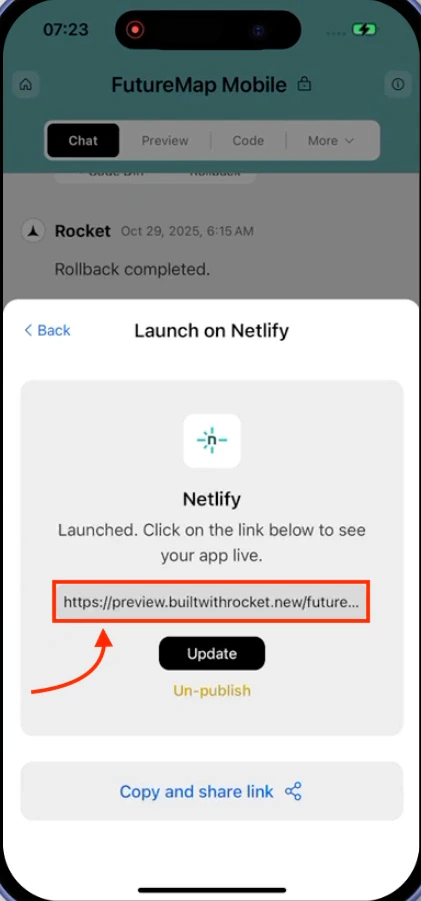
Copy and share your link
When deployment finishes, you see a confirmation screen with your public link. Tap Copy and share link to share it. Use Update to push new changes or Unpublish (paid plan required) to take it offline.
Published app with live link and controls
Mobile apps are always hosted on Rocket’s Netlify account. See the note at the top of this page for details.