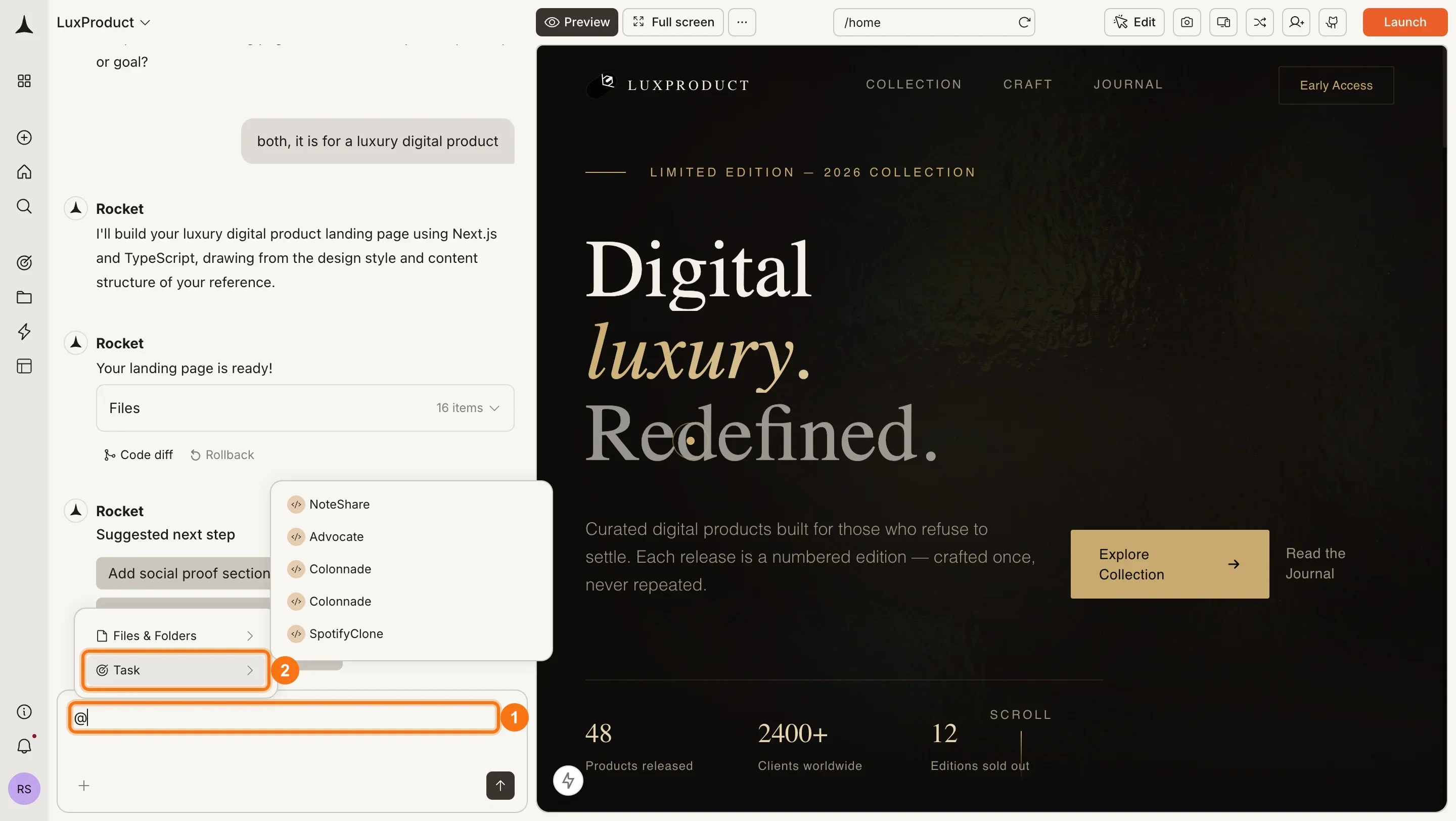
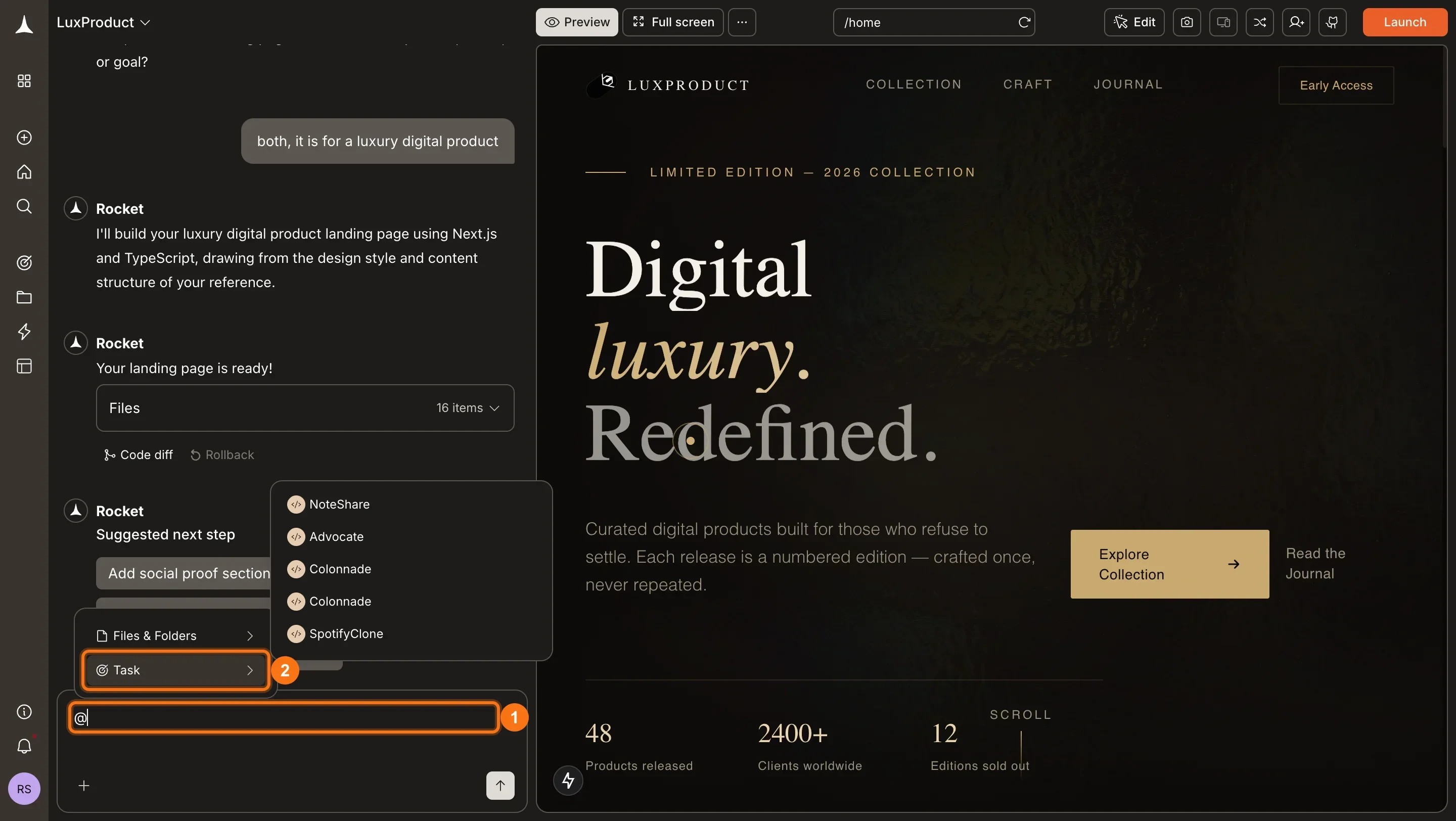
@ in the message input to reference a previous task. Rocket retrieves the conversation, findings, and conclusions from that task and weaves them into the current one. You build on past work instead of re-explaining it.
This works in both Solve and Build tasks.
How to use @-mentions
Open a task
Navigate to an existing task or start a new one. Cross-task context is available both when starting a task and during follow-up messages.
Type @ in the message box
In the chat input, type the
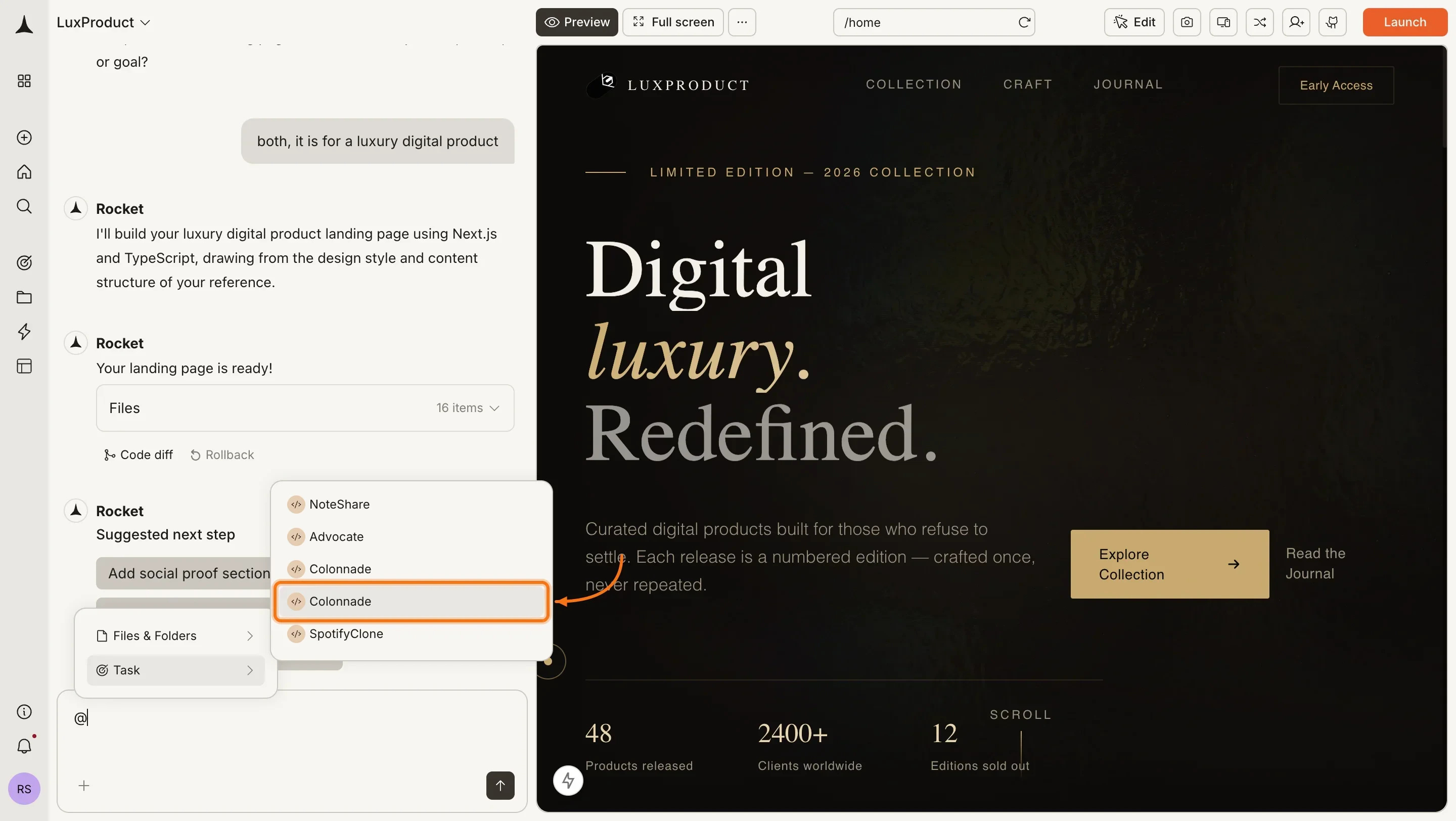
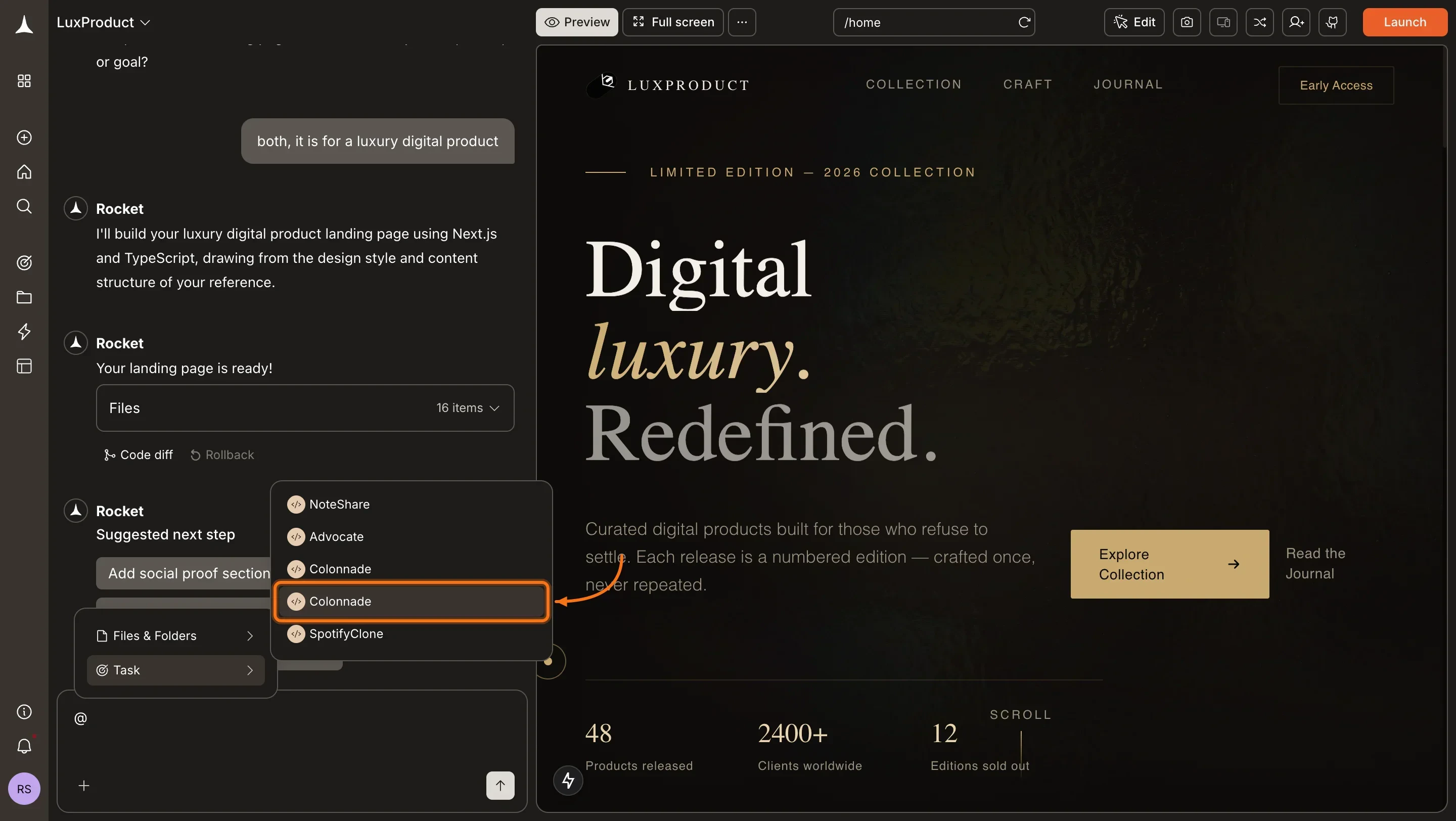
@ character. A dropdown appears listing your recent tasks across your projects.Select a previous task
Choose the task you want to reference. The task title and a short preview help you identify the right one.
Write your message
Add your question or instructions alongside the @-mention. Being explicit about what you want from the referenced task helps:
“@Q3 competitor analysis - how has the competitive landscape shifted since that report?”
“@Landing page build - apply the same visual style to this new pricing page.”
What gets carried over
When you @-mention a task, Rocket pulls its full conversation history and, for Solve tasks, the latest published report. It identifies the relevant sections and uses them as context for the current task. When you reference a Solve task with @-mentions, Rocket brings over the underlying data and conclusions from the latest published (internally Markdown) report. It does not include the visual design or layout from exported views like HTML, PDF, or PPT - those formats are only for display, not for context sharing between tasks.Scope
Tasks you can reference depend on where your current task lives:| Current task | Can reference |
|---|---|
| Inside a project | Any other task inside the same project |
| Standalone task | Any other standalone task |
| Inside a project | Tasks from a different project or standalone tasks |
If your current task is inside a project, you can only @-mention tasks within that same project. Standalone tasks share context with other standalone tasks only.
What it replaces
Without cross-task context, carrying past work forward means reconstructing it manually:“In my last research we concluded that Competitor Y is the real threat because of X, and I decided to focus on segment Z…”With @-mentions, Rocket already knows. Reference the task and your past research, decisions, and direction carry forward automatically.
What’s next?
Attachments
Attach files or paste URLs to give a task additional source material.
Project context
Add files and connected services that persist across all tasks in a project.
Manage tasks
Rename, delete, and organize your tasks.