

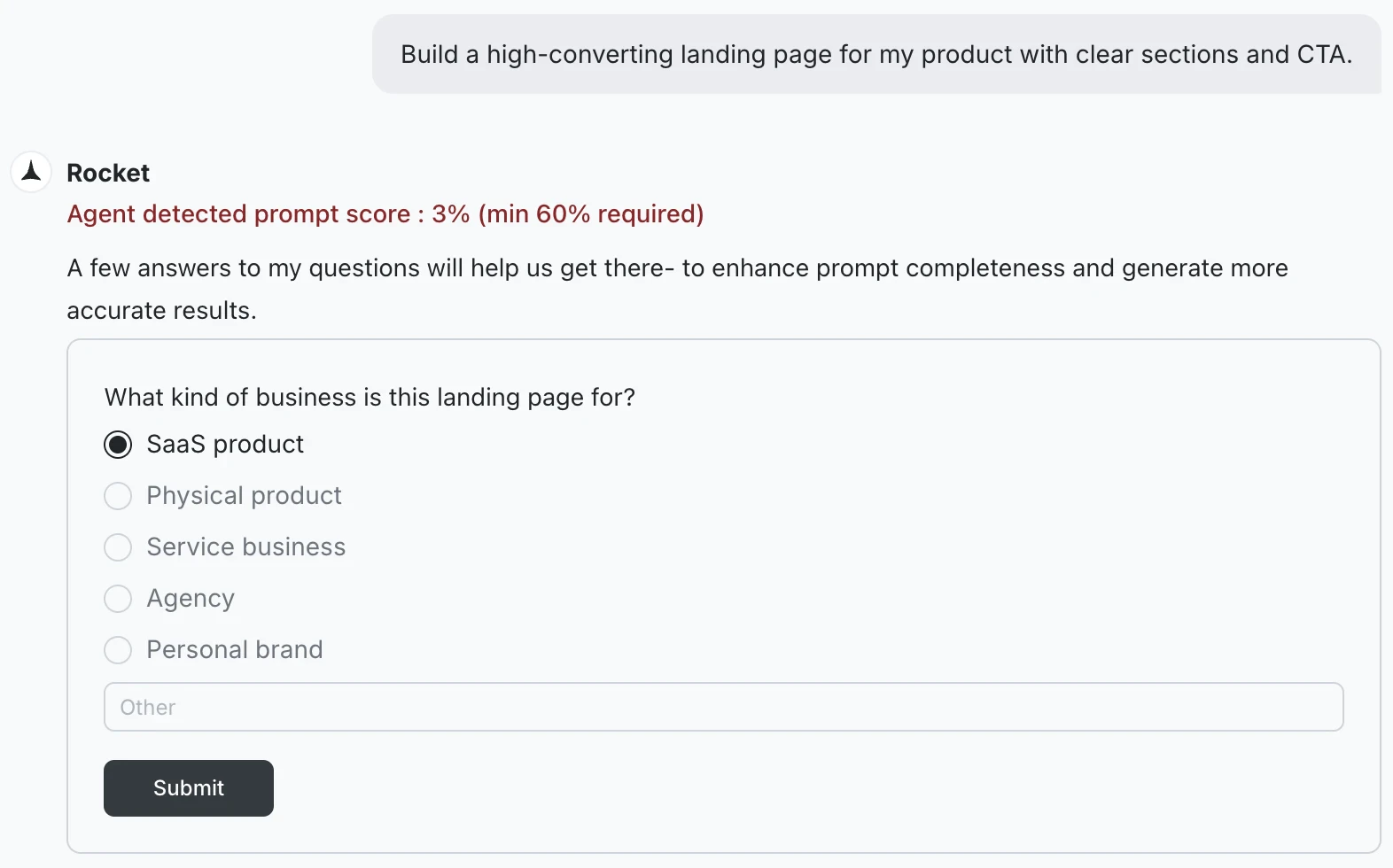
Why Rocket pauses for clarity
A vague prompt produces worse output and wastes your tokens. Rather than make assumptions that send the task in the wrong direction, Rocket pauses to ask the minimum it needs to do the job well. The questions are targeted, not a form to fill out. Rocket asks only the specific gaps it needs filled before it can start confidently.What the questions cover
The questions depend on what is missing from your prompt.For Solve tasks
For Solve tasks
Solve questions focus on scope and audience:
- What type of company are you targeting? (for example, horizontal platform, vertical SaaS, enterprise)
- Which aspects of this question are most critical? (for example, market size, competitive landscape, customer pain points)
- Is this for internal use, a client, investors, or another audience?
- What geography or market segment should this cover?
- Are there specific competitors or companies you want included?
For Build tasks
For Build tasks
Build questions focus on platform and product:
- What platform are you building for - web or mobile?
- Who is this app for and what is the core action they take?
- What are the must-have screens or features?
- Are there any design references, similar apps, or style preferences?
- Are there specific integrations that need to be included?
How to answer
Answer the questions that appear. Some are multiple choice, others have an open text field for custom input. You do not need to be exhaustive - give Rocket enough to narrow the direction, then click Submit. You can always refine through conversation once the first output is ready.Rocket starts the task as soon as the questions are answered. The answers become part of the task context and inform everything it produces.
Write prompts that skip the questions
If you want Rocket to start without asking anything, make your prompt specific enough that there is nothing left to guess. The more of these elements you include, the less likely Rocket is to ask.- Build
- Solve
| Element | Example |
|---|---|
| Platform | ”a web app” or “a Flutter mobile app for iOS and Android” |
| Who it is for | ”for small business owners managing appointments” |
| Key screens | ”homepage, booking flow, confirmation page, and booking history” |
| Must-have features | ”Stripe for payments, email confirmation via Resend” |
| Constraints | ”no login screen needed” or “dark mode only” |
What’s next?
Build from an idea
Tips for writing Build prompts that start without clarification.
Solve best practices
Best practices for writing Solve prompts that produce sharper results.