Enable two-way GitHub code sync in Rocket.new for Next.js and TypeScript projects so edits flow between your repo and the AI app builder.
For Next.js TypeScript projects, Rocket supports full two-way sync with GitHub. Rocket pushes changes to a rocket-update branch and automatically opens a pull request to main for each batch of code edits. Pull changes made by teammates or in your local IDE back into Rocket at any time.
Code sync requires a paid plan (Pro or above).
For all other frameworks, sync is one-way (push only). You need to manually click Push when you want to update GitHub. No automatic PR is created.
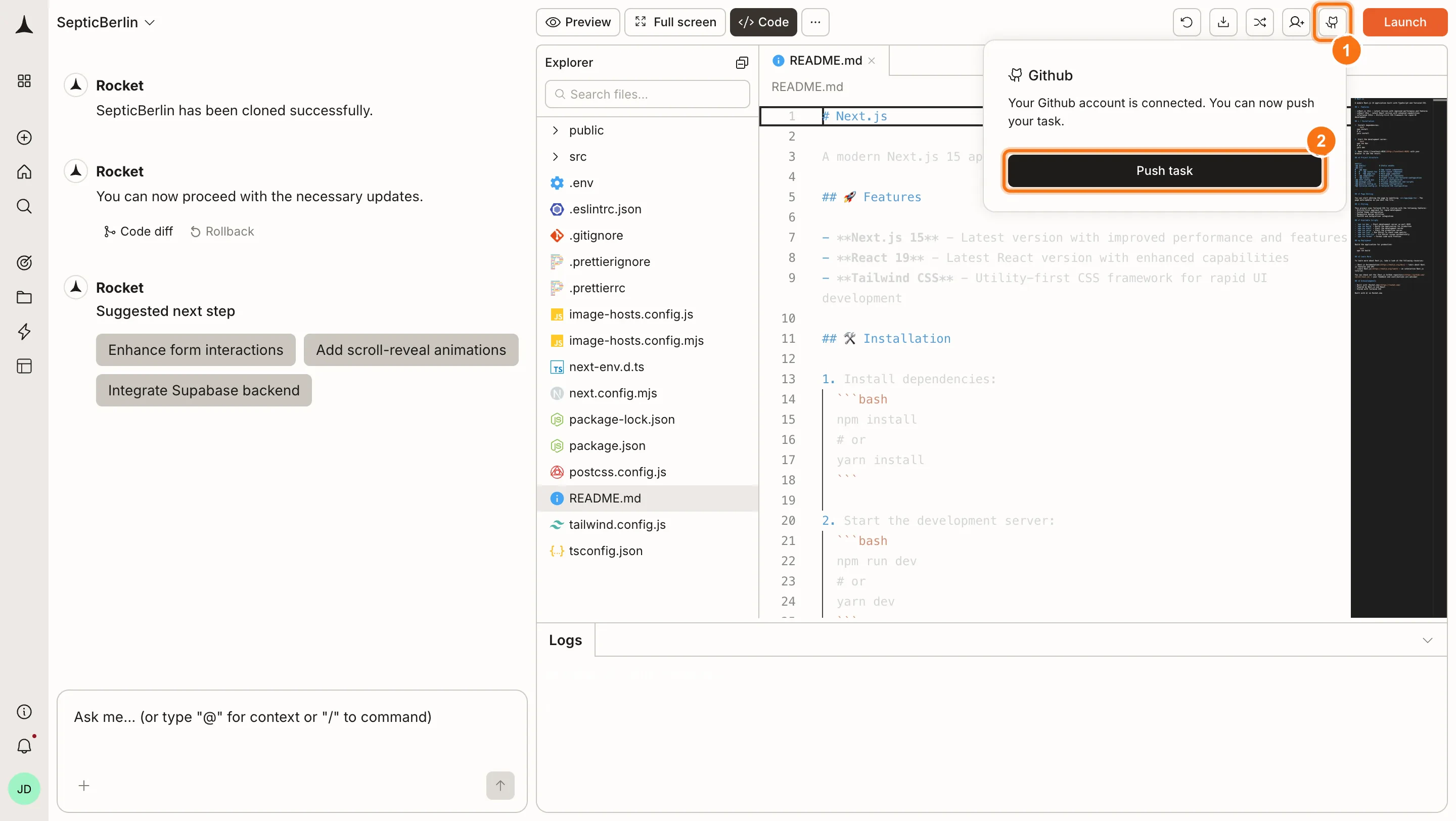
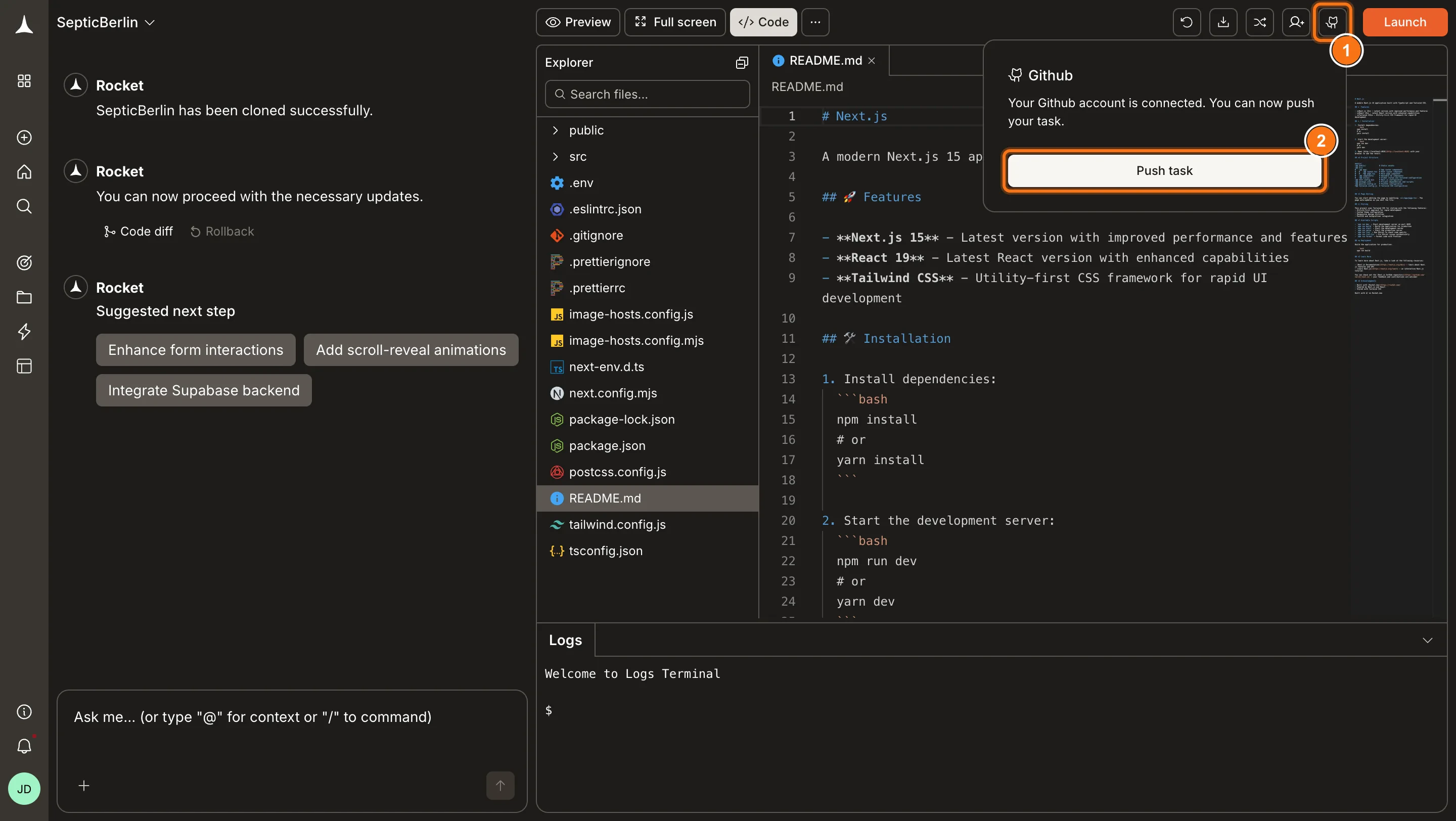
Click Push to send your project code to GitHub. Rocket automatically creates a repository for you. For Next.js TypeScript projects, Rocket pushes to the rocket-update branch and automatically opens a pull request to main so your changes can be reviewed. For all other frameworks, the code is pushed but no automatic PR is created. Push again anytime to update with your latest changes.
Available for Next.js TypeScript projects only. After your initial push, the GitHub button changes to Pull from GitHub.
1
Click Pull from GitHub
Click the Pull from GitHub button in the toolbar.
Pull from GitHub
2
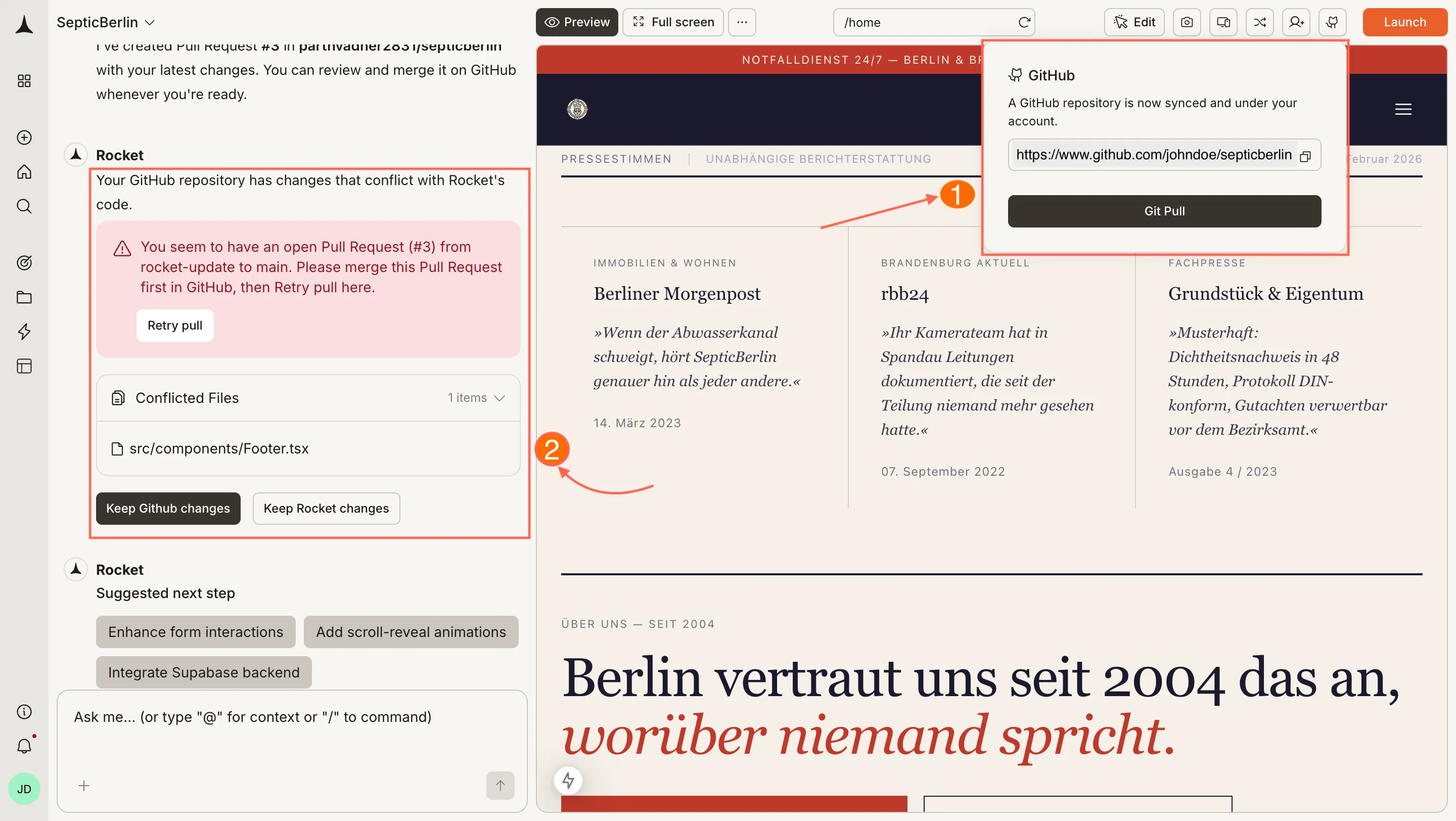
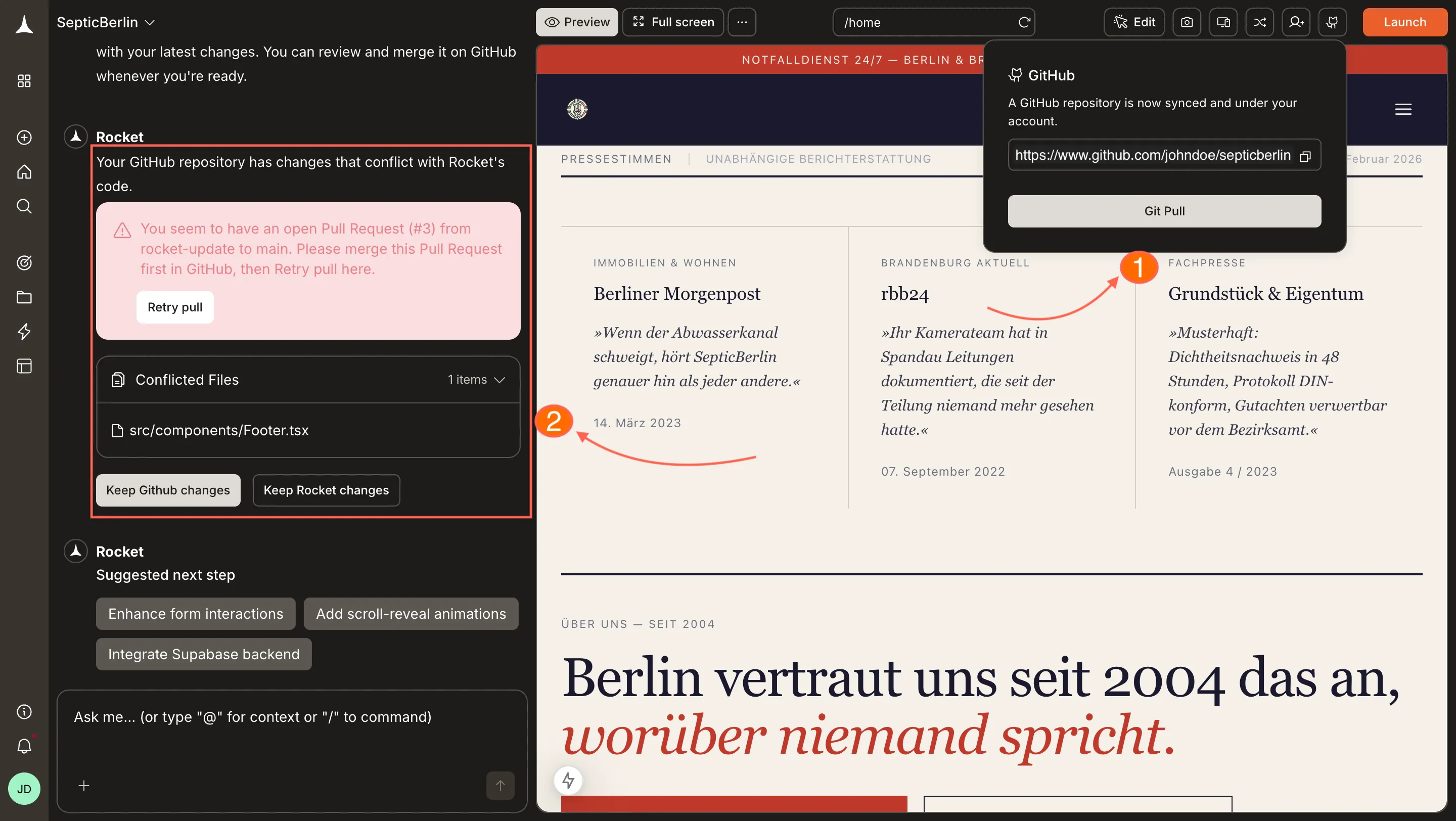
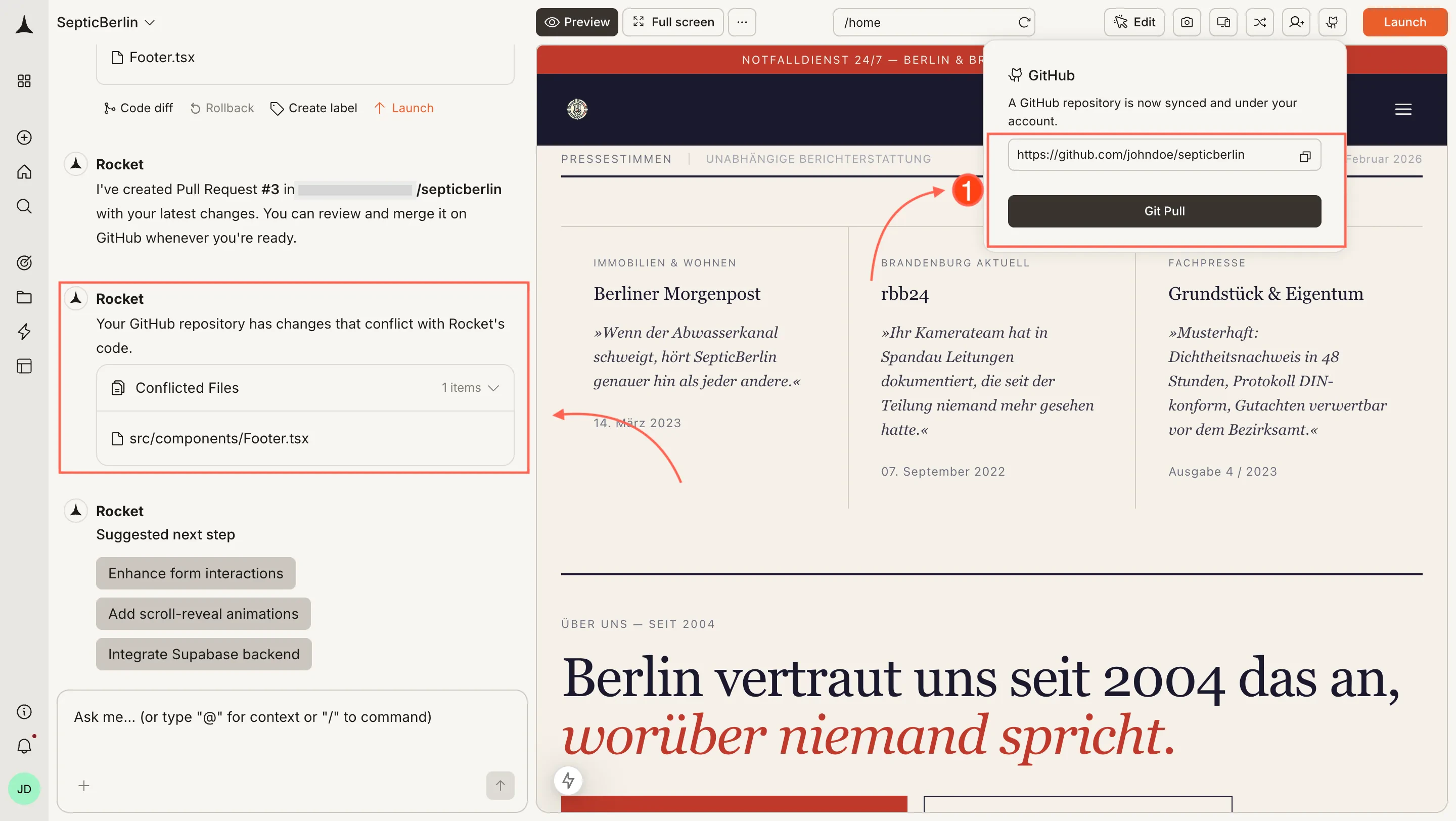
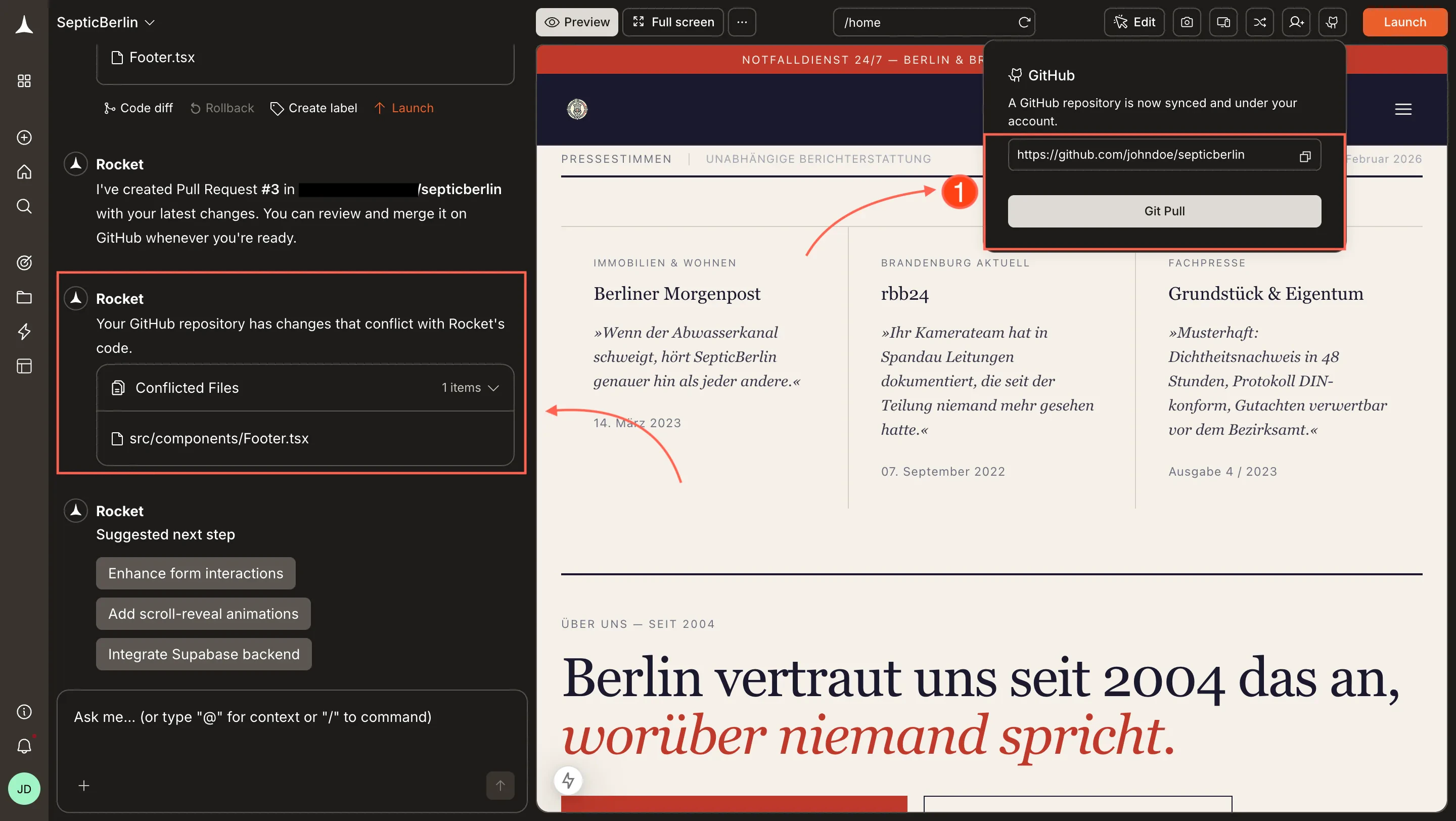
Resolve any conflicts
If there are no conflicts, the pull completes immediately and you see a success message with no further steps needed.If changes in GitHub conflict with your Rocket project, Rocket surfaces them so you can choose how to resolve before the pull completes.
Conflict resolution during pull
3
Continue building
Once the pull is complete, your preview updates automatically and you can keep iterating.
For Rocket-generated apps, pulls are from the main branch only. For cloned repositories, Rocket pulls from the branch you selected when cloning. Changes on other branches will not be pulled into Rocket.
Next.js TypeScript only for pull and auto PR. Two-way sync and automatic PR creation require a Next.js project using TypeScript. JavaScript-only Next.js projects and all other frameworks support manual push only, with no automatic PR.
Branch behavior. For Next.js TypeScript projects, Rocket pulls from main and pushes to a rocket-update branch, opening a PR to main for each batch of changes. For cloned repositories, Rocket pulls from the branch selected at clone time. Other branches are not synced.
Manual push for other frameworks. For non-Next.js or JavaScript-only projects, you need to manually click Push when you want to update GitHub.
For non-Next.js or JavaScript-only projects, GitHub integration is push-only and manual. Push your code to GitHub for backup and collaboration by clicking the Push button when you want to update. No automatic pull request is created. Changes made directly in GitHub will not sync back to Rocket. Always make changes in Rocket first, then push.
See the full GitHub connector setup guide, including authorization and permissions.