Rocket reads your Notion content and writes outputs back.Rocket reads: Your pages, databases, wikis, and PRDs, then uses that content as direct context for building. No copying, no re-explaining, no information loss.Rocket writes back: Project documentation, campaign briefs, content banks, and handoff docs go back into your Notion workspace. Other teams consume them without ever opening Rocket.Prerequisites: A Rocket account at rocket.new and a Notion account with the pages or databases you want to connect.
Before (reading):
  1. PM writes spec in Notion
  2. Developer reads the spec
  3. Developer rewrites it as a prompt
  4. Rocket generates the app
After (reading):
  1. PM writes spec in Notion
  2. Rocket reads it directly and generates the app
Before (writing back):
  1. Rocket generates a landing page
  2. Someone manually copies the copy into a doc
  3. Marketing team reviews the doc
After (writing back):
  1. Rocket generates a landing page
  2. Rocket pushes the copy to Notion
  3. Marketing team reviews it in Notion
The result: your Notion workspace becomes both the source of truth going in, and the destination for everything coming out.

What you can use it for

A PM writes a product requirements document in Notion. You link it directly in Rocket. Rocket reads the full structure, including feature lists, user stories, acceptance criteria, and wireframe descriptions, then builds exactly what was specced with no information loss.Try this prompt:
Read my PRD at [NOTION_URL] and build the described app with all
listed features, user stories, and data models.
Every new project starts with lorem ipsum. With Notion connected, you can replace placeholder content with real copy pulled from your brand guidelines, product docs, or culture pages. Hero headlines from your positioning doc, feature descriptions from your product spec, company values from your culture page.Try this prompt:
Update the hero section using my brand guidelines at [NOTION_URL].
Rewrite the headline, subtext, and CTA to match our actual positioning.
Turn internal knowledge into functional tools. Your onboarding wiki becomes an onboarding checklist app. Your sales playbook becomes an interactive objection-handling tool. Your support docs become a searchable help center.Try this prompt:
Read our onboarding wiki at [NOTION_URL] and build an interactive
onboarding checklist app that tracks progress for each new hire.
Notion databases are structured data. Rocket treats them that way. A product catalog database becomes a storefront. A contacts database becomes a CRM. A job listings database becomes a careers page.Try this prompt:
Connect my Notion product catalog database at [NOTION_URL] and build
a storefront that displays each product with its name, price, image,
and category.
Use Notion pages as source material for adding new pages to your app. A changelog from release notes, a roadmap from your roadmap doc, an about page from your company overview, a careers page from open roles, or an FAQ from your knowledge base.Try this prompt:
Add a changelog page using my release notes at [NOTION_URL] with
real dates, feature descriptions, and version numbers.
After Rocket generates a landing page, push all the copy (headlines, subtext, CTAs, section descriptions) into a Notion page. Your marketing team reviews and approves it without ever opening Rocket.Try this prompt:
Save all copy from this landing page to Notion at [NOTION_URL] for
the marketing team to review. Organize it by section.
Rocket analyzes your generated page and produces a structured campaign brief: objective, target audience, key messages, and CTAs. The brief goes straight into Notion for your marketing team.Try this prompt:
Create a campaign brief in Notion covering objective, target audience,
key messages, and CTAs derived from this landing page.
When a build is done, Rocket writes a full project doc into Notion: what was built, every page and section, component decisions, and design rationale. Useful for handoffs, onboarding new team members, or keeping a record.Try this prompt:
Create project documentation in Notion covering what was built,
every page, section, component, and design decision.
Rocket extracts the strongest headlines and value props from your page, then rewrites them as LinkedIn posts, X posts, and social captions. The whole bank lands in a Notion page, ready for your social team.Try this prompt:
Create a social copy bank in Notion with LinkedIn posts, X posts,
and captions derived from this landing page's key messages.
Rocket derives a 3-5 email drip sequence from your page’s core value propositions. Each email gets a subject line, body, and CTA. The sequence is saved to Notion for review and scheduling.Try this prompt:
Write a 3-5 email drip sequence in Notion derived from this page's
core value props. Include subject lines, body copy, and CTAs.
For agencies and freelancers: Rocket writes a handoff doc covering what was built, what the client can update themselves, and recommended next steps. Clean, structured, ready to share.Try this prompt:
Create a client handoff doc in Notion covering what was built,
what the client can update, and recommended next steps.
Rocket distills your page into a sales one-pager: headline, key benefits, social proof, and a CTA. Formatted cleanly in Notion so your sales team can send it directly.Try this prompt:
Create a sales one-pager in Notion with headline, key benefits,
social proof, and CTA derived from this page.
Rocket structures your key differentiators into a competitive positioning document. Comparison points, strengths, and messaging angles, all written into Notion.Try this prompt:
Write a competitive positioning doc in Notion with key differentiators
and comparison points derived from this page.

Detailed setup

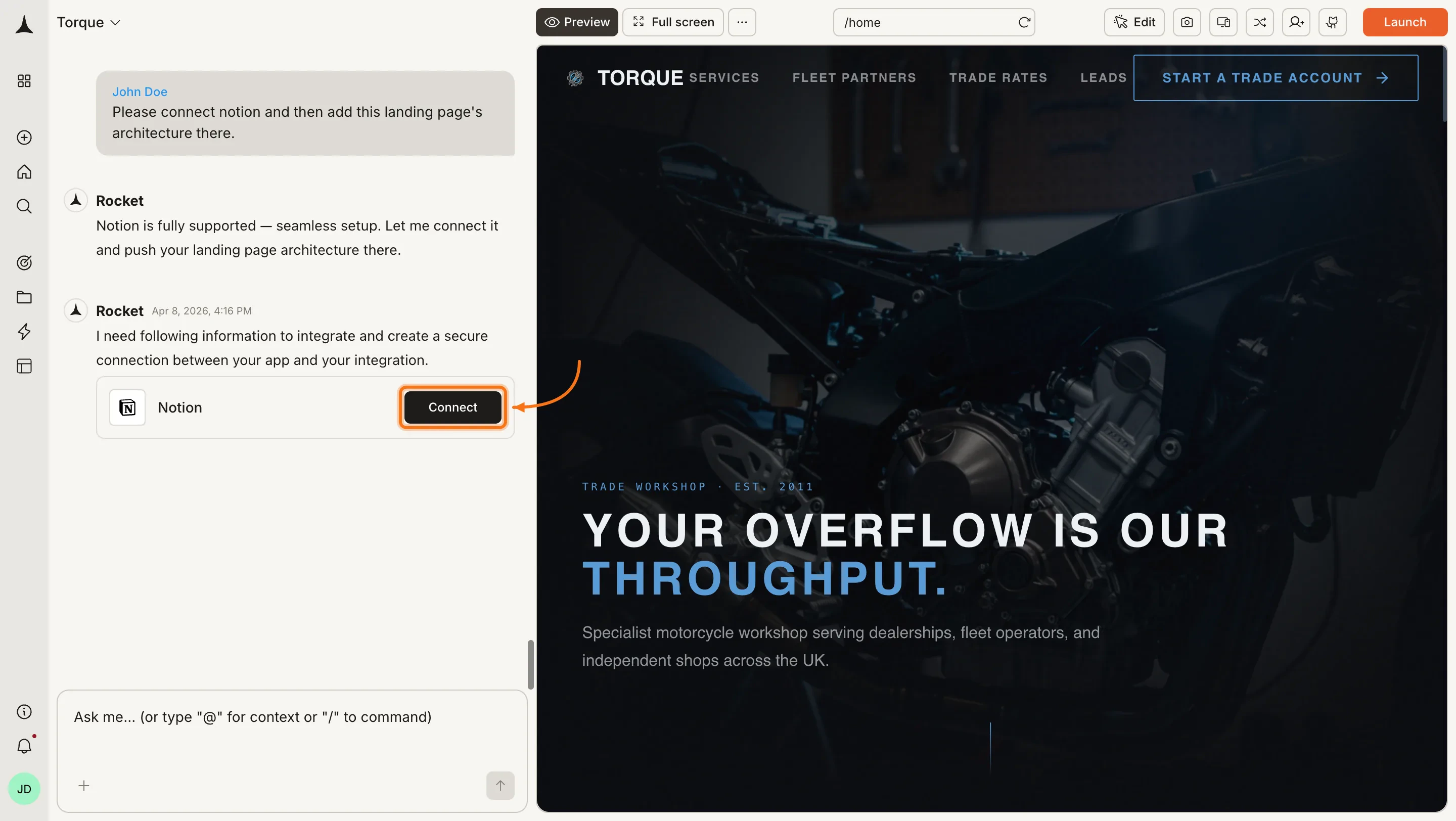
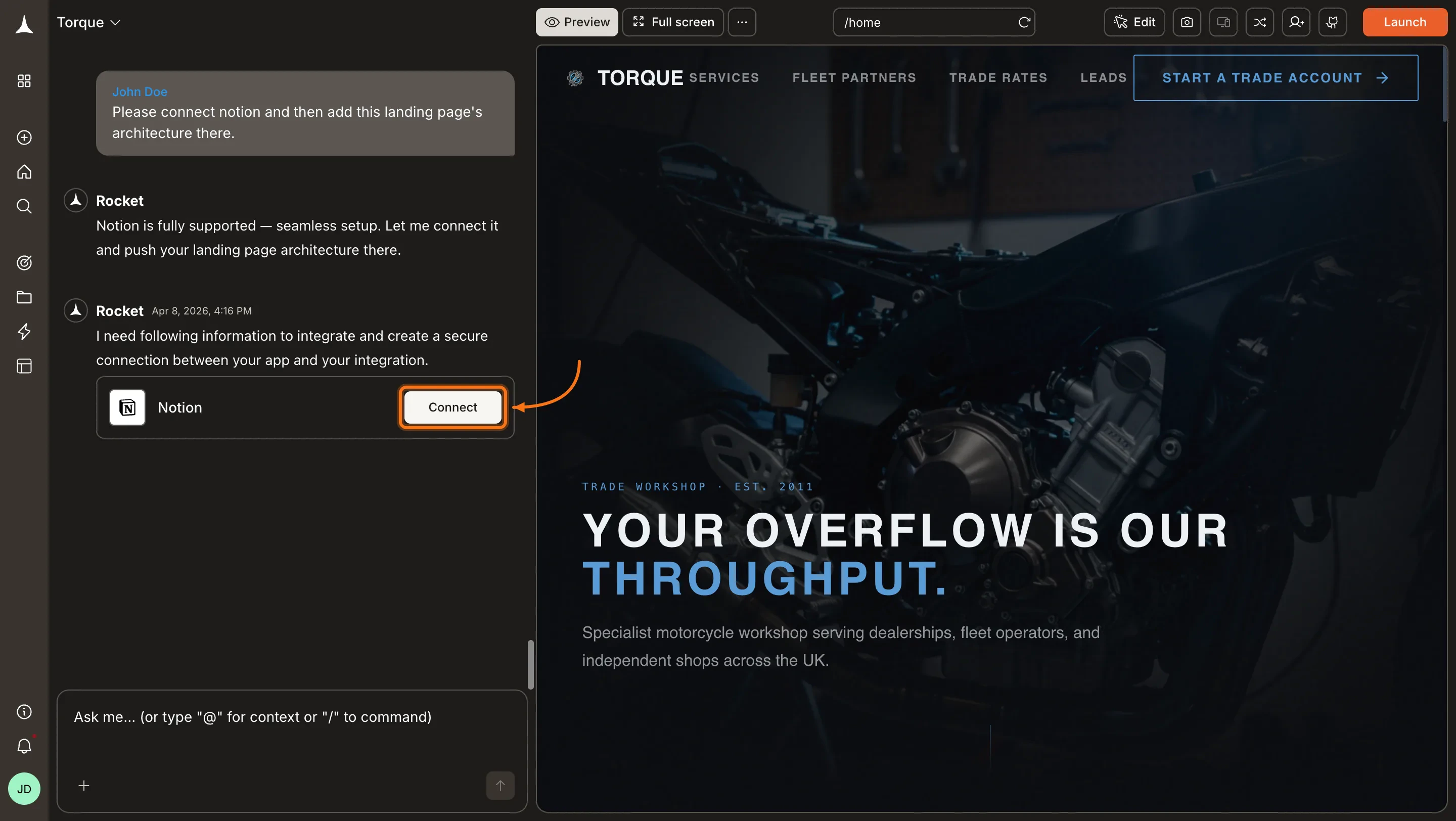
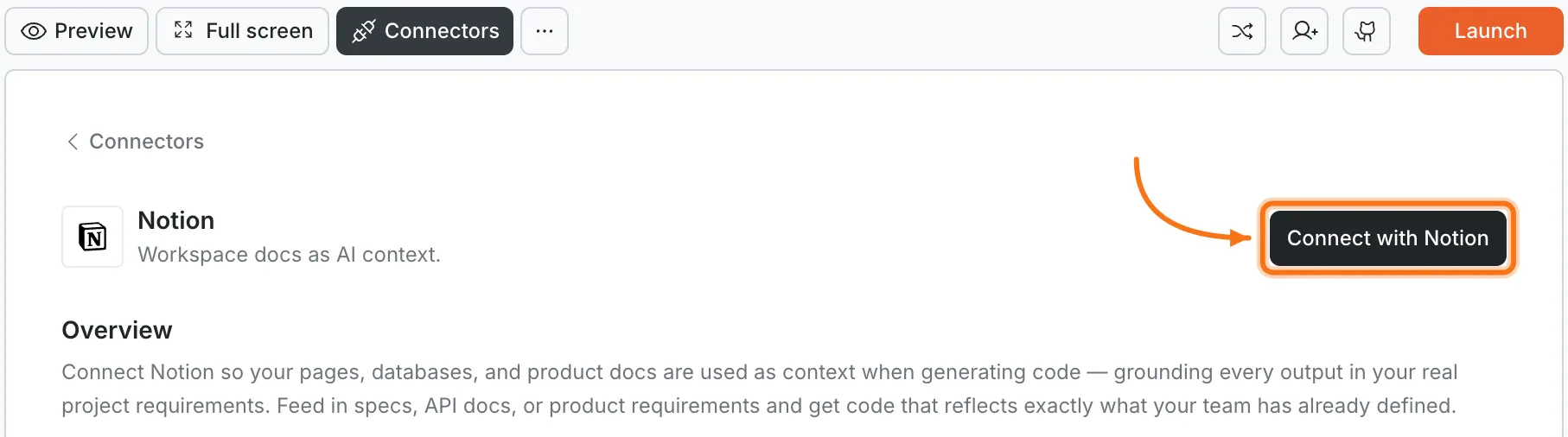
Notion connects through OAuth. You will authorize Rocket through Notion’s login flow, so no API key is needed.

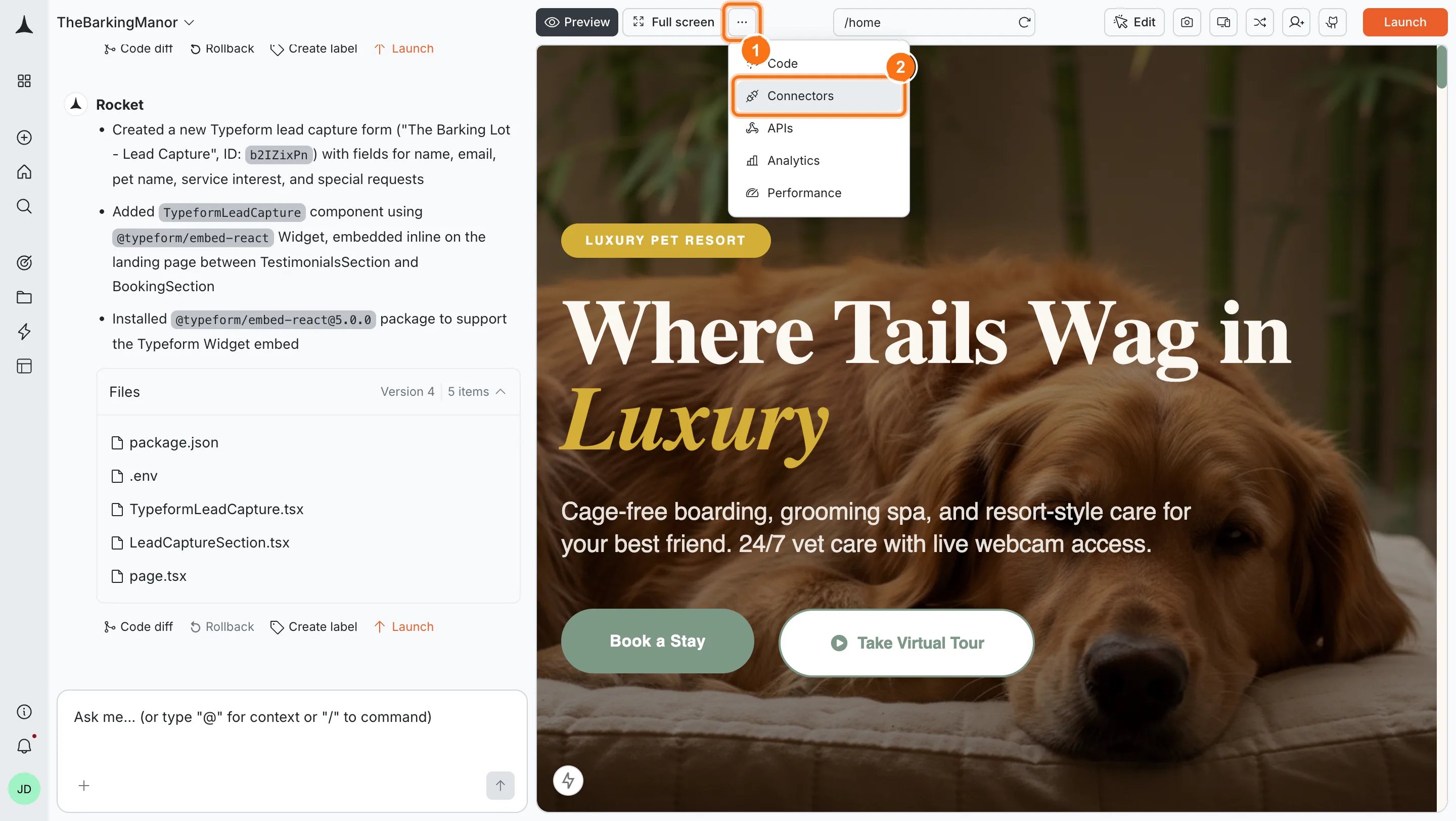
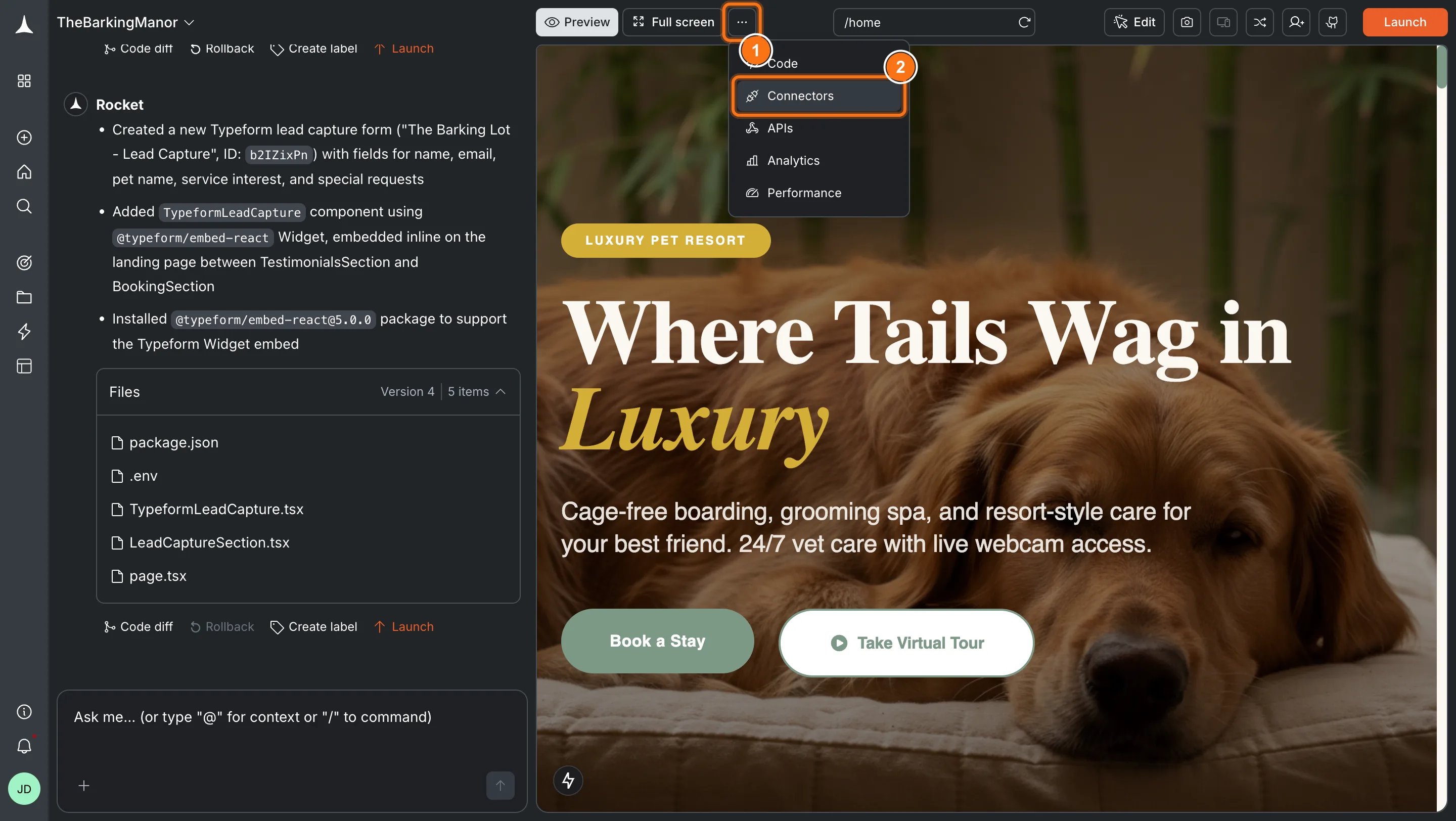
Open Integrations

  • Open any project.
  • Go to Integrations.
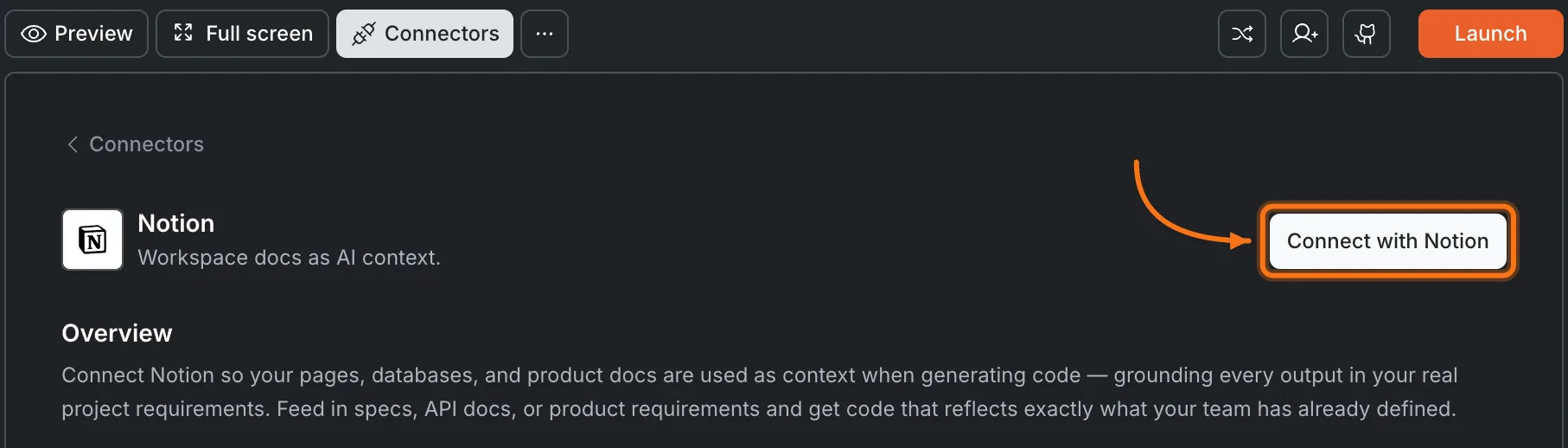
  • Click the Notion card.

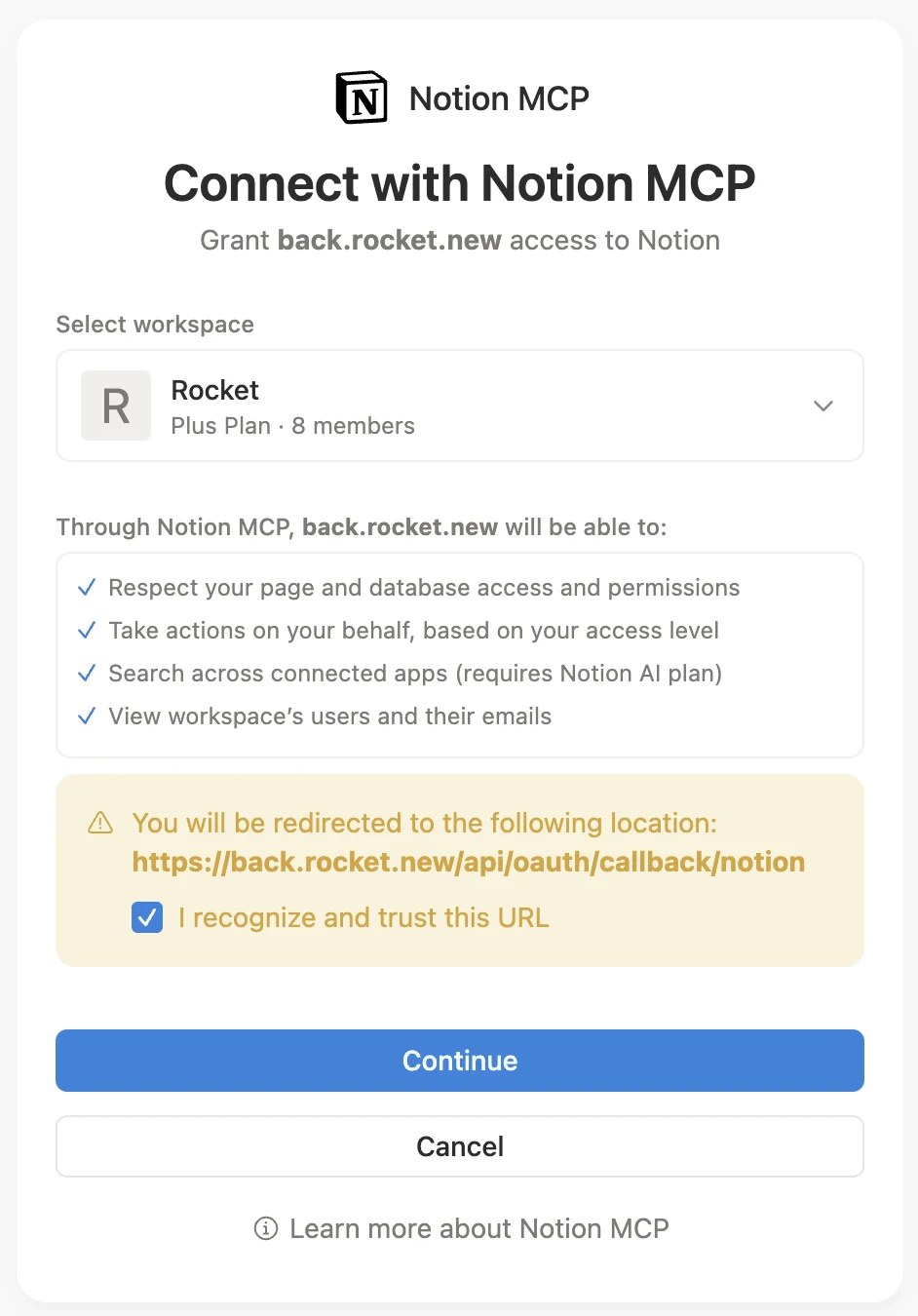
Authorize Notion

  • Click Connect.
  • You will be redirected to Notion’s authorization page.
  • Select the pages and databases you want to share with Rocket.
  • Click Allow access to grant Rocket permission.
A green dot next to Notion in your integrations list confirms the connection.

Update or disconnect

  • Click the Notion integration again.
  • Click Disconnect to remove the connection.
  • To change which pages Rocket can access, disconnect and reconnect, then select different pages during authorization.

Prompt cookbook

Copy-paste these prompts after connecting Notion. Replace [NOTION_URL] with the link to your Notion page or database.

Enrich existing pages

Use casePrompt
Replace hero with real positioningUpdate the hero section using my brand guidelines at [NOTION_URL]. Rewrite the headline, subtext, and CTA to match our actual positioning.
Update features from product specUpdate the features section using my product spec at [NOTION_URL]. Rewrite every feature card to reflect what we actually built.
Update founder story and valuesUpdate the about section using my founder narrative and culture doc at [NOTION_URL].
Add FAQ from knowledge baseReplace the FAQ section using questions from [NOTION_URL]. Add pricing, integration, and security FAQ blocks from our sales objections doc.
Update integrations sectionUpdate the integrations section using my integration spec at [NOTION_URL] with real tool names and descriptions.

Add new pages

Use casePrompt
Add changelog pageAdd a changelog page using my release notes at [NOTION_URL] with real dates and feature descriptions.
Add roadmap pageAdd a public roadmap page using my roadmap doc at [NOTION_URL] with features, timelines, and status indicators.
Add about pageAdd an about page using my company overview at [NOTION_URL] covering mission, story, values, and team.
Add security pageAdd a security and compliance page using our security doc at [NOTION_URL].

Write back to Notion

Use casePrompt
Save copy for reviewSave all copy from this landing page to Notion at [NOTION_URL] for the marketing team to review.
Create campaign briefCreate a campaign brief in Notion covering objective, target audience, key messages, and CTAs from this page.
Create project documentationCreate project documentation in Notion covering what was built, every page, section, and design decision.
Create social copy bankCreate a social copy bank in Notion with LinkedIn posts, X posts, and captions derived from this page.
Create email sequenceWrite a 3-5 email drip sequence in Notion derived from this page's core value props.
Create client handoff docCreate a client handoff doc in Notion covering what was built, what to update, and next steps.
Create sales one-pagerCreate a sales one-pager in Notion with headline, key benefits, social proof, and CTA.
Create competitive positioningWrite a competitive positioning doc in Notion with key differentiators from this page.

Tips and limitations

  • Select specific pages. When connecting, share only the pages and databases Rocket needs. This keeps context focused and reduces noise.
  • Notion permissions matter. Rocket can only read pages you explicitly share during the OAuth connection. It cannot access your entire workspace unless you grant it.
  • Paste Notion URLs for precision. Linking directly to a Notion page or database gives Rocket exact context. Vague references like “my product doc” may pull the wrong page.
  • Write-back is structured. Rocket writes back as Notion pages with proper headings, code blocks, and tables, not plain text dumps.
  • Database relations are supported. Rocket understands linked databases and can use related records as context when building.
  • Generated docs are drafts. Treat content Rocket writes to Notion as starting points. Review and refine them before sharing externally.
  • Large workspaces. For very large Notion workspaces, point Rocket at specific pages rather than entire top-level databases to keep builds focused.

What’s next?