

Email templates
Customize Supabase auth email templates in Rocket.new to brand signup confirmations, password reset messages, and magic link login emails.
Customize the email templates Supabase sends for sign-up confirmation, password reset, and magic links. This guide covers editing subject lines and body content while keeping the required placeholders intact.
The built-in Supabase email service is intended for development use only and has rate limits. For production apps, connect a custom SMTP provider.
Edit email templates in Supabase
- In your Supabase project, go to Authentication in the left sidebar.
- Under Configuration, choose Emails.
- Switch to the Templates tab.
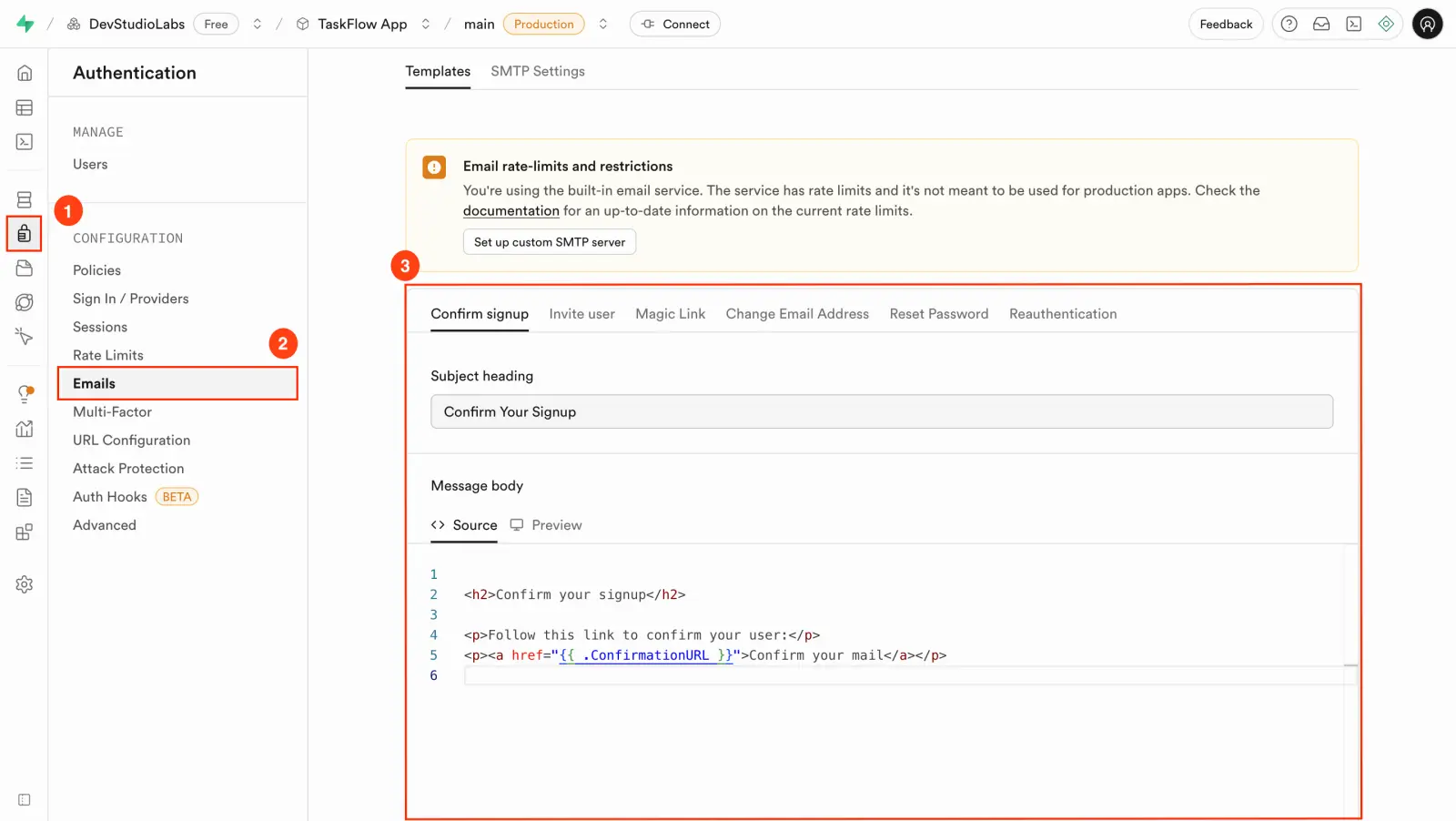
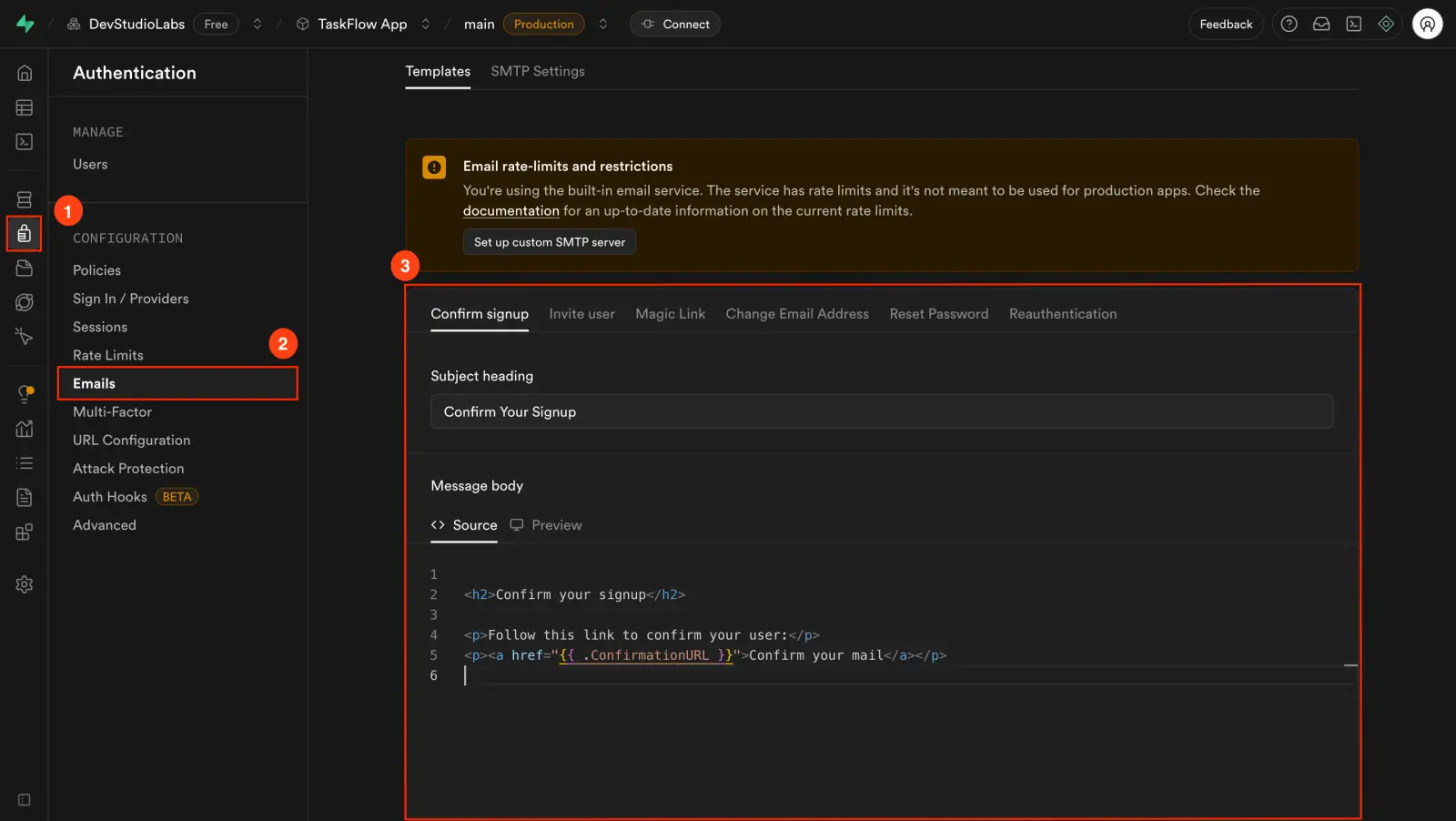
You should now see templates like Confirm Signup, Magic Link, and Reset Password.
Click the template you want to customize, such as Confirm signup. You can update the following:
- Subject line: What appears in the user's inbox.
- Email body: The message content, written in HTML or plain text.
Keep placeholders like {{ .ConfirmationURL }}. If removed, the email will not work as expected.
Click Save at the bottom of the editor. Then test your update by triggering that email type in Rocket. For example, sign up to test the confirmation email. The email you receive should reflect your custom content, and all links should work correctly.
Troubleshooting
1. Email still shows old content
What you will see: You updated the template, but the email still shows the old message.
To fix this:
- Make sure you clicked Save in Supabase.
- Clear your email client's cache (especially in webmail).
- Trigger a new signup or password reset. Old links will not refresh.
2. Links in the email are broken
What you will see: The email arrives, but the link is missing or unclickable.
To fix this:
- Confirm you kept the placeholder variable like
{{ .ConfirmationURL }}in the template. - Double-check the Site URL in Supabase. It must match your Rocket app's live domain.
Branded emails that work
Your Rocket app now sends custom, branded emails through Supabase that look right and function reliably.